Different Exciting Types of Podcast Formats: A Beginner’s Guide

Different Exciting Types of Podcast Formats: A Beginner’s Guide

If you want to start a podcast, one of the first things you should consider is the format of your show. The types of podcast format will determine how you interact with your audience and deliver your material. There is no one-size-fits-all solution here, so it all depends on your personal style and ambitions. Let’s look at the most prevalent podcast formats and how they work. Hopefully, by the end, you’ll have a better notion of which one best suits you!

The Solo Show

The solo podcast format is just as it sounds: just you, the microphone, and your ideas. This format is ideal if you are an expert in a certain topic or simply want to share personal experiences or ideas. Consider it a monologue or audio blog in which you can discuss whatever you’re enthusiastic about without the need for guests or co-hosts. Some ideas of topics include; mental health, book reviews, and personal career hacks.

Pros:

  • Complete control over the content.
  • No scheduling conflicts with other people.
  • It’s great for personal branding—you’re the star!

Cons:

  • You’ll have to come up with all the content on your own.
  • It might be harder to keep things engaging for long periods.

Interview Shows

This is among the most popular types of podcast formats. Interview podcasts feature guests—whether they are specialists, celebrities, or ordinary individuals with compelling stories. The host poses questions, the guest responds, and the two have a conversation. This format is adaptable and suitable for a wide range of industries, including business, technology, lifestyle, and entertainment. It is a good idea to bring on experts to discuss entrepreneurship or travel enthusiasts to share their experiences.

Pros:

  • It’s easier to create content since the focus is on the guest.
  • You get fresh perspectives in each episode, keeping things interesting.

Cons:

  • Scheduling guests can be tricky, especially if they’re busy or in different time zones.
  • You need good interview skills to make sure the conversation flows naturally.

Co-hosted Shows

Co-hosted podcasts are those where two or more persons host the broadcast jointly. It’s a conversation among friends, colleagues, or experts that feels livelier because of the natural back-and-forth. These podcasts are often more relaxed and can cover everything from current events and pop culture to specialty issues.

Pros:

  • The conversation feels more organic and livelier.
  • You can share the load when it comes to planning and content creation.

Cons:

  • It requires more coordination and teamwork.
  • There might be disagreements or differences in style that need managing.


Narrative Storytelling

Amongst the different types of podcast formats, narrative storytelling focuses on telling a tale in a serial or episodic style. These could be fictional stories, facts about historical events, or a mix of both. Consider it an audiobook or a radio drama but divided into episodes.

Pros:

  • You can showcase innovation with sound design, music, and narration to enhance the storytelling.
  • People love a good story, so this format can build a dedicated audience.

Cons:

  • It requires a lot of planning, writing, and production effort.
  • If it’s a series, listeners will expect regular episodes to follow up on the story.

Roundtable Discussions

This is a bit like the panel show but often involves rotating guests who come together for a group discussion. The roundtable can be more free-flowing and doesn’t always require deep expertise from the participants, making it feel casual yet informative.

Pros:

  • Offers a variety of opinions and ideas in one episode.
  • It can be a good way to introduce new voices and perspectives regularly.
  • It can become a community-building platform if you involve your audience.

Cons:

  • It can be hard to manage and keep organized, especially with larger groups.
  • Some participants may dominate the conversation

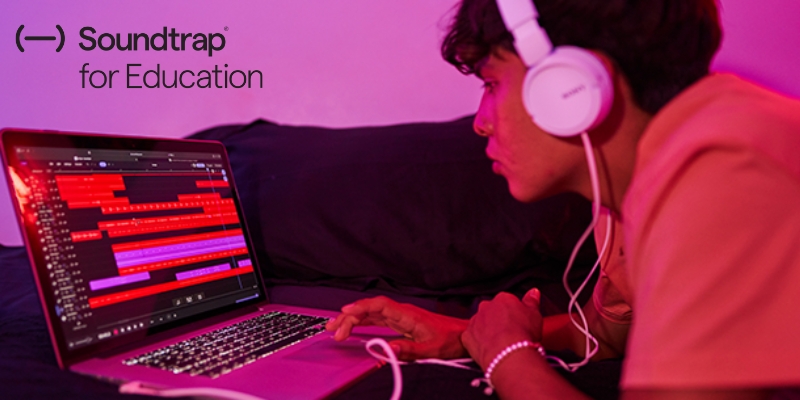
Collaborate effortlessly with anyone using Soundtrap, where you can record, edit, and store your podcast in the cloud, allowing you to work from anywhere and on any device. Soundtrap is a platform that offers an all-in-one solution for podcasters, providing easy-to-use tools for real-time collaboration, multi-track editing, and seamless cloud storage. Whether you’re working solo or with a team, Soundtrap makes podcast production flexible and accessible.

Contact us

Fill in your details below or send us an email on info@knowledge-hub.com

Special Color Sensors That Enhance Creative Coding Projects for Kids

Special Color Sensors That Enhance Creative Coding Projects for Kids

Understanding Color Sensors: The Key to Engaging Coding Experiences

Color sensors are like tiny eyes that help machines “see” the world around them. They can detect and identify different colors, just like our own eyes do. This is incredibly useful for all sorts of tasks, from sorting objects to tracking things that move. Imagine a robot that can follow a red line on the floor or pick out blue objects from a pile. Color sensors make all of this possible through creative coding projects.

What is a Color Sensor?

A device that is able to recognize and detect various colors in its surroundings is called a color sensor. Usually, it uses light to analyze an object’s color and differentiate it depending on wavelength. Because of this feature, color sensors are extremely useful in a wide range of applications, including robotics and industrial automation, but especially in educational environments. For children using color sensors, creative coding projects become much more engaging and interactive.

How Does a Color Sensor Work?

In order to function, color sensors must emit light, frequently in the RGB (red, green, and blue) wavelength range. Certain wavelengths of light are absorbed, and others are reflected when they strike an item. This reflected light is captured by the sensor, which then determines how intense each color is.

Here’s a simplified breakdown of the process:

  • Light Emission: A light beam is directed at an item by the sensor.
  • Reflection: The item returns certain light wavelengths to the sensor by reflecting them.
  • Detection: The color sensor measures how much red, green, and blue light is reflected from an object.
  • Color Identification: The sensor uses the intensity values to identify the color of the object and communicates this information to the device that is attached (such as a robot).

This ability to differentiate colors allows kids to program their robots to interact with their environment in exciting ways.

Why Does Coding Need Color Sensors?

Color sensors are essential in coding education for reasons more than one:

  • Enhanced Interaction: When kids use color sensors in their creative coding projects, they can make their robots react to the real world around them. For example: imagine a robot traffic cop that uses a color sensor to see when a red car is coming. The robot cop stops traffic by turning on the red light, just like a human traffic cop! This makes coding more exciting and helps kids understand how their code can make things happen in the real world.
  • Creative Projects: Color sensors open up a whole new world of possibilities for creative coding projects. Kids can design robots that follow colorful paths, play games that involve recognizing colors, or even create art projects based on color.
  • Motivation and Fun: Kids love colors! Using color sensors in their coding projects makes learning more fun and engaging. When kids see their robots responding to colors, they feel proud and motivated to keep learning and experimenting

The MatataStudio Color Sensor

The MatataStudio color sensor is a fantastic addition to the coding platform for children, especially in schools across Dubai. It is designed with young learners in mind, making it easy to use while offering powerful features that promote creativity and critical thinking. Here’s what makes the MatataStudio color sensor stand out:

  • User-Friendly Interface: MatataStudio provides an intuitive interface that allows kids to program their robots easily. The color sensor seamlessly integrates into their coding projects, enabling them to focus on creativity rather than technical difficulties.
  • Versatile Applications: With the color sensor, children can program their robots to follow a color trail, react to colored objects, or even create games that incorporate color detection.
  • Encouraging Exploration: With the MatataStudio color sensor, children can tweak their code, try different colors, and observe the outcomes, which fosters a spirit of inquiry and exploration.
  • Community & Collaboration: When children work together on projects that involve the color sensor, they learn from each other, share ideas, and enhance their communication skills.
  • Real-World Learning: Children gain practical experience and learn about automation, robotics, and the science of light, laying a strong foundation for future STEM learning.
Children’s coding experience is specifically improved by the MatataStudio color sensor, which enables them to investigate the intriguing connection between coding and the real world. By incorporating color sensors into their creative coding projects, children not only learn the fundamentals of coding but also strengthen their problem-solving, creativity, and collaborative skills.

Contact us

Fill in your details below or send us an email on info@knowledge-hub.com

Understanding Energy Transfer with LEGO® Education SPIKE™ Essential

Understanding Energy Transfer with LEGO® Education SPIKE™ Essential

If you’ve ever played pinball, you know it’s a thrilling game in which a small ball bounces around unexpectedly, hitting bumpers and obstacles as it rushes toward points. But have you ever wondered why that ball bounces? It’s all about energy – more particularly, how energy changes and moves in a game like pinball.

In today’s session, we’ll look at the game of junior pinball using the LEGO® Education SPIKE™ Essential set, where we’ll learn about energy conversions and how to create the most unexpected pinball game possible!

Step 1: Energy Conversion – What’s It All About?

Everything around us has energy. You might know about kinetic energy (the energy of motion) and potential energy (stored energy that has the potential to move). When you pull back the plunger in a pinball machine, you’re storing energy (potential energy). As you release the gear of the pinball machine, that energy turns into kinetic energy, making the ball fly around the board. The ball then hits bumpers, obstacles, and other elements, which cause the ball’s energy to change and transfer. So, the challenge here is to figure out how to make this energy transfer more unpredictable. Can you make the ball behave in exciting and unexpected ways? That’s where things get fun!

Energy Transformation and Dynamics in Pinball Play

  • Releasing the Ball: When you release the plunger, the stored potential energy transforms into kinetic energy, propelling the ball across the playfield.
  • Hitting Bumpers & Obstacles: When the ball strikes bumpers or ramps, its kinetic energy is transferred, changing its speed or direction, resulting in unpredictable movements.
  • Flippers and Energy Control: When you click the buttons, the machine turns electrical energy into mechanical energy, which moves the flippers, pushing the ball and returning kinetic energy to it.
  • Energy Dissipation: As the ball slows down, it loses some of its energy as heat and sound, particularly when it hits bumpers.

Step 2: The Junior Pinball Challenge – Let’s Build!

Our student’s mission is to create a junior pinball game that’s unpredictable using the LEGO® Education SPIKE™ Essential set. But how? By adjusting the energy flow, adding obstacles, and designing a way for the ball to bounce randomly!

Use the LEGO® Education SPIKE™ App to guide you through the process.

  • Build and Test: Your first task is to program the game to start. How can you make the ball go where you want it to? What kind of energy transfer happens when it launches?
  • Make It Unpredictable: Next, you’ll tweak your program to add some chaos. Add obstacles that change the ball’s direction and energy, making it harder to predict where it will go. You could add a flipper, bumper, or even an obstacle that sends the ball off in random directions. The key is to create surprise!
  • Upgrade the Game: Want to make it even more challenging? Add more obstacles and fine-tune the energy transfer.

Step 3: Testing and Tweaking – What Works and What Doesn’t?

Once you’ve built and tested your game, it’s time to reflect. After each test, ask yourself:

  • How did the obstacles affect the ball’s energy? Did it go where you expected it to go?
  • Did your changes make the game even more challenging?
  • What kind of obstacles worked best for changing the ball’s direction? How could you make the obstacles even more exciting?

Remember, pinball is all about surprise and speed. If you’re able to make your game more unpredictable, you’re doing it right! Get your hands on the LEGO® Education SPIKE™ Essential set, which is widely available in schools across Dubai and the Middle East.

Step 4: Reflect and Share – Let’s Talk About It

When everyone’s completed their challenges, gather together to reflect on the design. Share your experiences and ideas with the group. Did you use energy in a way that made the game exciting? What worked, and what could be improved?

Step 5: Wrapping Up – How You Can Level Up

Now, let’s talk about some ways you can level it up!

  • Add more motors and sensors to control the speed of the ball. Can you make the ball go faster or slower depending on where it lands?
  • Use new coding blocks to get the ball to behave even more unpredictably. How can you control the ball’s path in different ways?
  • Refine the obstacles by trying to design new types of obstacles that could change the ball’s path or even stop it in its tracks.

This lesson is all about energy – how it’s converted, transferred, and changed to make something exciting happen, like a pinball game. You learned how to use coding and building skills to make a game that’s unpredictable, just like the real pinball machines.

Contact us

Fill in your details below or send us an email on info@knowledge-hub.com

The Cost-Effectiveness Opportunities of Video-Based Lessons

The Cost-Effectiveness Opportunities of Video-Based Lessons

Video-based lessons are rapidly taking over in educational settings in the current digital era. This movement is a deliberate change that offers several economic advantages for instructors and schools, and it’s not just about convenience.

  • Scalability and Accessibility: The ability to reach a significantly larger audience is one of the main benefits of video-based lessons. An infinite number of learners can receive a video lesson once it has been produced. This reduces the need for live instruction or physical classrooms, which lowers expenses for travel, classroom leases, and teacher pay. Additionally, these sessions are accessible to students at any time and from any location, increasing the flexibility of learning. Because they can learn at their own speed, they don’t require as much expensive one-on-one coaching or additional assistance.
  • Time and Resource Efficiency: The fact that video-based classes save time, and money is another significant benefit. Making and presenting video classes can be more effective than traditional classroom instruction. Teachers can save time by reusing and repurposing content. Additionally, schools can save money on overhead expenses like supplies, utilities, and upkeep because physical classrooms are no longer necessary.
  • Improved Engagement and Retention: Compared to traditional approaches, video-based lessons frequently provide a deeper learning experience. Videos can enhance learning through the use of animations, images, and interactive components. Research indicates that when knowledge is presented visually, students are more likely to pay attention and retain it. Better academic outcomes and a decreased need for remedial teaching may arise from this.
  • Cost-Effective Production: The wonderful thing about making video-based classes now is that technology has significantly decreased in cost. Schools and individuals can now create high-quality material without going over budget thanks to the increased accessibility of video production equipment and software. It’s even more affordable because there are a ton of free and open-source tools for distribution, animation, and editing.

Empowering educators and students with AutoAuto

AutoAuto stands out as a leader in video-based STEM education. Offering a comprehensive platform, AutoAuto provides everything needed to create impactful video lessons and empower students to explore the exciting world of Science, Technology, Engineering, and Mathematics (STEM).

  • A Curriculum Tailored to All Levels: AutoAuto caters to a wide range of learning needs, offering courses suitable for students from elementary (3rd grade) all the way through college/university. This ensures that educators can find the perfect program to match their students’ age and skill level.
  • Learning by Doing: AutoAuto goes beyond traditional video lectures by incorporating a project-based approach. Students master crucial skills like Python programming and Artificial Intelligence concepts by actively learning through hands-on projects.
  • Two Learning Options: AutoAuto caters to both in-person and remote learning environments. Students can choose to utilize the hands-on AutoAuto cars (physical robots) or explore the concepts through the simulated version – a virtual car accessible to every student. This flexibility ensures adaptability and inclusivity.
  • Engaging and Efficient for Educators: AutoAuto features a wealth of resources for educators, including video-based lessons, auto-graded challenges for student assessment, and a teacher’s portal to track progress and monitor learning outcomes. Additionally, AutoAuto offers free remote professional development sessions twice a year, ensuring educators are well-equipped to utilize the platform’s full potential.
  • Beyond the Technology: AutoAuto provides more than just software. The platform also boasts a comprehensive curriculum available in English, Spanish, and Portuguese, further demonstrating their commitment to global accessibility.
  • Cost-Effective Choice: While the pricing information isn’t readily available on the website, the platform emphasizes its affordability by offering competitive plans and highlighting the benefits of video-based learning as a cost-effective educational approach.

Video-based lessons offer a clever and economical method of delivering instructional content. By leveraging the power of technology, schools and instructors can create engaging, memorable, and effective learning experiences for students of all ages, all while controlling costs. From scalability to improved engagement and versatility, the benefits of video-based lessons make them an ideal choice for modern education. As the demand for flexible and accessible learning continues to grow, video-based lessons are set to play an even bigger role in the future of education.

Contact us

Fill in your details below or send us an email on info@knowledge-hub.com

Enhancing Skills in Coding and Robotics with Prototyping using the LEGO® Education SPIKE™ Prime Set

Enhancing Skills in Coding and Robotics with Prototyping using the LEGO® Education SPIKE™ Prime Set

Coding and robotics are essential skills in every aspect of life. They help us understand technology better and even inspire creativity. One fantastic way to learn these skills is through the LEGO® Education SPIKE™ Prime Set. This set not only makes coding fun but also emphasizes the importance of making prototypes and testing them. Let’s explore why these steps are crucial in the learning process.

What are Prototypes?

A prototype is a basic product that is made to test concepts. Consider it an initial draft. Prototypes in engineering and coding allow us to understand how our ideas function in the real world, much like in writing where you may go through multiple versions before settling on the final version. You may swiftly construct a model, be it a vehicle, robot, or other device, using LEGO® SPIKETM Prime.

Why Make Prototypes?

  • Visualization of Ideas: Building a prototype allows you to visualize your concept. Instead of just thinking about it, you can see how it looks and works. This is especially important in coding, where abstract concepts can be hard to grasp. Seeing your idea in action helps solidify your understanding.
  • Problem Solving: Prototyping encourages problem-solving. When you create a model, you might encounter challenges. Perhaps a robot doesn’t move as you expected, or it doesn’t follow a path correctly. These problems provide valuable learning opportunities. You learn to troubleshoot and find solutions, which is an essential skill in coding and robotics.
  • Iterative Learning: Prototyping promotes an iterative learning process. After testing your prototype, you can refine it based on what you’ve learned. To boost performance, you may modify the design or your code. This cycle of making, testing, and refining is at the heart of both engineering and coding. It teaches you to embrace mistakes as part of the learning journey.

The Role of Testing

Once you have your prototype ready, the next sequential step is testing it. Testing allows you to see whether your design performs as anticipated. Here’s why testing is so important:

  • Validating Ideas: Testing allows you to validate your concepts. Did the robot perform the task as expected? Did the code execute without errors? This feedback helps you determine if you’re on the right track or if changes are needed.
  • Identifying Weaknesses: During testing, you might find weaknesses in your prototype. Maybe the robot struggles to navigate certain obstacles, or a piece doesn’t fit well. Identifying these weaknesses early on can save time and resources in the long run. It’s better to catch problems now than to discover them later in a more advanced project.
  • Encouraging Creativity: Testing can spark new ideas. As you observe how your prototype performs, you may think of innovative ways to enhance it. Perhaps you could add new features or change the design entirely. This process encourages creative thinking, which is essential in both coding and robotics.
  • Building Confidence: Successfully testing your prototype builds confidence. Each small victory, like getting a robot to complete a task or a program to run smoothly, reinforces your skills. This confidence encourages you to take on more demanding projects in the future.

Learning Through Failure

Learning from failure is one of the most crucial lessons in testing and prototyping. It’s acceptable that not every prototype will function flawlessly the first time! Actually, mistakes can teach us some of the most valuable lessons. Every obstacle you face helps you become a better coder and designer by teaching you something new.

To sum up, learning coding and robotics requires building and testing prototypes, especially with interactive resources like the LEGO® Education SPIKETM Prime Set. Iterative learning, problem-solving, and concept visualization are all aided by prototyping. Testing enables you to find flaws in your ideas, get them validated, and stimulate your creativity. When combined, these procedures promote an inquisitive and resilient mindset. Remember that every prototype you create is a step toward developing new abilities and realizing your objectives. Most schools in Dubai and other Middle East regions opt for the LEGO® Education SPIKE™ Prime Set. So, get to work building, and cherish the educational experience!

Contact us

Fill in your details below or send us an email on info@knowledge-hub.com