
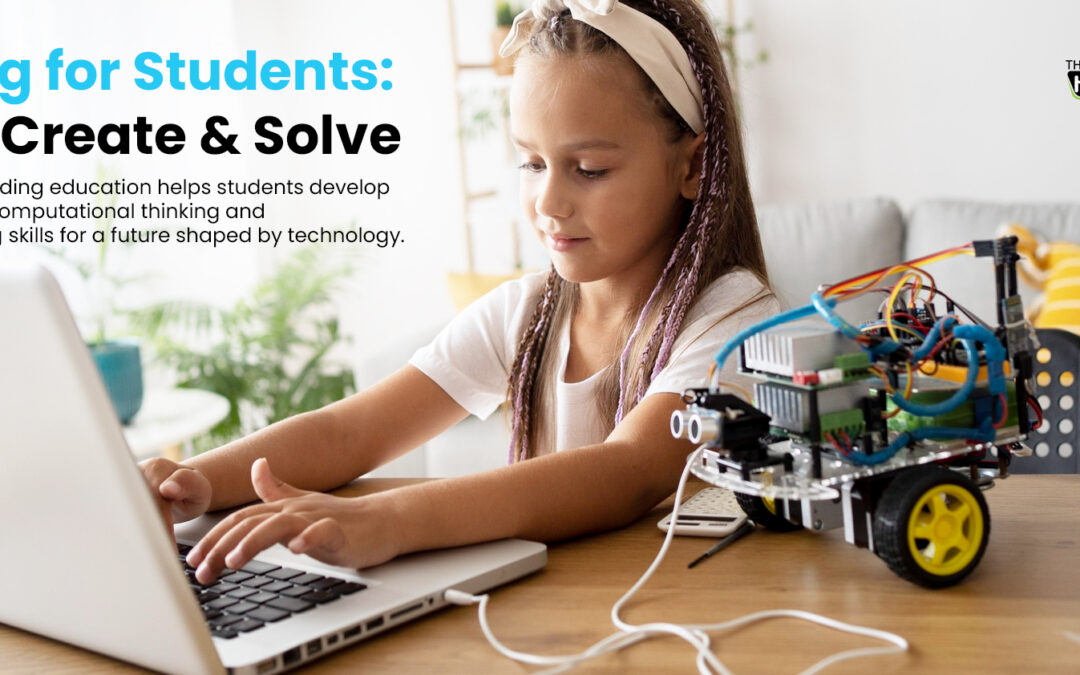
Coding for Students: Why Every School Should Teach Programming

Coding for Students: Why Every School Should Teach Programming

Students today grow up surrounded by technology. They use websites, apps, games, smart devices and digital platforms every day. But using technology and understanding how technology is created are two very different things.

This is why coding for students is becoming an important part of modern school education.

Learning to code gives students an opportunity to understand how digital systems work and how instructions can be transformed into functioning programs. More importantly, programming creates a structured way for students to turn ideas into digital solutions.

For schools in Dubai and across the UAE, coding can become an important part of a broader technology and STEM learning pathway, alongside robotics and coding programs in the UAE—helping students develop programming knowledge while preparing them to participate in an increasingly digital world.

Why Should Schools Teach Coding?

Coding should not be viewed only as preparation for students who want to become software developers.

Programming can be used as a learning tool across different subjects and age groups. When students write code, they learn to organise information, break tasks into steps, identify errors and refine their solutions.

A simple coding activity might require a student to:

  • Understand a problem
  • Plan a solution
  • Write instructions
  • Run the program
  • Identify what went wrong
  • Modify the code
  • Test the result again

This process gives students a practical way to develop structured thinking.

The objective is therefore not simply to teach students programming syntax. It is to help them understand how to think, create and solve problems using computational methods.

What Do Students Actually Learn Through Coding?

A well-designed coding curriculum can introduce students to a progression of concepts rather than teaching isolated programming commands.

Depending on age and ability, students may learn:

  • Algorithms and instructions
  • Sequencing
  • Patterns and logic
  • Loops
  • Conditions
  • Variables
  • Functions
  • Debugging
  • Data and information
  • Problem decomposition
  • Program design

Younger students may begin with visual or block-based programming, while older learners can gradually move toward text-based programming languages.

For example, school technology programs can introduce programming through interactive stories, games, animations, simulations and other projects before progressing to more advanced applications.

This makes coding more accessible and gives students opportunities to apply concepts rather than simply memorise them.

Coding and Computational Thinking

One of the most important reasons to introduce coding education in schools is its relationship with computational thinking.

Computational thinking involves approaching problems systematically. Students learn to break a larger challenge into smaller parts, recognise patterns, develop procedures and evaluate solutions.

Coding provides a practical environment for applying these ideas.

For example, when creating a program, students may ask:

  • What is the problem?
  • What should happen first?
  • What should happen next?
  • What conditions could change the result?
  • How can the task be divided into smaller steps?
  • Why did the program produce this outcome?

These questions encourage students to think about processes rather than simply searching for an answer.

Coding Is About Creating, Not Just Using Technology

Students are already technology users.

They interact with digital products every day, but coding can help them move from being technology consumers to technology creators.

Instead of only playing a game, students can learn how a game might be designed.

Instead of only watching an animation, they can create one.

Instead of simply using a website, they can explore how webpages are structured.

This shift can make technology more meaningful in the classroom because students begin to see digital tools as things they can understand, modify and create.

Project-based coding platforms such as TechnoKids, for example, provide activities covering programming, animation, web design and other technology skills across different age groups.

Coding Across Different Age Groups

Coding education does not need to begin with complex programming languages.

A progressive approach allows students to build skills over time.

Early Years and Primary Students

Younger learners can begin with activities involving:

  • Sequencing
  • Patterns
  • Directions
  • Cause and effect
  • Simple problem-solving
  • Block-based or screen-free coding

The focus should be on understanding instructions and developing computational thinking in an age-appropriate way.

Upper Primary and Middle School

Students can progress to:

  • Loops
  • Conditions
  • Variables
  • Interactive stories
  • Games
  • Animations
  • Robotics programming
  • More complex problem-solving

Secondary Students

Older learners can explore more advanced programming concepts, including:

  • Text-based programming
  • Web development
  • Data
  • Algorithms
  • Python
  • Application development
  • Artificial intelligence concepts

The exact pathway should depend on the school’s curriculum, student age and learning objectives.

How Coding Connects With Other Subjects

Coding does not have to exist separately from the rest of the curriculum.

It can support learning across several subject areas.

Mathematics

Programming can reinforce patterns, logic, sequences, coordinates and problem-solving.

Science

Students can use coding to model processes, analyse information or control technology-based projects.

Design and Technology

Coding can be combined with engineering and digital design to create functional solutions.

Language and Storytelling

Students can use programming to create interactive stories, animations and digital presentations.

Robotics and STEM

Coding becomes particularly tangible when students use programs to control physical systems.

This connection is important for schools developing integrated STEM, robotics and coding programs rather than teaching each technology in isolation.

Why Coding Matters for Schools in Dubai and the UAE

The UAE has a strong focus on innovation, technology and future-ready education. For schools in Dubai and across the UAE, coding can support this direction by giving students practical exposure to programming and computational thinking.

However, introducing coding successfully requires more than purchasing software or asking students to complete coding exercises.

Schools need a structured learning pathway.

This can include:

  • Age-appropriate curriculum
  • Progressive learning objectives
  • Suitable coding platforms
  • Teacher training
  • Hands-on projects
  • Assessment and feedback
  • Opportunities for students to create original solutions

A structured approach allows coding to become part of the school’s wider educational strategy rather than an isolated activity.

How Schools Can Build a Coding Program

Schools considering a coding program for students can begin with a clear progression.

1. Define the Learning Goals

Determine what students should understand at each stage—from basic sequencing to advanced programming.

2. Match Coding to Age and Ability

Choose tools and programming environments appropriate for each student group.

3. Start With Practical Projects

Projects can make programming concepts easier to understand by giving students a specific outcome to work towards.

4. Encourage Experimentation

Students should have opportunities to modify code, test ideas and discover different ways of solving a problem.

5. Develop Teacher Capability

Teachers need suitable training and curriculum resources to guide students effectively.

6. Connect Coding With Other Learning

Where appropriate, integrate programming with mathematics, science, STEM, robotics, design and creative projects.

This creates a more meaningful technology learning pathway.

Coding and Robotics: A Natural Progression

Coding can also become a foundation for robotics education.

When students program a robot, they can immediately see how instructions translate into physical actions. A change in the program can change the robot’s movement, behaviour or response.

This creates a bridge between digital programming and physical problem-solving.

For schools building a broader technology pathway, students can progress from basic coding concepts to robotics, engineering challenges and eventually more advanced technology applications.

Knowledge Hub’s robotics and coding solutions can support schools looking to create these kinds of connected learning experiences in the UAE.

What Makes Coding Education Effective?

Simply giving students access to a coding platform does not automatically create effective coding education.

The learning experience matters.

Effective coding education should give students opportunities to:

  • Understand concepts progressively
  • Apply what they learn
  • Create projects
  • Test their ideas
  • Debug problems
  • Work independently and collaboratively
  • Explain their solutions
  • Improve their work

The emphasis should be on learning through programming, rather than simply completing a predetermined set of coding exercises.

Building Future-Ready Coding Skills

The purpose of teaching coding is not to predict exactly which programming languages students will use in their future careers.

Technology changes quickly.

Instead, schools can focus on developing transferable capabilities such as computational thinking, structured problem-solving, logical reasoning, creativity and the ability to learn new technologies.

These capabilities can help students adapt as technology continues to evolve.

For schools in Dubai and the wider UAE, this makes coding a valuable component of a broader future-ready education strategy.

Conclusion

Coding for students is about more than learning programming languages.

It gives learners a structured way to understand technology, break down problems, develop solutions and create digital experiences. When introduced progressively and connected to meaningful projects, coding can support computational thinking while strengthening learning across STEM and other subject areas.

For schools in Dubai and across the UAE, a well-designed coding curriculum can help students move from simply using technology to understanding how technology works—and eventually creating with it.

Knowledge Hub helps schools build structured technology learning pathways through coding, robotics, STEM and ICT programs designed to support practical, future-focused learning.

Bring Coding Into Your School

Ready to give students the opportunity to learn, create and solve through coding?

Knowledge Hub’s Robotics & Coding Programs UAE help schools introduce structured, hands-on coding experiences that can develop programming knowledge, computational thinking and creative problem-solving.

Whether your school is introducing coding for the first time or looking to strengthen an existing technology curriculum, Knowledge Hub can help you develop a learning pathway suited to your students and educational goals.

Explore Knowledge Hub’s Robotics & Coding Programs UAE and discover how coding can become a meaningful part of your school’s future-ready learning strategy.

Frequently Asked Questions

Why should schools teach coding to students?

Coding helps students understand how digital systems work while providing practical opportunities to develop computational thinking, logical reasoning, problem-solving and creativity.

What age should students start learning coding?

Students can begin coding through age-appropriate activities from the early years and primary grades. Younger learners can start with sequencing and visual or screen-free coding, while older students can progress to more advanced programming.

Is coding difficult for students to learn?

Coding can become accessible when concepts are introduced progressively and through age-appropriate activities. Visual and block-based programming can provide an entry point before students move toward text-based programming.

What programming skills should students learn?

Students can progressively learn sequencing, algorithms, loops, conditions, variables, functions, debugging and problem decomposition. Older learners may then progress to text-based programming and more advanced applications.

How does coding support STEM education?

Coding gives students a practical way to apply logic, mathematics and problem-solving. It can also connect with science, engineering, robotics and other STEM activities.

Can coding be taught without focusing on becoming a programmer?

Yes. The educational value of coding extends beyond programming careers. Students can develop computational thinking, structured problem-solving and creativity—skills that can be applied across many disciplines.

How can schools in Dubai introduce coding?

Schools can begin by defining learning objectives, selecting age-appropriate coding tools, training teachers and creating a progressive curriculum that combines programming concepts with practical projects.
How Robotics Builds Future-Ready Skills for Students

How Robotics Builds Future-Ready Skills for Students

The skills students need for tomorrow's workforce are changing rapidly. While academic knowledge remains important, employers increasingly value adaptability, creativity, problem-solving, collaboration, and the ability to use technology effectively.

This is where robotics education can make a meaningful difference.

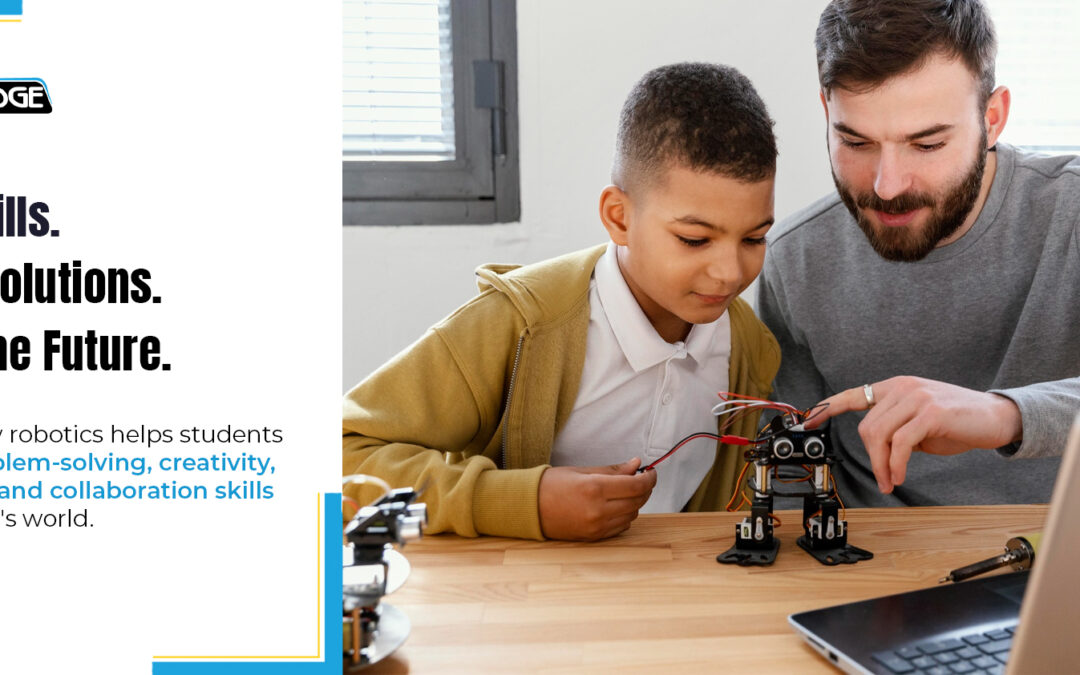
Robotics gives students an opportunity to move beyond simply consuming technology. Instead, they learn to design, build, program, test, troubleshoot, and improve solutions. Through these hands-on experiences, students develop skills that extend well beyond the classroom and prepare them for an increasingly technology-driven future.

Why Robotics Education Matters for Future Skills

Robotics brings together concepts from STEM education, coding, engineering, mathematics, and technology in an engaging learning environment.

Instead of learning concepts only through textbooks or theoretical exercises, students can apply what they learn to real challenges. They may need to build a robot that completes a task, program a system to respond to specific conditions, or redesign a solution when their first attempt does not work.

This process naturally encourages students to think critically and creatively.

For schools, robotics education can therefore become more than an extracurricular activity. It can be a practical approach to developing the future-ready skills students need for higher education, careers, and everyday problem-solving.

1. Robotics Develops Problem-Solving Skills

Robotics challenges rarely have a single obvious solution.

Students need to understand the problem, break it into smaller steps, develop a solution, test it, identify what went wrong, and make improvements.

This develops a structured approach to problem-solving.

When a robot does not move as expected or a program produces an unexpected result, students must investigate the cause rather than simply look for the correct answer.

Over time, they learn to approach challenges with curiosity and persistence.

2. It Encourages Creativity and Innovation

Robotics is not only about programming instructions. Students also need to think about what they can create and how they can make it better.

A classroom robotics challenge may have several possible solutions. Students can experiment with different designs, mechanisms, programs, and strategies.

This gives them space to turn ideas into working prototypes.

Such experiences help develop creative thinking and encourage students to see technology as a tool for innovation rather than something they simply use.

3. Students Learn to Adapt and Learn From Failure

One of the most valuable lessons robotics teaches is that failure can be part of the learning process.

A robot may not perform as expected. A program may contain errors. A design may need to be rebuilt.

Instead of treating these setbacks as the end of the task, students learn to test, analyse, modify, and try again.

This builds adaptability and resilience—qualities that are increasingly important in a world where technologies, industries, and job roles continue to evolve.

4. Robotics Strengthens Collaboration

Many robotics projects involve teamwork.

Students may divide responsibilities, discuss designs, write code together, test their robot, and present their final solution. They must communicate ideas, listen to others, manage disagreements, and work towards a shared objective.

These collaborative experiences help students develop interpersonal skills alongside technical knowledge.

The result is a more balanced learning experience that combines technical capability with communication and teamwork.

5. It Connects Coding, AI and STEM to Real Applications

Robotics provides a practical environment where students can connect different areas of learning.

Coding controls behaviour. Mathematics can influence measurements and movement. Engineering helps students understand structures and mechanisms. Artificial intelligence can introduce concepts such as sensors, decision-making, and automation.

This interdisciplinary approach helps students understand how different technologies work together in real-world applications.

For schools exploring coding, AI and STEM education, robotics can therefore provide an engaging pathway from concepts to practical application.

Building Future-Ready Classrooms With Robotics

Preparing students for the future is not simply about teaching them how to use the latest technology. It is about helping them develop the confidence and ability to think, create, experiment, solve problems, and adapt.

Robotics education provides a powerful environment for developing these capabilities.

At Knowledge Hub, we support schools in the UAE with innovative learning solutions across robotics, coding, AI, STEM, and educational technology. Our goal is to help schools create learning environments where students become active creators and problem-solvers—not passive technology users.

Because the future belongs to students who can do more than understand technology.

It belongs to those who can use it to create what comes next.

💬 What future-ready skill do you think is most important for today's students—creativity, problem-solving, adaptability, or collaboration?

Effective Questioning in the Classroom: Turning Questions into Learning Opportunities

Effective Questioning in the Classroom: Turning Questions into Learning Opportunities

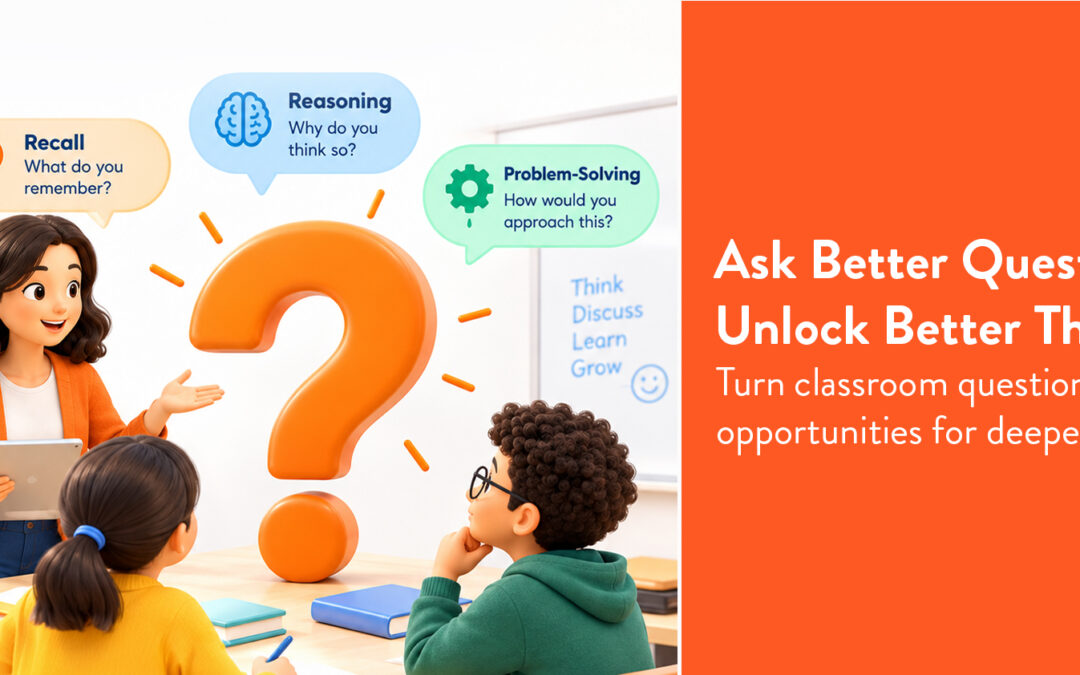
A good question does more than check whether a student remembers an answer. It can reveal how they think, what they understand, where they are struggling, and what they need to learn next.

That is why effective questioning in the classroom is an important part of meaningful teaching and assessment. When questions are carefully designed, they can encourage students to explain their thinking, analyse information, connect ideas, and explore different perspectives.

Instead of simply asking students to recall information, teachers can use questioning to make learning more active and purposeful.

Why Is Questioning Important in the Classroom?

Questions are one of the simplest tools teachers can use to understand student learning.

A correct answer does not always mean a student fully understands a concept. Similarly, an incorrect answer does not necessarily mean they have learned nothing. The reasoning behind an answer can provide valuable insight.

Effective questioning helps teachers identify:

  • What students already know
  • Where misconceptions may exist
  • Whether students can apply what they have learned
  • How well they can explain their reasoning
  • Which concepts may need further support

This makes questioning valuable not only at the end of a lesson but throughout the learning process.

Moving Beyond Questions That Test Recall

Traditional questions often focus on remembering facts. For example:

“What is photosynthesis?”

This can establish whether a student remembers the definition, but it does not necessarily show whether they understand the concept.

A deeper question could be:

“Why is photosynthesis important for plants and other living organisms?”

An even more exploratory question might ask:

“What might happen to an ecosystem if photosynthesis stopped?”

These questions require students to explain, connect, predict, and apply their knowledge.

This is where effective questioning strategies can help teachers move from simply checking answers to exploring student thinking.

Different Types of Questions for Deeper Learning

Teachers can use different types of questions depending on the learning objective.

Recall Questions

These check foundational knowledge.

“What are the three states of matter?”

Understanding Questions

These encourage students to explain an idea in their own words.

“How would you explain evaporation to someone who has never studied it?”

Application Questions

These ask students to use their knowledge in a new situation.

“How could you use what you know about evaporation to explain drying clothes?”

Analysis Questions

These encourage students to examine relationships and evidence.

“What factors could have caused this result?”

Evaluation Questions

These invite students to make and justify a judgement.

“Which solution would be most effective, and why?”

Using a combination of these classroom questioning techniques can give teachers a broader picture of student understanding.

Making Every Question an Opportunity to Learn

Effective questioning is not only about asking more questions. It is about asking questions that have a clear purpose.

Teachers can consider:

  • Does the question connect to the learning objective?
  • Does it encourage students to explain their thinking?
  • Is there more than one reasonable way to approach it?
  • Does it challenge students without creating unnecessary complexity?
  • Can the responses reveal misconceptions or gaps in understanding?

The responses are just as important as the questions themselves. When teachers analyse student answers, they can identify patterns and adapt instruction accordingly.

For example, if several students make the same mistake, the teacher may discover that a concept needs to be explained differently. If students provide strong reasoning, the teacher can introduce a more challenging question to extend their thinking.

Using Technology to Support Better Questioning

Digital assessment tools can make it easier for teachers to create questions, collect responses, and gain visibility into student understanding. With Redmenta, teachers can create interactive quizzes and assessments that go beyond simple recall. Different question formats can be used to encourage students to demonstrate their knowledge and thinking, while responses can provide useful insights into learning.

This can help make assessment a more continuous part of classroom learning rather than something that happens only after a lesson or unit.

From Questions to Better Learning

A well-designed question can open a conversation, uncover a misconception, or encourage a student to look at an idea differently.

The goal of effective questioning in the classroom is therefore not simply to find out who knows the correct answer. It is to understand how students are thinking and use that information to support their next step in learning.

When teachers approach questioning with purpose, every question can become more than an assessment task—it can become an opportunity for students to think, explain, explore, and learn.

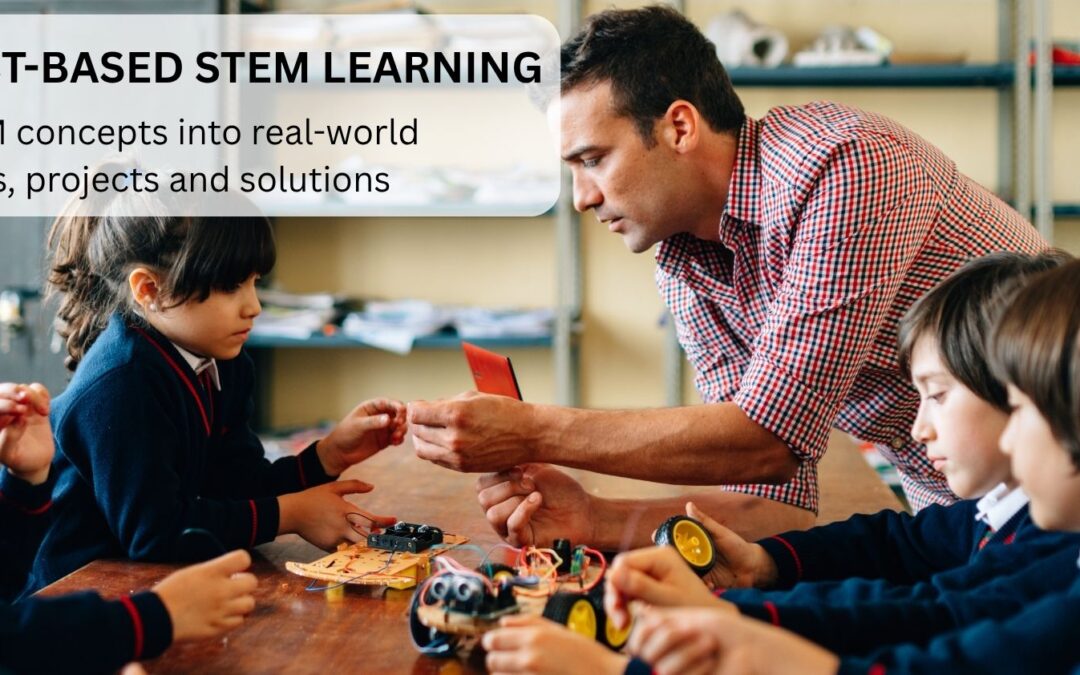
Project-Based STEM Learning: A Practical Guide for Schools

Project-Based STEM Learning: A Practical Guide for Schools

STEM education becomes more meaningful when students have opportunities to use what they learn to solve problems, create ideas, test solutions, and improve their work.

This is where project-based STEM learning can make a significant difference.

Instead of learning science, technology, engineering, and mathematics as disconnected concepts, students can bring these disciplines together through practical challenges. They might design a sustainable structure, build a robotic solution, analyse environmental data, create a water filtration system, or develop a simple automated device.

The emphasis is not simply on completing a project. It is on the learning process behind the project: asking questions, researching, planning, designing, experimenting, testing, communicating, and reflecting.

For schools, project-based STEM learning provides a practical way to connect curriculum objectives with real-world applications while giving students opportunities to develop and apply important skills.

What Is Project-Based STEM Learning?

Project-based STEM learning is an approach in which students learn and apply STEM concepts while working on a meaningful project or real-world problem.

Rather than receiving information and then completing a conventional exercise, students are presented with a challenge that requires them to investigate and develop a solution.

A typical project might involve:

Identify → Research → Plan → Design → Build → Test → Improve → Present

For example, students could be asked:

How can we design a structure that is strong, sustainable, and able to support a specific amount of weight?

To address the challenge, students might use:

  • Science to understand materials and forces
  • Mathematics to calculate dimensions and measurements
  • Engineering principles to develop the structure
  • Technology to model, test, or document the design

This interdisciplinary approach demonstrates how STEM concepts can work together outside the boundaries of individual subjects.

Why Project-Based STEM Learning Matters

Project-based learning changes the role students play in the classroom.

Instead of only receiving information from the teacher, students actively investigate questions and develop solutions.

A well-designed STEM project can encourage students to:

  • Apply classroom knowledge
  • Investigate real-world problems
  • Develop and test ideas
  • Work collaboratively
  • Use technology purposefully
  • Learn from mistakes
  • Communicate their thinking
  • Improve solutions through iteration

The approach can also help students understand why they are learning particular concepts.

For example, calculating area becomes more meaningful when students need the measurement to design a model. Programming becomes more purposeful when students need code to control a robot or automate a process.

This connection between knowledge and application is central to effective STEM learning.

Project-Based Learning vs Traditional STEM Activities

Not every STEM activity is a project-based learning experience.

A short classroom activity might ask students to follow instructions and produce a predetermined result.

A project-based approach generally gives students greater responsibility for investigating a challenge and making decisions about their solution.

Traditional STEM Activity Project-Based STEM Learning
Often follows predetermined steps Students make decisions about the process
Usually shorter Can extend over multiple lessons
Often has an expected outcome May have multiple possible solutions
Focuses on completing an activity Focuses on solving a problem
Limited iteration Encourages testing and improvement
Individual or guided work Often involves collaboration
Knowledge-focused Combines knowledge with application

Both approaches can have value. However, project-based STEM learning creates additional opportunities for students to work through complex problems and apply multiple concepts together.

Key Elements of Effective Project-Based STEM Learning

1. A Meaningful Problem or Challenge

A strong STEM project starts with a question or challenge that gives students a reason to investigate.

For example:

  • How can we reduce water waste at school?
  • How can we design a safer pedestrian crossing?
  • How can we generate renewable energy?
  • How can we create a robot that sorts objects?
  • How can we reduce energy consumption in a classroom?
  • How can we design a structure using sustainable materials?

The challenge should be appropriate for the students' age and connected to relevant learning objectives.

2. A Clear Learning Objective

The project should not be technology for technology's sake.

Teachers should identify what students need to learn before selecting materials, software, robotics platforms, or other resources.

A project might target:

  • Forces and motion
  • Measurement
  • Data analysis
  • Programming
  • Environmental science
  • Engineering design
  • Mathematical reasoning
  • Computational thinking

The project then becomes a vehicle for achieving those learning objectives.

3. Student Investigation

Students should have opportunities to investigate the problem before immediately building a solution.

Depending on the project, they may:

  • Research information
  • Collect data
  • Conduct experiments
  • Observe existing systems
  • Compare different approaches
  • Identify constraints

This stage helps students understand that good solutions are usually based on evidence and investigation.

4. Design and Planning

Students can then develop possible solutions.

They might create:

  • Sketches
  • Diagrams
  • Flowcharts
  • Algorithms
  • Models
  • Prototypes
  • Design specifications

Teachers can guide students with questions without providing the complete solution.

For example:

What problem are you solving?

What constraints do you have?

How will you measure success?

What materials or technologies could help?

These questions encourage students to take greater ownership of the design process.

5. Building and Creating

This is where students turn ideas into something tangible or testable.

Depending on the project, students might:

  • Build a physical model
  • Program a robot
  • Create a digital simulation
  • Develop a prototype
  • Construct an engineering solution
  • Analyse and visualise data
  • Create an automated system

Hands-on creation gives students an opportunity to apply concepts rather than simply discuss them.

6. Testing and Iteration

Testing is one of the most valuable stages of project-based STEM learning.

The first solution may not work.

A structure may be unstable. A robot may move in the wrong direction. A program may contain errors. A prototype may not perform as expected.

Students can use these results to ask:

  • What happened?
  • Why did it happen?
  • What needs to change?
  • What evidence do we have?
  • How can we improve the design?

This creates a cycle of test → analyse → modify → test again.

Iteration teaches students that improving a solution is part of the engineering and problem-solving process.

7. Communication and Presentation

Students should have opportunities to explain what they created and how they developed it.

They might present:

  • The original problem
  • Their research
  • Their design
  • The testing process
  • Challenges they encountered
  • Changes they made
  • Their final solution
  • What they would improve next

This develops communication skills and encourages students to reflect on their learning.

STEM Project Ideas for Schools

Project selection should depend on student age, curriculum objectives, available resources, and the school's STEM strategy.

Here are several examples.

1. Sustainable School Design

Challenge: Design a model school that reduces energy and water consumption.

Students can explore:

  • Solar energy
  • Water conservation
  • Building design
  • Measurement
  • Data
  • Sustainability

2. Smart Irrigation System

Challenge: Design a system that delivers water to plants when needed.

Students can explore:

  • Sensors
  • Programming
  • Water conservation
  • Data
  • Automation

3. Bridge Engineering Challenge

Challenge: Design and build a bridge that can support a specific load.

Students can investigate:

  • Forces
  • Materials
  • Structural design
  • Measurement
  • Engineering principles

4. Robotic Sorting System

Challenge: Build and program a robot to identify or move objects according to defined conditions.

Students can practise:

  • Coding
  • Robotics
  • Logic
  • Sensors
  • Problem-solving

5. Water Filtration Project

Challenge: Design a simple system to improve the quality of contaminated water.

Students can investigate:

  • Filtration
  • Materials
  • Environmental science
  • Measurement
  • Experimental design

6. Smart Classroom Project

Challenge: Design a system that monitors or improves a classroom condition.

Students could investigate:

  • Temperature
  • Light
  • Noise
  • Energy consumption
  • Sensors
  • Data analysis

The best projects are not necessarily the most technologically advanced. They are the ones that create meaningful opportunities for students to investigate, apply knowledge, and develop solutions.

How to Design a Project-Based STEM Lesson

A project does not need to be complicated to be effective.

Schools can use a simple structure.

Step 1: Introduce the Challenge

Present a real-world problem or question.

Step 2: Connect to Existing Knowledge

Ask students what they already know about the topic.

Step 3: Investigate

Give students opportunities to research, observe, experiment, or collect information.

Step 4: Define the Problem

Students identify what they need to solve and establish requirements or constraints.

Step 5: Develop Ideas

Students brainstorm possible solutions and select an approach.

Step 6: Build or Create

Students develop a prototype, model, program, experiment, or other solution.

Step 7: Test

Students evaluate how well the solution performs.

Step 8: Improve

Students make changes based on evidence and feedback.

Step 9: Present

Students explain their process and final solution.

Step 10: Reflect

Students consider what they learned and what they would do differently next time.

This structure can be adapted for primary, middle, and secondary students.

Project-Based STEM Learning by Age Group

Primary School

Projects should be relatively simple, highly visual, and hands-on.

Examples include:

  • Building structures
  • Simple machines
  • Pattern challenges
  • Basic coding
  • Water experiments
  • Environmental projects

The focus should be on exploration, curiosity, and foundational problem-solving.

Middle School

Projects can introduce greater complexity.

Students can work with:

  • Robotics
  • Coding
  • Engineering
  • Electronics
  • Data
  • Scientific experiments
  • Sustainable design

Students can begin managing more stages of the project independently.

Secondary School

Older students can work on extended projects involving:

  • Artificial intelligence
  • Advanced robotics
  • Automation
  • Data analysis
  • Engineering
  • Programming
  • Research
  • Sustainability

These projects can also be connected to real-world industries and emerging technologies.

The Role of Teachers in Project-Based STEM Learning

Project-based learning does not mean teachers become less important.

Their role changes from primarily delivering information to facilitating learning.

Teachers can:

  • Define learning objectives
  • Select appropriate challenges
  • Provide resources
  • Ask guiding questions
  • Monitor progress
  • Support collaboration
  • Help students interpret results
  • Provide feedback
  • Assess learning

Teachers should provide enough guidance to keep students moving forward without removing the opportunity for students to think independently.

Professional development can help teachers develop the confidence to design and facilitate effective STEM projects. Schools can also connect STEM initiatives with broader teacher training and certification programs.

How Technology Supports Project-Based STEM Learning

Technology can make STEM projects more engaging and enable students to explore ideas that may otherwise be difficult to demonstrate.

Depending on the project, students might use:

  • Coding platforms
  • Robotics kits
  • Sensors
  • Digital simulations
  • Data collection tools
  • Artificial intelligence tools
  • Digital design applications
  • Interactive learning platforms

However, technology should always have a clear educational purpose.

A useful question for schools is not:

What technology should we buy?

Instead, ask:

What do we want students to learn, and which technology can help them achieve it?

This keeps the learning objective at the centre of the project.

Creating a Project-Based STEM Environment

A supportive environment can make it easier for students to collaborate, experiment, and build.

Schools may use:

  • Flexible classroom spaces
  • STEM labs
  • Maker areas
  • Robotics stations
  • Coding workstations
  • Engineering materials
  • Collaborative tables
  • Digital tools

A dedicated STEM lab can provide students with access to equipment and flexible spaces for longer-term projects, prototyping, testing, and collaboration.

However, schools can also begin project-based STEM learning within existing classrooms and gradually expand their facilities.

Assessing Project-Based STEM Learning

Assessment should consider both the final product and the learning process.

Teachers can assess:

Knowledge

Did students understand the relevant scientific, technological, engineering, or mathematical concepts?

Problem-Solving

How did students identify and respond to challenges?

Design Process

Did students develop, test, and improve their ideas?

Collaboration

How effectively did students work together?

Communication

Can students explain their ideas and results?

Reflection

Can students identify what worked, what did not, and what they would change?

A project rubric can combine these criteria to provide a more complete picture of student learning.

Common Challenges and How Schools Can Address Them

Projects become too focused on the final product

A visually impressive model does not necessarily demonstrate strong learning.

Approach: Assess the research, reasoning, design process, testing, and reflection as well as the final result.

Students rely too heavily on teacher guidance

If teachers provide every step, students have limited opportunities to solve problems independently.

Approach: Use guiding questions and checkpoints rather than providing every answer.

Technology becomes the focus

Students may spend more time learning a tool than solving the intended problem.

Approach: Start with the learning objective and select technology that supports it.

Projects become too ambitious

Large projects can become difficult to manage within the school timetable.

Approach: Begin with manageable challenges and gradually increase complexity.

Assessment becomes difficult

Open-ended projects can be harder to evaluate consistently.

Approach: Establish clear rubrics before the project begins and communicate the criteria to students.

How UAE Schools Can Use Project-Based STEM Learning

For schools in the UAE, project-based STEM learning can provide opportunities to connect classroom learning with challenges relevant to the local environment and wider society.

Projects can explore themes such as:

  • Sustainability
  • Water conservation
  • Renewable energy
  • Smart cities
  • Environmental monitoring
  • Sustainable architecture
  • Automation
  • Artificial intelligence
  • Transportation

These themes can help students see how STEM knowledge can be applied to real-world challenges while developing skills that extend beyond individual subjects.

Project-based learning can also complement a school's wider STEM curriculum in the UAE by giving students practical opportunities to apply concepts introduced through classroom instruction.

Building a Strong Project-Based STEM Culture

Project-based STEM learning becomes more effective when it is treated as part of a broader school culture rather than an occasional activity.

Schools can build this culture by:

  • Giving teachers time to plan interdisciplinary projects
  • Providing appropriate professional development
  • Creating access to STEM resources
  • Encouraging student collaboration
  • Connecting projects to curriculum objectives
  • Giving students opportunities to present their work
  • Reviewing projects and improving them over time

The objective is not to make every lesson a large project.

Instead, schools can identify meaningful opportunities where students can apply knowledge, investigate problems, and create solutions.

Conclusion

Project-based STEM learning gives students an opportunity to move from learning concepts to using those concepts.

Through meaningful challenges, students can research, design, build, test, communicate, and improve solutions while connecting science, technology, engineering, and mathematics.

For schools, successful implementation does not require every project to involve advanced technology or expensive equipment. What matters most is having a clear learning objective, a meaningful challenge, appropriate guidance, and enough freedom for students to investigate and make decisions.

When students are encouraged to ask questions, experiment with ideas, learn from setbacks, and improve their solutions, STEM becomes an active learning experience rather than simply another set of subjects.

For schools in the UAE and beyond, project-based STEM learning can be a practical way to create classrooms where students don't just learn about the world—they design, test, and build solutions for it.

Frequently Asked Questions

What is project-based STEM learning?

Project-based STEM learning is an approach where students develop STEM knowledge and skills by investigating a meaningful problem or challenge and creating, testing, and improving a solution.

What are examples of project-based STEM learning?

Examples include designing a sustainable building, developing a smart irrigation system, building a bridge, programming a robot, creating a water filtration system, or developing a smart classroom solution.

What are the benefits of project-based STEM learning?

It can help students apply academic concepts, develop problem-solving and critical-thinking skills, collaborate with peers, communicate ideas, experiment with solutions, and learn through iteration.

Does project-based STEM learning require a STEM lab?

No. Schools can begin with classroom-based projects using accessible materials. A dedicated STEM lab can provide additional equipment, space, and resources as the program develops.

How can teachers assess project-based STEM learning?

Teachers can assess subject knowledge, research, problem-solving, design, collaboration, communication, testing, iteration, and reflection using clear project rubrics.

How can schools start project-based STEM learning?

Schools can begin with a manageable project connected to an existing curriculum objective. Teachers can define the challenge, provide appropriate resources, guide students through investigation and design, and assess both the process and outcome.

Digital Citizenship for Students: A Guide for Schools

Digital Citizenship for Students: A Guide for Schools

Students are growing up in a world where digital technology is part of everyday learning, communication, entertainment, and social interaction. They use learning platforms, search engines, messaging applications, social media, AI tools, games, and digital resources from an increasingly young age.

But access to technology does not automatically mean students know how to use it responsibly.

They need to understand how their online actions affect themselves and others, how to protect personal information, how to communicate respectfully, how to recognise risks, and how to make responsible decisions in digital environments.

This is where digital citizenship for students becomes important.

Schools can help learners develop the knowledge, habits, and judgement they need to participate safely, respectfully, and responsibly in an increasingly connected world.

What Is Digital Citizenship?

Digital citizenship refers to the responsible, safe, ethical, and respectful use of digital technologies and online environments.

It goes beyond knowing how to operate a computer or access an online platform.

A responsible digital citizen understands how to:

  • Protect personal information
  • Communicate respectfully online
  • Make responsible choices when sharing content
  • Recognise online risks
  • Manage their digital footprint
  • Evaluate digital information
  • Respect other people's privacy
  • Use digital resources appropriately
  • Understand the consequences of online behaviour
  • Use emerging technologies responsibly

Digital citizenship is therefore closely connected to students' everyday experiences with technology.

Why Digital Citizenship Matters in Schools

Technology has become an important part of modern education. Students may use digital platforms for assignments, research, collaboration, presentations, communication, and independent learning.

As technology use increases, students also encounter challenges such as misleading information, inappropriate content, privacy risks, cyberbullying, scams, and irresponsible sharing.

Schools can provide students with structured opportunities to understand these issues before they become serious problems.

The UAE has also placed increasing emphasis on safe and responsible digital experiences for children. The UAE Government provides dedicated information on children's digital safety, while the Ministry of Education provides age-appropriate cyber security resources covering different school cycles.

Digital citizenship education can therefore become part of a broader approach to creating safe, responsible, and future-ready learners.

Key Elements of Digital Citizenship for Students

Digital citizenship covers several interconnected skills.

1. Online Safety and Privacy

Students need to understand that personal information should not be shared casually online.

Depending on their age, this can include learning about:

  • Passwords
  • Names and contact details
  • Photographs
  • Location information
  • School information
  • Account credentials
  • Personal conversations

Students should also learn to recognise suspicious links, messages, websites, and requests for information.

The goal is not to make students afraid of technology. Instead, schools can teach practical habits that help learners make safer decisions.

2. Responsible Digital Communication

Digital communication can happen through learning platforms, email, messaging applications, discussion boards, and collaborative tools.

Students should understand that communication online still requires respect and consideration.

They can learn to:

  • Choose appropriate language
  • Respect different opinions
  • Avoid hurtful comments
  • Think before sending messages
  • Respond constructively
  • Understand that written messages can be misunderstood

These behaviours are particularly important as students increasingly collaborate through digital environments.

3. Understanding Digital Footprints

A digital footprint refers to the information and activity associated with a person's online presence.

Students may not always realise that posts, comments, photographs, profiles, and other online activities can contribute to their digital identity.

Schools can encourage students to pause before they:

Post → Share → Comment → Upload

Simple questions can help:

  • Would I be comfortable if someone else saw this?
  • Is this appropriate?
  • Could this information identify me or someone else?
  • Am I sharing something that belongs to another person?

Developing this habit early can help students make more thoughtful digital decisions.

4. Respecting Others Online

Digital citizenship also involves treating others with respect.

Students need to understand that online communication can have real-world consequences.

Schools can discuss:

  • Cyberbullying
  • Harassment
  • Exclusion from online groups
  • Sharing embarrassing content
  • Impersonation
  • Hurtful comments
  • Unwanted messages

The UAE Ministry of Education has a formal policy addressing bullying in public schools and private schools that follow the Ministry curriculum, including online bullying. The policy outlines responsibilities for schools, teachers, parents, students, and other stakeholders.

Digital citizenship activities can complement these wider efforts by helping students understand respectful behaviour before problems arise.

5. Evaluating Online Information

Students have access to an enormous amount of information.

Not everything they encounter online is accurate, current, or trustworthy.

Digital citizenship education can help students develop habits such as:

  • Checking the source
  • Comparing information
  • Looking for supporting evidence
  • Identifying misleading claims
  • Recognising advertising and sponsored content
  • Questioning information that seems unreliable

This connects closely with digital literacy for students, which focuses on helping learners use, evaluate, create, and communicate with digital information effectively.

6. Respecting Copyright and Digital Content

Students frequently use images, videos, articles, music, graphics, and other online resources for school projects.

They should understand that content found online does not automatically mean it can be copied or presented as their own.

Age-appropriate lessons can introduce concepts such as:

  • Copyright
  • Attribution
  • Plagiarism
  • Creative Commons
  • Responsible content sharing
  • Using licensed resources

This helps students develop responsible digital habits that can support both academic work and future professional communication.

7. Responsible Use of AI

Artificial intelligence has introduced another important dimension to digital citizenship.

Students may use AI-powered tools to generate text, images, ideas, explanations, or answers.

They therefore need to understand that responsible technology use includes questioning AI-generated information rather than automatically accepting it.

Students can learn to:

  • Check AI-generated information
  • Protect personal information when using AI tools
  • Recognise that AI can produce inaccurate information
  • Use AI according to school expectations
  • Understand when human judgement is necessary
  • Avoid presenting AI-generated work as their own when this violates academic expectations

Age-appropriate AI learning can be supported through AI Education Solutions UAE, helping students understand both the opportunities and responsibilities associated with emerging technologies. This makes AI literacy an increasingly relevant part of digital citizenship.

Digital Citizenship Skills by Age Group

Digital citizenship should develop progressively rather than being taught as one large topic.

Early Years

Young learners can begin with simple concepts such as:

  • Asking an adult before using unfamiliar technology
  • Understanding basic screen rules
  • Recognising that devices are tools
  • Treating others respectfully
  • Understanding that technology follows instructions

The UAE Ministry of Education's early-years guidance includes age-appropriate concepts around technology awareness, safe technology use, sequencing, and responsible use of smart tools.

Primary School

Students can begin developing:

  • Online safety habits
  • Password awareness
  • Responsible communication
  • Basic privacy awareness
  • Digital footprints
  • Respectful online behaviour
  • Simple information evaluation

Middle School

Students can explore more complex topics such as:

  • Cyberbullying
  • Online identity
  • Privacy
  • Misinformation
  • Copyright
  • Social media responsibility
  • Digital wellbeing
  • Responsible use of AI

Secondary School

Older students can develop more advanced understanding of:

  • Data privacy
  • Digital reputation
  • Cybersecurity
  • AI ethics
  • Online research
  • Intellectual property
  • Professional digital communication
  • Responsible technology use in higher education and workplaces

This progression allows digital citizenship to become a continuing part of students' development.

How Schools Can Teach Digital Citizenship

Digital citizenship does not have to be limited to one annual awareness session.

Schools can integrate it into everyday learning.

Through Classroom Scenarios

Teachers can present realistic situations and ask students how they would respond.

For example:

A student receives a message asking for their school password. What should they do?

Or:

A student finds an image online and wants to use it in a presentation. What should they check first?

Scenario-based learning can make abstract concepts more practical.

Through Projects

Students can create:

  • Digital safety posters
  • Responsible-use presentations
  • Online safety videos
  • Digital citizenship campaigns
  • Research projects
  • Classroom digital agreements

This allows students to demonstrate their understanding through creation rather than memorisation.

Through ICT Lessons

ICT lessons can incorporate topics such as privacy, online communication, cybersecurity, digital footprints, copyright, and responsible technology use.

This makes digital citizenship part of the broader ICT curriculum UAE rather than an isolated initiative.

Through Cross-Curricular Learning

Digital citizenship can also be reinforced through English, social studies, science, STEM, and project-based learning.

For example, students conducting online research for a science project can simultaneously practise source evaluation and responsible information use.

The Role of Teachers and Parents

Students' digital habits are influenced by both school and home environments.

Teachers can establish clear expectations around technology use and provide opportunities for students to discuss digital challenges.

Parents can reinforce these lessons through everyday conversations about:

  • Privacy
  • Screen habits
  • Online communication
  • Sharing information
  • Digital wellbeing
  • Responsible use of technology

Consistency between school and home can help students understand that digital citizenship is not simply a school rule. It is a set of behaviours that applies across different digital environments.

Digital Citizenship in the UAE School Context

Digital learning is an important part of the UAE's education and technology environment.

The Ministry of Education has developed resources addressing cyber security across different grade levels, from foundational internet awareness in Grades 1–4 through online safety, cyber security, networks, and cybersecurity concepts in later cycles.

The Ministry's current education direction also places emphasis on future skills, technology, AI, and preparing learners for changing educational and workforce needs.

For schools in Dubai and across the UAE, this creates an opportunity to approach digital citizenship as part of a broader future-ready learning strategy.

Rather than treating online safety, digital communication, information evaluation, and responsible AI use as separate topics, schools can develop them progressively alongside their ICT and technology programmes.

How Digital Citizenship Connects With ICT Education

Digital citizenship and ICT education serve different but complementary purposes.

ICT education can help students develop the ability to use and understand technology.

Digital citizenship helps them understand how to use that technology responsibly.

A strong learning pathway can therefore move from:

Digital Literacy → ICT Skills → Coding & Computational Thinking → Digital Citizenship → AI & Emerging Technologies

These areas can reinforce one another.

For example, students may learn how to research information, create digital content, develop a coded project, collaborate online, protect their personal information, and evaluate AI-generated results within the same broader technology learning ecosystem.

How Knowledge Hub Supports Digital Learning

Knowledge Hub helps schools develop modern learning environments through curriculum solutions, ICT, coding, robotics, STEM, AI learning, educational technology, and teacher development.

These solutions can support a connected learning pathway in which students progressively develop technology confidence, computational thinking, creativity, responsible digital behaviour, and future-ready skills.

By combining structured curriculum planning with practical technology experiences and educator support, schools can help students become not only capable technology users, but also thoughtful and responsible digital citizens.

Conclusion

Digital citizenship for students is about more than online safety.

It is about helping young people understand that their choices in digital environments matter.

Students need to know how to protect their information, communicate respectfully, evaluate content, understand their digital footprints, respect other people's rights, and use emerging technologies responsibly.

For schools, digital citizenship should therefore be developed progressively and reinforced across ICT lessons, classroom activities, projects, STEM learning, and everyday technology use.

As digital technologies continue to evolve, these habits can provide students with a strong foundation for learning, collaboration, and responsible participation in an increasingly connected world.

For schools looking to strengthen their digital learning ecosystem, Knowledge Hub provides curriculum and educational technology solutions that support students and educators throughout their technology learning journey.

Frequently Asked Questions

What is digital citizenship for students?

Digital citizenship is the ability to use digital technologies safely, responsibly, ethically, and respectfully. It includes online safety, privacy, communication, digital footprints, information evaluation, and responsible technology use.

Why is digital citizenship important in schools?

It helps students understand how to make responsible decisions when using digital platforms, online resources, communication tools, and emerging technologies.

What are the main digital citizenship skills students need?

Important skills include online safety, privacy awareness, respectful communication, digital footprint management, information evaluation, copyright awareness, cybersecurity awareness, and responsible use of AI.

At what age should students learn digital citizenship?

Digital citizenship can begin in the early years with simple concepts such as safe technology use and respectful behaviour. More advanced topics can be introduced progressively through primary, middle, and secondary education.

How can schools teach digital citizenship?

Schools can integrate digital citizenship into ICT lessons, classroom scenarios, project-based learning, online safety activities, STEM projects, research assignments, and discussions about responsible technology use.

How is digital citizenship different from digital literacy?

Digital literacy focuses broadly on using, understanding, evaluating, creating, and communicating with digital technologies and information. Digital citizenship focuses more specifically on using those technologies safely, ethically, responsibly, and respectfully.