Benefits of ERP based School Bus Transportation Management System

Benefits of ERP based School Bus Transportation Management System

Benefits of ERP based School Bus Transportation Management System

We live in the 21st century’s modernized era that has technology at its peak. Gone are the days where we to use to operate most of our daily tasks manually. Today it is the world of gadgets, apps, and software galore, and everything is accessed at a click of a button. It has become extremely helpful, super-fast, user-friendly and hassle-free.

In this digital age, practically everything is online, so schools could not be left behind. ‘ERP’ or ‘Enterprise Resource Planning is one such brilliant system in the current times. It is a software that benefits schools to efficiently oversee their day-to-day management such as admissions, students’ fees, student information and attendance, homework, examinations, staff recruitment, payroll management, employee information, library management, and many other school activities. There are schools in Dubai and in other parts of UAE as well as across other Middle East countries that have the ERP software for their day-to-day management functions.

School bus transportation management is yet another integral function of the ERP system. It is an effective tool that helps the school’s management, staff, teachers, parents to keep a track of the bus transport facility for the children. This system makes sure that each student who is traveling by the school-organized bus is safe and secure at all times. Much as we are advanced technologically, there are perils that come along with progress. Any mishap or an untoward incident could unfortunately happen anytime. So, to avoid or come out of any drastic situation, this tracking is done in real-time using GPS trackers. The parents and the authorities can thus remain peaceful and stress-free. The benefits of this system are mentioned as under.

Vehicle & Driver Details

The software maintains the complete record of the driver and the attendants of the school bus along with the registration details of the vehicle. All the important information is updated from time to time and is notified to the school authorities and the parents so they can keep a track of it. It also tracks whether the driver is following protocols with regards to the speed limits and other safety precautions that he is instructed to adhere to.

Schedules

Along with every student a pickup and drop off place is registered. Moreover, the timings of both are notified to parents so that they can respond to the exact notification and be present at the correct time while leaving the children to the bus stop in the morning and while picking them up at the designated spot after school in the afternoon.

Student Updates

This system keeps an attendance record of every student from the minute they hop onto the bus, till the time they are dropped off at school. Once they reach school safely, the parent and the school authorities get notifications for the same. So, it is all well tracked that God forbid no student ever goes missing.

Route Change Alert

The driver is expected to maintain the particular route and pick up points for the children. Should the driver require to change the route due to any sudden reason be it a road diversion due to construction or traffic congestion then all authorities concerned with the children get the respective updates on their handy devices

Bus Change Alert

Apart from the route, if the entire vehicle is suddenly replaced and the students are made to shift into another bus on the way to school or while returning home, then all parties concerned would be alerted immediately. This situation could happen in case of a tyre puncture or any malfunction with the bus.

Bus Fees

The monetary aspect of fee collection is also managed through the ERP based bus transport system. Parents pay the relevant fees for their children travelling by the school bus. The school management can keep a track of the same and should there be late payment in fees by any parent, the same is sent by reminders to them so that the required amount could be paid off.

A centrally controlled software and all multiple authorities concerned are notified. Such is the amazing aspect of having an ERP based system. The ‘Next Learning Platform’ is one such system available for schools across most countries, including the GCC members in Middle East. It is a one-stop cloud-based integrated platform for a school’s administrative and academic processes. It creates a virtual school infrastructure supporting online, blended, investigative learning, and an efficient school bus management protocol to ensure utmost safety, which is the current need of the hour.


Contact us

Learning to Create Innovative Pieces of Digital Art with MS Paint

Learning to Create Innovative Pieces of Digital Art with MS Paint

Learning to Create Innovative Pieces of Digital Art with MS Paint

Children are fascinated by art and vibrant colors appeal to them. When they first enter preschool, the educators emphasize on freehand drawing and coloring, which builds their motor skills and also conditions them for the pre-writing phase. However, today the world has moved online and digital resources are readily available to not just adults, but also preschoolers.

School goers are readily using tabs and mobile devices to attend online session and are glued to various quiz, storytelling, and gaming apps all through the day. The same is with creating digital pieces of art.

Traditional Art vs. Creating Art

Digitally Buying a set of paint brushes, crayons, and a canvas, is a great way to stimulate the child’s imagination and spend his spare time on constructive art activities. However, we know that drawing or creating art on paper has limited scope. One cannot erase or undo a stroke of color already painted on paper. Moreover, fancy art supplies are expensive and they get exhausted pretty soon. In no time you would have a crying child, asking you to buy more art supplies!

On the other hand, digital art lessons on the MS Paint software has no limitations and the child is free to explore, experiment, and manifest beautiful artworks from a laptop. There are pre-defined templates and tools that aid the child’s drawing and support his imagination. Moreover, the demand for graphic designers & animators is on an ever increase, and by using digital mediums, children get a glimpse of relatable job opportunities that the real world has to offer them.

Introducing Children to MS Paint

Microsoft Paint or MS Paint is a graphic editing program that comes pre-installed with Microsoft Windows. With MS Paint one can draw, make shapes, and write texts to create a visual imagery. TechnoKids has a special module dedicated to teaching TechnoArt to children on MS Paint. TechnoKids provides technology projects & teaches computer skills to early learners in a systematic way by collaborating with most schools across the Middle East, including Dubai and other GCC countries. Usually the step-by-step approach to teaching MS Paint is as follows:

Teach Kids How to Start the Program:

  • Press the Windows Key
  • Type Paint in the text box
  • In the list, select MS Paint program and press enter

Learn About Various Tools on MS Paint

Teach children about the layout of MS Paint first and help them understand where to click in order to access a particular function. Remember you are teaching kids their very first MS Paint lesson, so be patient and get into details.


  • Show the child the Title Bar where the particular project’s title is mentioned on MS Paint and teach them what minimize, maximize, and close buttons are for.
  • Under the Menu Bar, children can explore File, Home, and View options. Emphasize the importance of this section and let the child hover their mouse cursor over each of the option, for as long as they want.
  • Under the Home Tab there are a lot of discoveries to be made. There is a shape selector, which allows you to choose various shapes and then use them to draw an object or fill color into an independent shape. Children can select different kinds of brushes to color the picture and also choose how thick or thin they want their brush to be. Then there is the color pane, which has a plethora of color options. Let children to mix, match and be as creative as they want to.
  • Help children spot a pencil kind of icon on the tool bar and ask them to draw a village scene using that pencil. It’s the same way they would draw something on paper using an actual lead pencil.
  • The most important functionality is the eraser tool. Use it to demonstrate how easy it is to rectify an error while drawing, by using the eraser icon.
  • One can even use the curved line tool to draw curved lines, an oval shaped tool to draw an oval egg, and the straight-line option to draw crisp horizontal & vertical lines.

Selection Command and Cut – Paste Functions on MS Paint

The Selection and Copy-Paste commands come handy while editing a project. When the child is done expressing his creativity on the MS project, he can save it, exit, and revisit it maybe later. While on a revisit of his own MS Paint artwork, if the child spots some element that he wishes to change or if he decides to be more creative, the Selection tools come handy.

If the artwork is too intricate and a part of it needs to be deleted and reworked upon, the child needs to be taught to choose the ‘freehand selection’ option and cut the portion out, without disturbing the whole scene. ‘Paste from clipboard’ option allows children to copy an image from another workbook and paste it into their existing sheet.

Exiting MS Paint

  • Click on the File tab and choose Save As then give a name to the .png work to save it on the Desktop Screen or at any other location.
  • Once the work is satisfactorily saved, click the cross button on the right side of the screen and close the software.

If this was too much of an information overload, we are sure you could make use of the teacher training guides and workbooks provided by TechnoKids which focuses on a systematic lesson plan used by most IB School educators in the UAE.

Contact us

Post Reading Activities to Enhance the Student’s Linguistic Skills

Post Reading Activities to Enhance the Student’s Linguistic Skills

Post Reading Activities to Enhance the Student’s Linguistic Skills

A voracious reader is described as a bibliophile or a bookworm. They are known for their fond love towards reading and are often seen immersed in their collection of books. Reading comes as a favourite hobby to most people who enjoy sitting in their cosy corner with the company of a book and a cup of coffee. The habit of reading develops and gets better with time and that can only happen if the activity is inculcated amongst children from an early age. They get exposed to a wide range of words which strengthens their vocabulary and polishes their language. It stimulates their mind, improves their focus and concentration. It makes them happy as they are transported into a world of imagination. Books that have interesting and meaningful text along with creative and powerful visuals leave a lasting impact on the children’s memories.

Reading undoubtedly has tremendous advantages. There are several exciting activities that can be performed, and tasks undertaken to engage children further after a reading session. Most IB schools in the UAE practice post reading activities with their elementary graders to reinforce language development. Let’s see examples of a few post reading activities that you can practice:

Meanings of Words

While reading, kids are made to underline important, difficult, and unique words from their book. They can do it themselves as per their age level or be aided by a parent or a teacher. Post reading, the kid is made to note down those words in a diary, find out and write the meanings of the same, understand and remember them. That is how it begins to build their word bank and vocabulary.

Pronunciation

There are many words that are commonly mispronounced. If these mistakes are not pointed out in the beginning, the wrong pronunciations stay on which gets difficult to correct later. Hence while reading, such commonly mispronounced words are highlighted from the book and post the session the children are made to speak those specific words again as they are meant to be aptly pronounced.

Narration

This is a post reading activity where a kid is made to summarise and narrate the story in a nutshell that they have read and present it to the entire class. It shows how much they were able to grasp and remember and reproduce it in their own style. These are the early steps to them becoming confident public speakers.

Enactment

A story is incomplete without some drama. After a book reading session, children literally get to experience the world of theatre in their little classrooms or at home with their siblings and friends. Out of the many characters in the story, parents and teachers allocate one character to every child. Then they bring the story alive with acting, dialogues, costume, dance, and a whole lot of fun.

Quiz

In this post reading activity, kids get to question each other related to the story that they have read. Teachers usually prepare two different sets of questions, and the kids are also divided into two sections, one team as the host asking questions and the other team as contestants answering the questions. Then the teams switch places with the second set of questions, so they get a feel of both sides of the quiz. They have to remember the story aspects clearly to excel at this activity. Kids not only enjoy this, but it also promotes healthy competition amongst classmates.

Get inspired

Stories often have inspiring real-life personalities and fascinating instances mentioned about their life and the wonderful feats achieved by them. Post the reading session, teachers ask the students to pick their favorite person from the book. Then they have to explain why that personality inspired them or who they would like to be when they grow up. They can also ponder about what kind of field or career path they would like to choose later and share it with the class.

Moral of the Story

Post reading a book or any amazing story or a knowledgeable document, kids are asked as to what their keepsake after the activity is. They are made to share their learnings, the values, and the key points that they found crucial.

‘Highlights Library’ which is available for subscription in the Middle East, including Dubai & GCC member countries, goes the extra mile for educators when it comes to support. Educators have access to hundreds of instructional resources to incorporate into lessons, in-class activities, or at-home reading support. It is a fabulous digital reading platform that fosters a child’s love of reading. With thousands of books at their fingertip students can enjoy a world of imagination and exploration personalized just for them. The mission of ‘Highlights’ is to help children become their best selves by publishing content and creating experiences that engage, delight and foster joyful learning.

Contact us

Thinking Outside the Box with Activity Kits from LEGO® Education

Thinking Outside the Box with Activity Kits from LEGO® Education

Thinking Outside the Box with Activity Kits from LEGO® Education

It is a well-known fact, that all work and no play make your child dull. Lego® blocks were designed with the idea of imparting knowledge in play form. In many Middle-East countries like Dubai, UAE, and GCC special Lego sessions are conducted apart from school learning to inculcate fun activities that teach important lessons among pre-schoolers.

Initially, Lego®’s were a set of wooden blocks, when came into existence. With a gradual process of innovation and creativity, they were made more attractive by adding different shapes and colors by using plastics instead of wood. The vision was to have a brain-activating playful learning experience.

Grab a quick look at how it works!

Benefits of Lego® learning:

  1. Enhances motor development: Fixing different sizes of blocks, by applying varying pressure levels by the tiny tots. This offers a perfect workout to those tiny fingers.
  2. Trigger’s creation skill: A child’s brain is a storehouse of creativity. This playful activity helps in shaping the ideas practically. Infinite ideas crop up until they are perfectly executed by them. They create their designs as per their imaginations.
  3. Analytical Learning: Kids learn a step by step following method to collect, organize, fix these Lego pieces to get the desired shape. They tend to grasp each detail in seconds with such zeal.
  4. Mathematical learning: Unknowingly they are inclined to get an exposure to mathematics at this tender age. Assembling different proportions of blocks with repeated tricks ought to aid mathematical learning which can be termed as pre-math skills and ready children for future learnings.
  5. Outlining skill: Children are often much engrossed in their Lego® pieces. They learn to plan things before their execution. This is a step towards sharpening their vision. They learn to form a blueprint in their minds by unboxing the Lego kits and start visualizing what they are going to construct.
  6. Tenacity: It offers a constant form of learning to tiny tots. Being glued to these blocks for hours they learn to build patiently. They keep trying, in spite of an unsuccessful attempt, till perfection is achieved. With each try, they excel in skill and perform a little better each time.
  7. Boost’s confidence: Without having a fear of being judged, children try to impress their parents, friends and educators by innovating a new model by using the same Lego® kit. They grow and develop at their own pace and are on their journey of self-discovery. This gives a sense of complete confidence to the kids. This helps in shaping the child’s personality and building confidence.

Smart Play with Lego®

Smart Play with Lego®Kids are like moulds, it’s our duty as adults to shape them correctly. Organizing playdates with their friends or siblings seems like a great idea! This opens up a gateway to social connectivity and interaction while getting them to build something from scratch by cooperating & brainstorming with each other. Social interaction at home or in an activity class, makes the child more comfortable in their school environment and they learn to express themselves more openly. They also learn to respond efficiently to the peer’s need. You know what the best part about playdates are? You as a parent, educator, or an activity teacher, can join them in their play-time and teach children concepts about motion & force, while having fun. Playfully, kids learn a great deal and grasp faster, so the chances of them retaining the topic for life is manifold. There are a number of Lego kits that you can invest in. Some of the most popular ones are; Lego® BricQ Motion Essential kit and the Simple and Powered Machines Set.

Mere book knowledge will result in boredom. On the other hand, a structured play with Legos develops a sense of independence and responsibility. So, go ahead and gift your tiny tots this wonderful and un-forgetful experience of learning.

Contact us

School ERP System to Enhance Staff Management

School ERP System to Enhance Staff Management

School ERP System to Enhance Staff Management

What does it take to run an educational institution? Besides the basic infrastructure, various amenities, and the technologically inclined learning aspects, the main drivers that make the school an ‘institute of imparting knowledge’ is its workforce or better known as the school’s employees.

At any primary or secondary institute, you should know that teachers and the Principal are not the only ones who run the show. There are a bunch of other support staff who equally contribute in keeping the light of education burning. There are administrative and finance personnel who are at the helm of affairs and act as a strong backbone for the foundation. Then there are peons, technicians, cooks, and other helping staff who run around to ensure that there is no interruption in functioning of the school’s daily agenda. And lastly there are education counsellors, librarians, examination officers, and other vocational faculty staff who add equal value to the child’s development.

That was quite and extensive list and you can imagine the amount of administrative efforts it would take to manage track records of all these school staff members. Maintaining individual folders with paperwork is quite cumbersome and chances of error or misplacement of documents are high.

Digital School Management Platform

ERP software have changed the way data is managed in schools. It acts as a tool that offers many advantages and reduces load on the administrative team. The Next Learning Platform is one such cloud-based tool that supports the school’s administrative and academic processes. Being a one-stop solution, this software is widely acceptable in Middle East countries and when integrated is capable of managing the entire school’s records in an organized manner. Efficient staff management is one of its features and the double-layer encrypted security ensures that data privacy is not compromised upon. Let’s have a look at the magnanimous possibilities of exploring the viability of using an ERP solution for administrative activities:

Data Management

When any employee or staff is hired into a school, they are asked to fill forms and submit verification documents. Digitalizing this process would mean asking the onboarding staff to fill forms online along with their digital signatures and send scanned copies of important documents. Can you imagine how much time & effort could be saved by moving the process online! When a staff leaves the data can be archived and removed from the existing staff member’s list almost instantly. Taking advantage of the ease, a number of -12 schools in Dubai have opted for The Next Learning Platform and integrated it into their daily operations.

Leave Management

The leave structure for school staff members holding different roles could be dissimilar. An assistant trainee teacher may not be eligible for as many leaves as the head teacher gets. Similarly, the admin staff get a shorter Summer break than the educators. Even the leave approval process has to pass from junior to senior hierarchy levels and then finally ‘accepted’ by the Principal or the Centre Head. The ERP tool streamlines this entire leave process and makes it easy for everyone within the institution to apply for leaves via their profiles on the digital staff portal and get it approved by their head staff.

Payroll Management

Having to calculate every school staff’s salary can consume days on end. Salary is linked not only to the number of days the staff was present in school, but also whether the person was on time. Then there are certain allocated leaves that are not deducted from salary, while others may lead to a pay cut. An ERP system is designed to collate, calculate, and arrive at a figure which is accurately computed by the system. The Next Learning Platform’s Payroll Management system is customizable and education institutes in the GCC countries like UAE and Kuwait are already reaping benefits from it.

Task Management

Often staff members have internal meetings to discuss their strategies of curriculum planning and assign timelines to ensure the assigned syllabus is taught to children. ERP systems help to check the status of tasks assigned and ensure all the stakeholders are in loop rather than wasting time conducting countless catch-up meetings. ERP systems indeed makes your job easy!

Contact us

How Kai’s Clan is Transforming AR & VR experience in Classrooms to Enhance Learning

How Kai’s Clan is Transforming AR & VR experience in Classrooms to Enhance Learning

How Kai’s Clan is Transforming AR & VR experience in Classrooms to Enhance Learning

Kai’s Clan deals with adventures in the way coding is taught to children through cloud-based collaborative programming and robotics environment. They believe in making coding a fun experience by using AR and VR features to create an interactive environment. Imaging how amazing it would be to be able to do whatever you wish to! Maybe you desire to have superpowers or reach the planet Jupiter in a jiffy. Well it’s not practically possible, but Kai’s Clan makes it happen, at least in a Virtual game-like setting. Kai’s Clan creates a world where the reality world merges with the virtual world to become an interactive playground for students. Their goal has been to develop and nurture an interest in coding amongst children with the help of AR and VR platforms.

The terms AR and VR might sound very new to you or you might have come across these terms but don’t know exactly what they mean, right? If yes, then don’t worry because this blog will help you understand AR and VR in detail.

AR and VR Explained

AR stands for Augmented Reality. It is an amplified version of the real world and can be achieved through the use of digital visual elements & surround sounds. It has been an ongoing trend and Kai’s Clan takes this concept a notch higher. Dubai in the UAE has always been technologically ahead of its time and the VR Park within the Dubai Mall is quite an attraction for visitors and locals alike.

VR stands for Virtual Reality. It is a simulated experience that can give the users a real world like experience or a completely out-of-Earth experience, depending on what the user chooses. A person can interact within an artificial three-dimensional environment by using electronic devices, special goggles or gloves fitted with sensors in them.

Kai's Clan

More About Kai’s Clan

Kai’s Clan is a great platform for students to experience AR and VR phenomena from the boundaries of their classrooms. According to one of the teachers, AR experience made her feel like she was in a factory and actually doing something rather than just coding. Now AR and VR classrooms help in manipulating each other’s world in a virtual setting and open-up a new dimension for learning and collaboration. Here’s a bit more on the aspects that Kai’s Clan focuses on:

Built-in Classrooms

Kai’s Clan has a built-in classroom management system to allocate robots to students. The classrooms give an authentic and engaging learning experience to the students. Students are likely to love such an experience because it gives a feeling of the classroom being real even if it’s virtual. That means if your leaners were at home during the pandemic, they can still continue to work on their group projects with their classmates who are also based out of different locations. How cool is it to be able to work your very own classroom environment and interact with your classmates, without actually being physically close to each other! Kai’s Clan has managed to dissolve all Geographic barriers and encouraged say an enthusiastic coder from Bahrain in the GCC to interact with a young coder in Chicago and exchange their learnings.

Multiplayer Collaborative

Coding Students can use coordinates and sensor data from other robots in their own code. Kai’s Clan believes that coding shouldn’t be a solo activity and students should learn how to collaborate while learning to code. This can also help students improve their interaction skills and make them more confident team-players.

Creative & Interactive Environment

Virtual reality experience by Kai’s Clan is simply not just a trip to Mars or some ancient village but in this case, students can code their robots to move around on the AR & VR adventure mat and enjoy it as if it’s real. Students’ robots are represented like an avatar, depending on their role and each avatar can bring in their share of creativity to the coding project.

All of these features can make learning so much fun, don’t you think? So, next time students won’t look for excuses to miss a coding class because they would want to attend their class and live in the Virtual world. Thanks to Kai’s Clan!

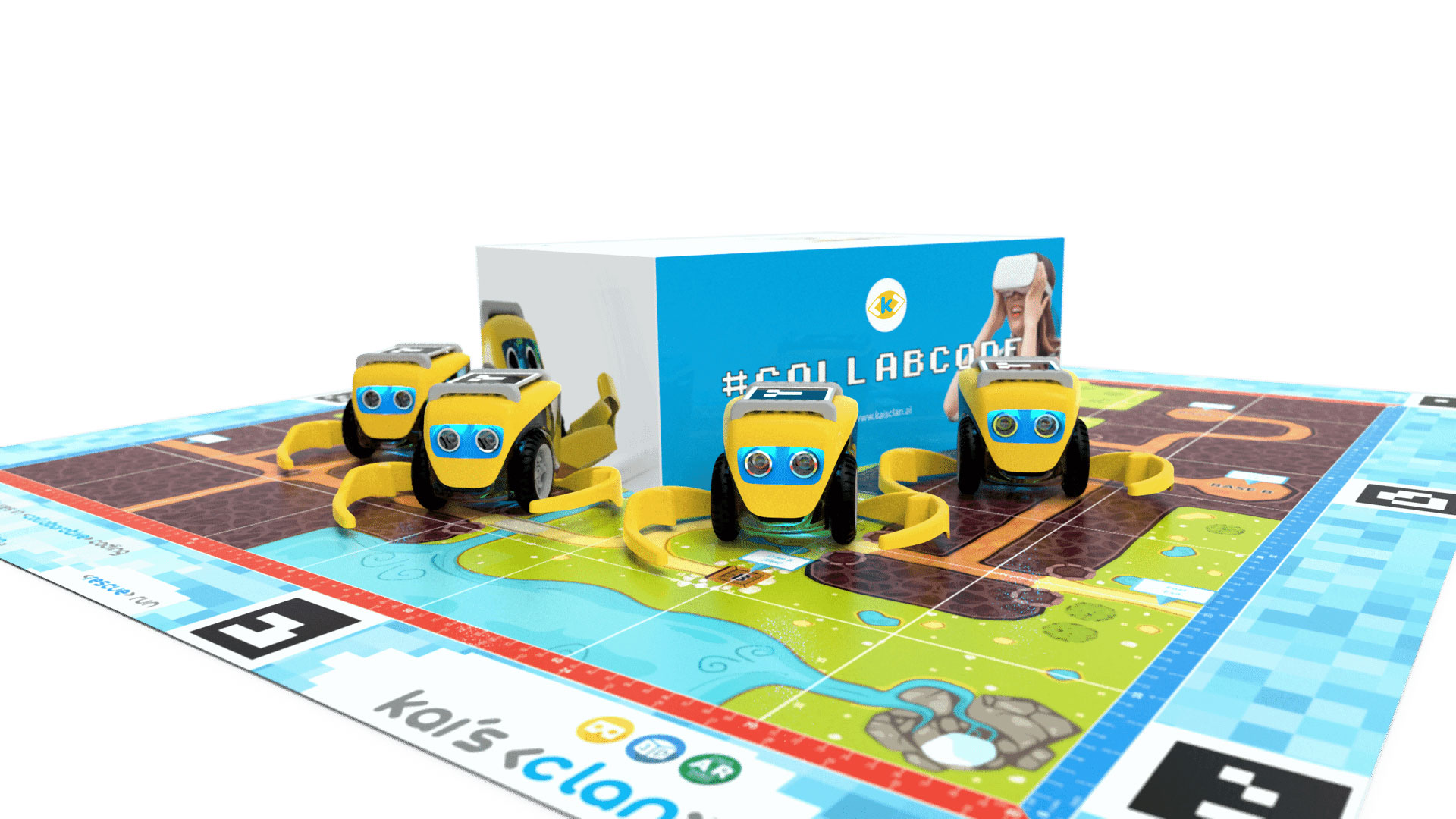
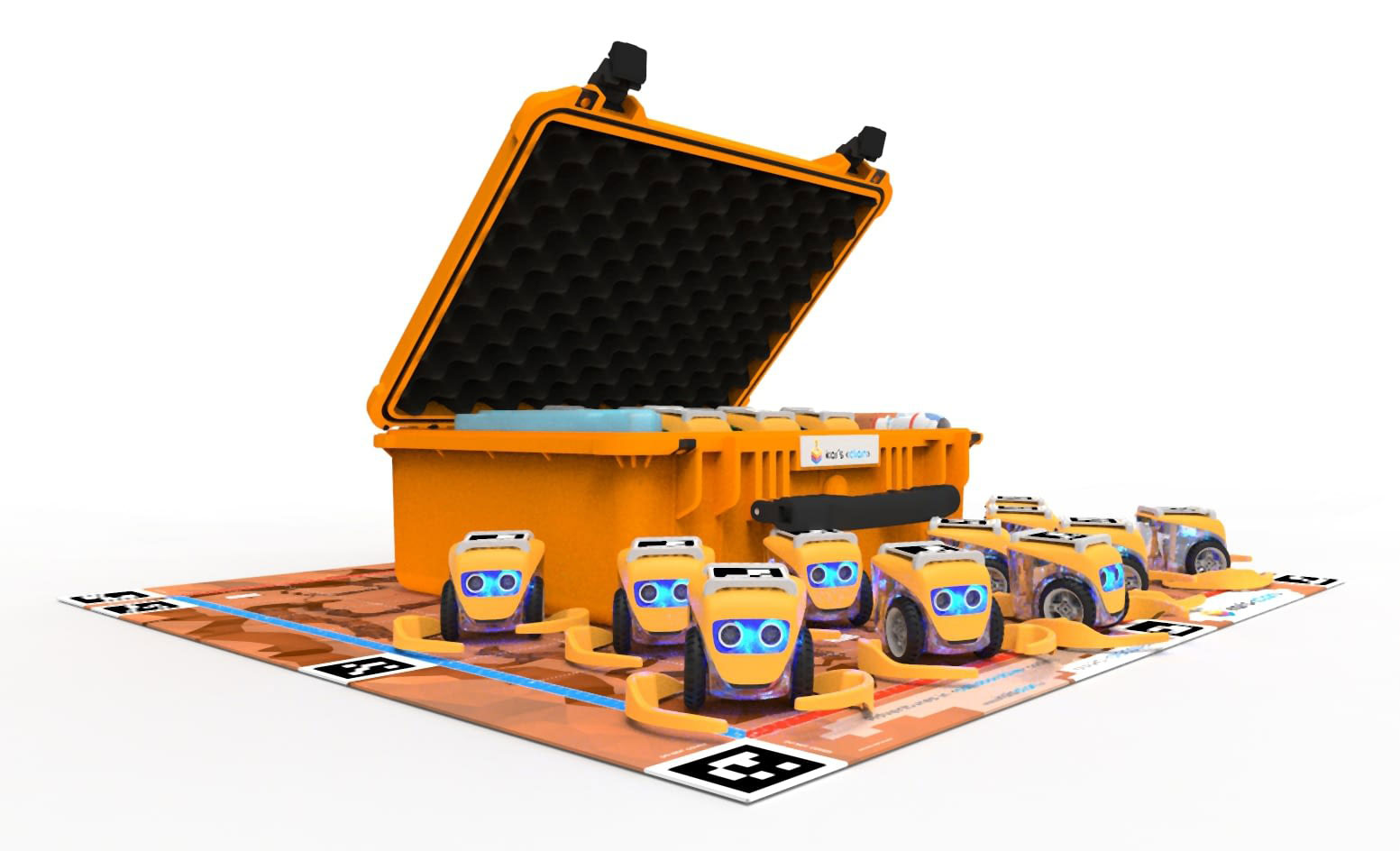
Kai’s Clan has various products available for education institutions in the Middle East. Some of them are; Kai’s Clan classroom pack (12 pack), Kai’s Clan Start Pack (4 pack) and Kai’s Clan Booster Bots (4 pack).

Kai’s Clan even has a group of certified teachers who help in personal development and training the students. All you need to do is sign up for the class. They teach everything from basics to intermediate level.

Contact us