Different Types of Triangles & Detailed Explanation of Each

Different Types of Triangles & Detailed Explanation of Each

Different Types of Triangles & Detailed Explanation of Each

What is a Triangle?

Triangle is a figure that consists of three edges and three vertices. To make a triangle we need to draw three straight lines and join them together. The sum of all the angles of the triangle adds up to 180 °. This is common for all the different types of triangles that we are going to learn about in this Blog today.

What is a Vertex?

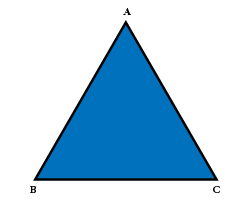
A point where two sides of a triangle meet is called the vertex of the triangle. In the below △ ABC sides AB and BC are intersected at point B, therefore, B is called the vertex. Similarly, sides AC and BC are intersected at point C, so C is the vertex, and for sides AB and AC, the vertex is A.
 

Different Types of Triangles

As we have read earlier, the sum of all the angles of the triangle is 180 °, but, does that mean that all triangles look the same? In Geometry, there are three main classifications of triangles which are as follows:
Scalene Triangle

Scalene Triangle

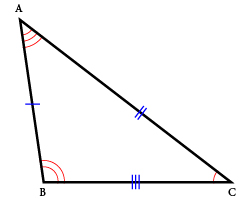
In a scalene triangle, all sides of the triangle are of different measures. If you take a ruler and check the length of sides AB, AC, and CB, you will notice that each one has a different measure. Also, all the angles of the scalene triangle are different degrees. Use a protractor to measure the angles and you will find that the angles are also different, though their sum is 180 °.
Isosceles Triangle

Isosceles Triangle

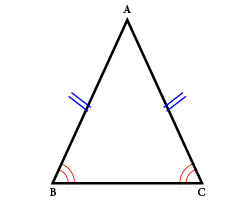
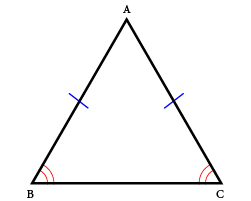
In an isosceles triangle, two sides are equal and the length of the third side is not the same as the other two. In the below diagram sides, DE and EF are of the same length and thus it is categorized as an isosceles triangle. Notice the interior angles of the triangle below? Theory states that the angles opposite to the equal sides of the isosceles triangle are of equal degrees. In △ DEF, where sides DE and EF are of equal length, ∠D = ∠F (vertex D and vertex F are of the same degree)
Equilateral Triangle

Equilateral Triangle

As the name suggests, an equilateral triangle has equal sides and qual measure of angles. Each of the interior angles measures 60 °. In △ PQR, sides PQ, QR, and PR are of the same size, and ∠P = ∠Q = ∠R = 60°.

As an educator, you must be wondering how to teach kids ‘types of triangles’ in an engaging manner, such that they remember the concepts thoroughly. Well, the Mathletics online platform integrates the same curriculum of International Schools in the Middle East & around the world, to offer well-researched modules to students. Learners can first access the resources to understand the basic concept and then put their skills to test by engaging in over 1200 activities. To learn more about Mathletics and its availability in the UAE region, simply visit this Link: https://knowledge-hub.com/mathletics/

Classification by types of Angles

With reference to angles, triangles can be further classified as; Acute angle, obtuse angle, and right angle.
Acute Angle

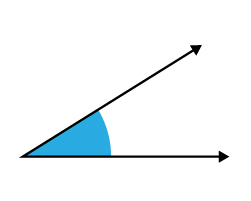
An acute angle is recognized when its internal angles are less than 90 °. That means the angle can be anything like; 45°, 30°, 83 ° and so on, unless it is lesser than 90°. In the below figure, the angle formed at the intersection of Ray 1 and Ray 2 is 60° which is lesser than 90° and hence it forms an acute angle.
Obtuse Angle

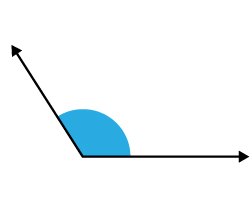
An obtuse angle is defined when the degree of the angle is more than 90 °, but less than 180°. In the figure, Ray 1 and Ray 2 intersect at vertex Y which is 120° and thus greater than 90 ° & lesser than 180 °, indicating it is an obtuse angle. Practice your Math concepts in a game-like program through the Mathletics platform whose trial version is available for Free to all in Dubai and other GCC regions.
Right Angle

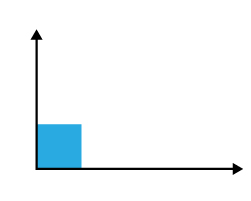
A right angle is made by two rays that meet at a vertex at 90°. This means the two rays need to be perpendicular to each other. The right angle is therefore referred to as 90-degree angle.

Contact us

Fill in your details below or send us an email on info@knowledge-hub.com

Cultivating an Interest in Coding: One Storybook at a Time

Cultivating an Interest in Coding: One Storybook at a Time

Cultivating an Interest in Coding: One Storybook at a Time

Thinking of ways to offer some motivation to your kids to join a coding class? We have a perfect solution for you. Books have the power to create a longstanding impact and positively influence readers, so, here’s a collection of Coding storybooks that you can gift your little ones.

How to Code a Roller-coaster by Josh Funk

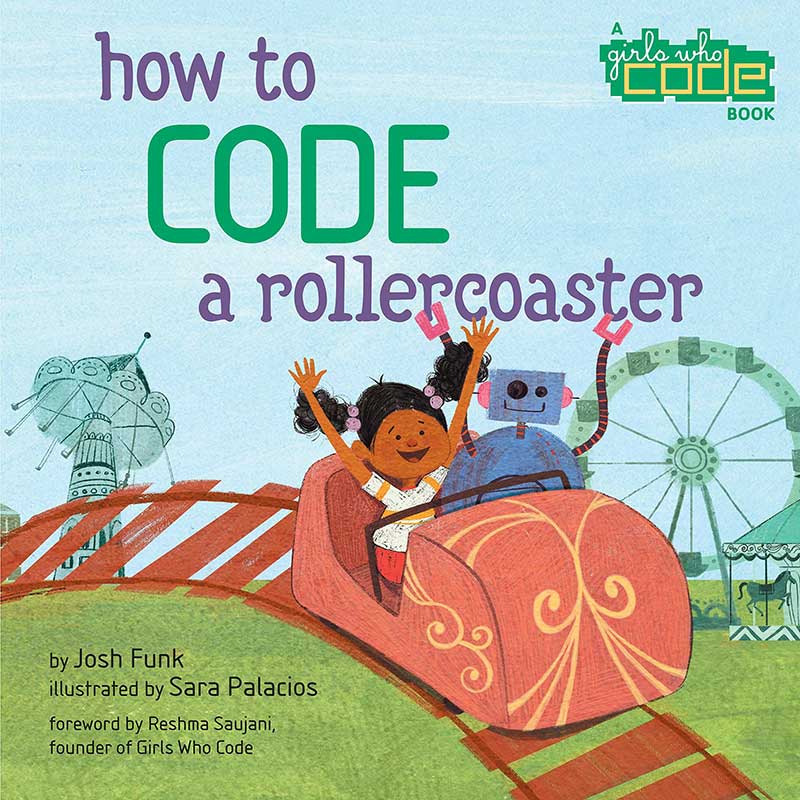
It is a story about a little girl called Pearl and her Robot friend Pascal, who are very adventurous by nature and love to explore new opportunities. They are enjoying their day at the amusement park by participating in fun games, one after the other; but their eyes are set on this one ride the ‘Python Coaster’. Each ride requires a coupon, so Pearl saves one for her favorite roller-coaster ride. She & her Robot friend await patiently and with the help of coding skills, calculate when the entry line will be the shortest so that they get a chance to enter the biggest ride of the park – the Python Coaster. Will you join their coding journey and hunt for hidden codes, if & then sequences, and variables?

How-to-code-a-rollercoaster

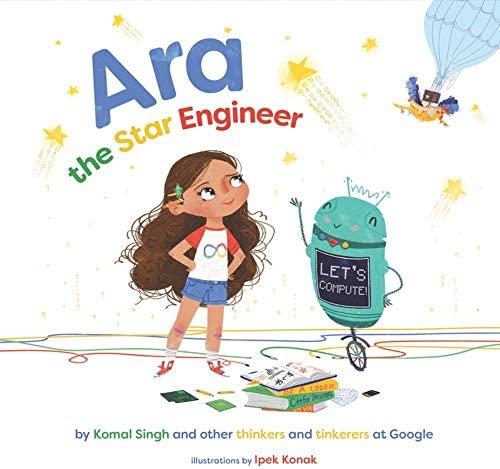
Ara the Star Engineer by Komal Singh

With the advent of the STEAM curriculum in schools across Dubai and other associated regions of the Middle East, children need to be introduced to technology at an early age. Ara the Star Engineer is a book about a bright little girl who aspires to count all the stars in the sky one day. But how is that possible, you would wonder? Ara and her robot droid DeeDee are on a mission to accomplish an important algorithm and solve the problem of ‘counting starts in the sky’. This takes them to different locations – Data Centers, X-Space, Coding Pods, & Ideas Lab, and also get a chance to interact with real-life women who are ‘tech heroes’ namely; Tenacious Troubleshooter, Intrepid Innovator, Code Commander, and Prolific Problem Solver. Together, they toil, build, and test, until they discover the correct way to go about writing the algorithm. There are some interesting hands-on activities to follow, which makes it an even more interesting read.

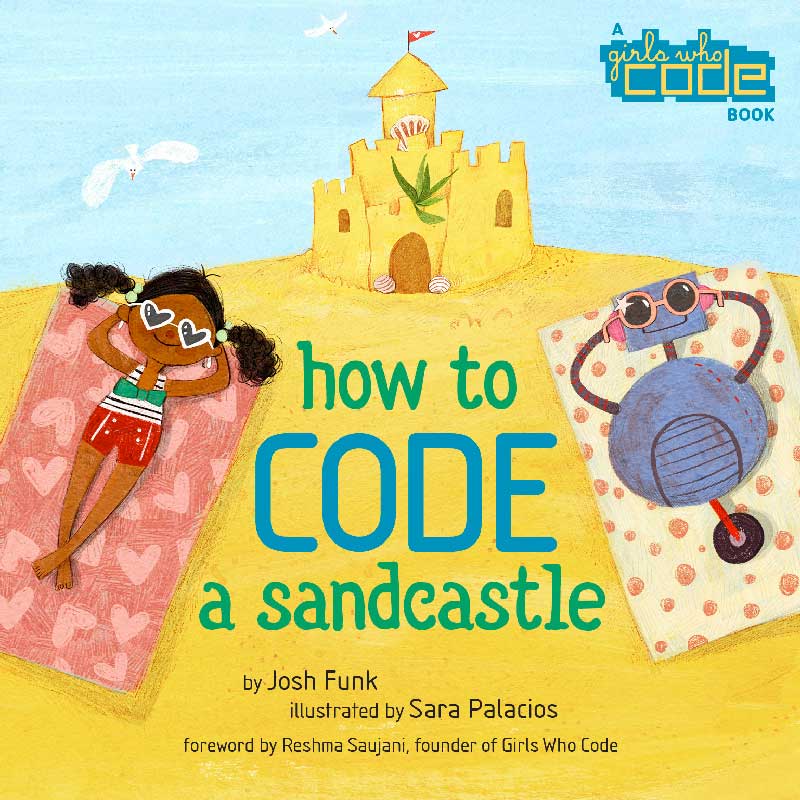
How to Code a Sandcastle by Josh Funk

And yet again, Josh Funk introduces us to the fun side of coding by revealing humorous verses and colorful illustrations, from his book ‘How to Code a Sandcastle’. This time Pearl and her robot buddy Pascal need to build a sandcastle before summer vacation is over. The twist in the plot is that the sandcastle has to be designed and constructed using coding language. Imagine how brain-wrecking and enriching this experience is going to be! As children read through the story, they learn to sequence, loop, and break down the sandcastle problem into small manageable steps, until a functional code is created. Children who have acquainted themselves with coding facts learnt on the CodeMonkey platform, will truly enjoy reading this book and find the coding problems relatable. CodeMonkey has made its way to every child’s (ages 4 to 14) coding class and is admired by students in GCC regions, for its game-like activities.

Girls Who Code: Learn to Code and Change the World by Reshma Sujani

Can a computer language change the world? Well, clearly, we can see how the advent of technology is taking over our lives and making it easier for us to thrive. This book is apt for today’s day & age and has even become the New York Times Bestseller! The book is more than just a coding journal because it showcases real-world ‘girl power’ by gaining support from women such as; Sheryl Sandberg and Malala Yousafzai. ‘Girls Who Code’ started as an initiative by owner Reshma Sujani in 2012 to inspire and motivate girls across America to learn to code. Conquering over 40,000 young women wasn’t enough and so the book is now available to audiences world over, including the UAE regions. This book is a pleasure to read with dynamic artworks, simple explanations of coding principles, and real stories of women working at Pixar and NASA. So, are you ready to create your own app, game, and software, that will take over the world?

Contact us

Fill in your details below or send us an email on info@knowledge-hub.com

Learning To Code As an Afterschool Program is Beneficial

Learning To Code As an Afterschool Program is Beneficial

Learning To Code As an Afterschool Program is Beneficial

Robotify is an online robotics platform that teaches you how to code in an easy-to-learn, fun-filled and accessible manner without having to purchase any expensive hardware or actual robot components. All you have to do is register with a login name and password and you get access to its multiplayer platforms which present real-life challenges in extraordinary virtual environments. Students are inspired to produce innovative ideas and solutions in this game-like environment. Many schools in Dubai, UAE use the Robotify platform, as it boosts creativity and critical thinking along with collaboration skills and problem-solving. The GCC and the Middle East are soon realizing the potential of Robotify and how affordable and accessible it is, thereby introducing this platform in classrooms.

Robotify_banner

The digitized world of today demands that every child be equipped with coding skills to successfully be able to integrate into the man-machine partnership of Artificial Intelligence. Studies have proven that coding is related to superior cognitive execution and alertness. Practicing coding which is a multifaceted ability, boosts the brain’s ability to absorb more information by forging new neural pathways. One’s muscle memory gets developed by repeatedly using these neural pathways while reinforcing coding concepts.

Coding improves your brain’s cognitive aptitudes and memory which then also spills onto your daily applications and jobs. Developing bugs in your code is unavoidable but it is this that forces the learner to tackle issues in eliminating them. Learners remain persistent with their imagination and planning solutions.

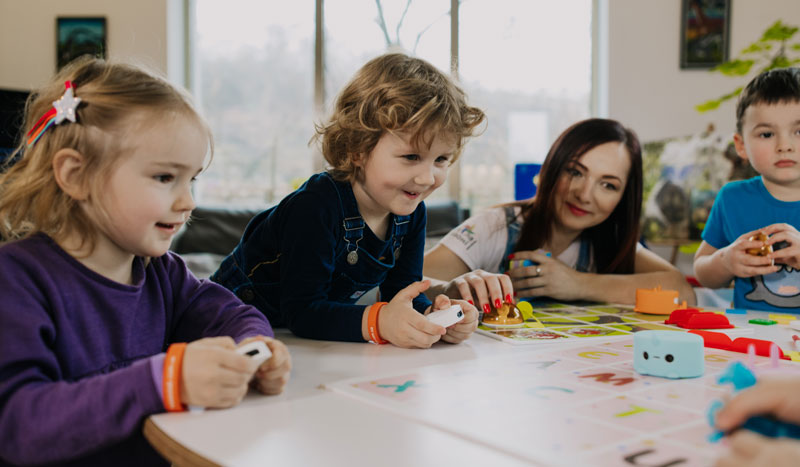
STEAM robot toys offer hands-on learning which is screen-free coding. It helps the children to understand the world around them and express themselves better. They learn how to think sequentially and logically, to solve problems. They gain the confidence and abilities to achieve or create anything they can dream of. Coding provides the set of tools that they will require for self-expression.

Coding is a highly transferrable skill that you can apply to various fields regardless of whether you eventually become a software engineer or corporate professional. It develops computational thinking skills and breaks down engineering stereotypes about tools and technologies.

kid-learning-coding

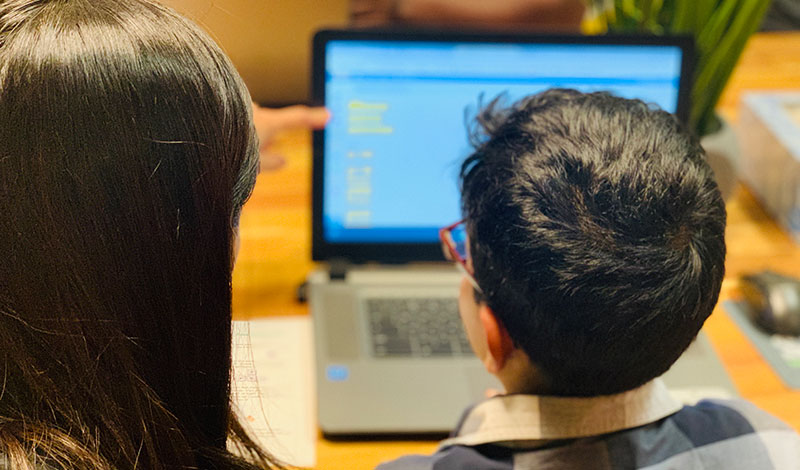
With STEAM learning, coding is developed around the idea of a playground with an option to practice Robotics without investing heavily on hardware, using platforms such as Robotify. Young learners can optimally learn to program on their laptops. Sharing their progress with peers also enhances their social skills and self-expression abilities along with teaching them how to work in groups or hone their leadership skills.

The comfort of the school’s learning environment motivates children to enroll in afterschool programs and benefit from Robotics classes. STEM learning provides a comfortable environment where the learner can make mistakes and innovatively solve them while experimenting. This practice also translates to the real world where some children are risk averse but gain more confidence in making mistakes and rectifying them with coding, in an afterschool class.

Afterschool programs can encourage coding, building, storytelling, decorating, roleplay, etc with their STEAM-related activities. They must focus on keeping these sessions flexible and age appropriate. Children as young as 7 or 8 can enroll for such classes. Most schools in Dubai will offer coding as an afterschool program with low teacher-student ratio, so that teaching is customized as well as personalized for better output and results. Help your child engage their creative thinking skills and set them onto the road to becoming future tech wizards.

Free webinar for teachers and students (suitable for K-8).

Title: Start your coding journey with Robotify


Preparation for CSEdWeek and Hour of Code.
  • In this Webinar teachers and students will learn how to use Robotify for coding.
  • All attendees will receive free login credentials, to use the Robotify platform, during CSEdWeek and Hour of Code.
  • Certificate of attendance will be issued to all the attendees.
Date: 29th November 2022 | Time: 12.00 pm to 01.00 pm (UAE Time)
Get register here: https://knowledge-hub.com/robotify_webinar/

Contact us

Fill in your details below or send us an email on info@knowledge-hub.com

Pre-writing Activities for Preschoolers

Pre-writing Activities for Preschoolers

Pre-writing Activities for Preschoolers

Writing doesn’t come naturally to kids, but it has to be taught. There is a sequential process to follow which includes getting kids comfortable with holding a crayon or thick chalk, then asking them to practice the tripod grip by holding objects firmly, next is trying to hold a pencil correctly, and then proceeding to trace & write big letters on a blank paper. The final stage is eventually being confident to write on the blue & red line book using a pencil. Through this blog, we highlight some activities that are useful in the preparatory phase to enhance the kid’s pre-writing abilities.

Playdough

Kids love rolling, hitting, tearing, and building things with playdough. Getting their hands dirty in the colorful dough is their favorite pastime. So, why not combine playing with some study? At one’s pre-writing phase, i.e., children 3-4 years of age, are yet learning to memorize all 27 letters and their sounds. Most top schools in Dubai and other Middle East regions, encourage kids to learn phonics on the Reading Eggs platform through fun-filled activities and stories.

To make letters out of playdough, simply use cookie cutters in the shape of a letter and ask kids to press it downwards onto the flattened piece of clay, to get an imprint of it. In this way, practice all 27 letters from A to Z, thereby, enhancing the child’s phonetic speech and sensory-motor skills.

If cookie cutters are unavailable at home, use the plastic clay knife that comes with the playdough set and let children write A to Z with the help of the knife on the piece of clay.

Magic Sand

Montessori’s across GCC and world-over, make use of writing trays and fill them up with sand or salt, as an activity to help kids in their pre-writing age. Letters have a specific pattern that they follow and to get used to the flow of writing, children must run their pointer finger over the printed letter again & again, till they get the confidence to be independent.

When children try to write the letters on magic sand, they learn to use the right strokes and begin to practice letter formation correctly. This stage prepares them to use a pencil and actually start writing letters on the blue & red line book. Practice tracing for lowercase & uppercase letters and even cursive formats. You can also ask your little ones to write numbers, draw shapes, and practice strokes, as a pre-writing activity to strengthen their fine motor movements.

Pre-writing Worksheets

Teachers discourage introducing the pencil to kids at first, rather they stress on giving the kids a thick crayon. This is because, kids below the age of 5 do not have the strength to hold the pencil with the correct tripod grip, but holding a crayon is easier. Simply type ‘prewriting’ worksheets on Google and you will find plenty of worksheets for kindergarten students to practice tracing. Even by subscribing to Reading Eggs, users get access to printable worksheets, that can be used to teach kids reading & practice writing. To learn more about Reading Eggs and its availability in UAE, visit our page: <link> The worksheets will have different patterns & lines with zig-zag prints and curvy bends that, improves the child’s ability to control their tiny finger movements and prepares them for formal writing.

Beading

Who thought stringing a thread with beads could teach children something indispensable? This fun craft activity does something very important for kids by teaching them how to manipulate their hand movements. If you think of it, there are many steps involved in the beading process, and each one plays a role in improving the finer movements of the fingers & hand. Kids start by picking up beads, and this exercise of merely lifting the bead between two pinched fingers is a good start. Next, the kid has to figure out where the hole of the bead is located, and this involves rotating the bead, which improves eye-hand coordination. Finally, threading the bead with one hand and holding the string in the other, will level-up preschoolers for what lies ahead of them.

Contact us

Fill in your details below or send us an email on info@knowledge-hub.com

Making The Most of Google Docs & Using It Extensively To Your Advantage

Making The Most of Google Docs & Using It Extensively To Your Advantage

Making The Most of Google Docs & Using It Extensively To Your Advantage

Just like Microsoft Word allows us to type content, edit files, and save documents, Google Docs is a web-based word processor, that is available for free to everyone across the globe, including users in Dubai and the Middle East. The Google Docs Editor was launched to audiences on 9th March 2006 by Google, and ever since its popularity has grown, reaching nearly 25 million users worldwide. Through this article, let us learn some interesting facts about Google Docs.

One can access Google Docs by logging into their Gmail account from any device. It is compatible with tab, mobile, laptops, and desktops, depending on your level of comfort. Also, there is no constraint about the kind of operating software one uses; Android or iOS are equally compatible. Simply download the Google Docs app and get started, anywhere, anytime.

The beauty of Google Docs is that multiple users can edit the same sheet in real-time, for more effective working. This eliminates the task of having to email your saved Microsoft Word Documents to the recipient and then asking them to make corrections & drop an email in response to yours. This back & forth is eliminated, thanks to the Google Docs platform.

Once you open a fresh Docs in the web browser the first message you will see on the sheet is ‘type @ to insert’. With this feature, you can tag people (from your Gmail contacts) on the sheet, use any emoji that you like, add notes in reference to the meeting that is to be scheduled, and even insert a predefined template of a table that indicates the different stages at which your work is progressing; not started, in progress, or launched, etc. Besides this, adding images from your local drive, making a checklist, writing a footnote, and much more is possible with the shortcut ‘@’ key.

Each sheet can be shared with as many as 100 people at a time, and every participant can be assigned a different level of authority; editor, viewer, or commenter. Collaboration is the key feature of this cloud-based platform and thereby working simultaneously can benefit every user.

Another interesting feature of Google Docs is that your document history is recorded meticulously and can be retrieved for referencing all the changes that were made. All the modifications can be tracked along with their date & time so that the older versions can be retrieved if need be. This is a huge plus point, especially for professionals and freelancers, who use Google Docs extensively for editing work documents, drafting letters, and curating content for web pages. Even if you close the browser accidentally or the network connectivity goes off midway, your data is never lost.

We are also impressed with its ‘smart compose’ attribute, which makes using Docs an even more pleasurable experience. The system prompts you to correct spellings, use correct grammar, and gives the writer an option to translate the text. And if you’re bored of typing, why not try speaking into your microphone, to auto-type the paragraphs? Thanks to voice commands, we can now take a walk in the park while penning down our thoughts on the sheet, simply by giving voice commands. The versatility of this platform makes it a suitable option for all; students, business people, freelancers, professional authors, and journalists, alike.

school-kids-using-laptop-in-library

Most K-12 schools in UAE & other parts of the world, aim to include Google Docs lessons as a part of their classroom curriculum, as children need to be well-versed in computer literacy and take advantage of the recent trends.

Therefore, integrating the TechnoKids curriculum into the STEAM model of education is preferred, to benefit them from project-based learning. TechnoKids is universally popular and has a loyal user base in the GCC region.

The TechnoEditor module from TechnoKids Junior Collection (Grade 3-6) focuses on teaching kids editing skills and therefore students get to extensively uses the Google Docs platform and experiment with it. This prepares them to professionally edit; stories, poems, & comics, as if they had to send their work to a publication house for printing. TechnoEditor builds confidence & prepares kids to become experts at using Google Docs.

Contact us

Fill in your details below or send us an email on info@knowledge-hub.com

For Kids Learning Coding On Matatalab, the Universe Is Their Playground

For Kids Learning Coding On Matatalab, the Universe Is Their Playground

For Kids Learning Coding On Matatalab, the Universe Is Their Playground

Our parents always motivate us by saying ‘reach for the stars’. Luckily, kids of K-12 schools in Dubai and all over the world, have this opportunity to imagine the universe in their classrooms, thanks to the Matatalab Kit.

Travel in the Universe: Matatalab Activity

Time: 45 minutes | Age Group: 6 to 11 years | Area of focus: Art & Coding

Start by explaining the following before initiating the activity:

What is Universe?

The universe is a very vast concept, it includes everything we see, sense, and touch around us. So, this means, all living beings, plants, animals, stones, galaxies, stars, etc. are all part of the universe. The list can’t be curtailed and would run into pages if we noted down everything that exists in the universe. But when children study this concept, they start to admire the beauty of its vastness and feel grateful!

What is the Solar System?

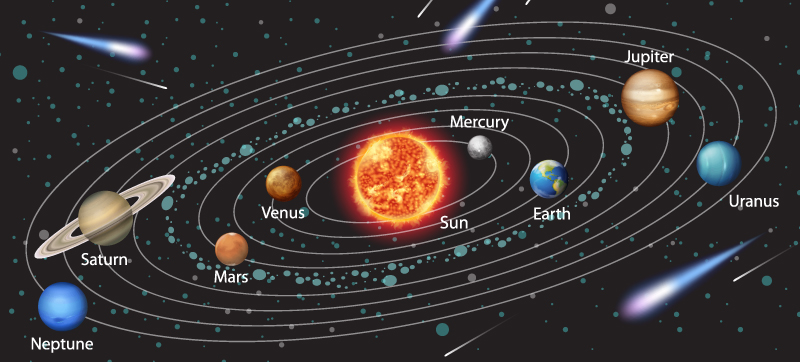
The solar system is very much a part of the universe. There are eight planets in the solar system, namely; Mercury, Venus, Earth, Mars, Jupiter, Saturn, Uranus, and Neptune. Earth is the third planet from the sun and all of us live on planet Earth. Did you know that most of the major planets have their own moon, which orbits around the planets? So, stars, moons, asteroids, comets, and planets, together comprise the solar system.

Step 1: Google an image of the universe and show it to children as a reference, along with a picture of the solar system.

Step 2: Let children observe the different shapes and structures in the frame.

Step 3: Distribute sheets of large white paper on which children will need to draw.

Step 4: Let kids make use of their MatataBot with art extension. All necessary accessories come along with the Matatalab kit and if you want to learn about its availability in the GCC region or anywhere in the Middle East, simply visit this link https://knowledge-hub.com/matatalab/

Step 5: Demonstrate how to use the MatataBot to make shapes like; circles, triangles, squares, and pentagrams by using the degree blocks. Explain how the 360-degree block is used for drawing a circle.

Step 6: Divide children into groups or let them do this activity individually.

Step 7: Give sufficient time to figure out arrow keys and instruct the MatataBot to draw a picture of the universe.

Step 8: Let children color the picture and make it attractive.

Step 9: Congratulate students for their efforts and correct them, if necessary.

Recall the activity, by asking which shapes were used:

Pentagram: It is a five-pointed star that is formed by drawing continuous lines in five straight segments.

Triangle: A triangle has three straight sides and three angles. The sum of the angles of the triangle adds up to 180°. The vertex is the point where two lines meet in the triangle and therefore there are three vertices in any triangle.

Square: It is a four-sided polygon that has all four sides of equal length and the measure of all the angles are 90° each.

Circle: A round plane on which all the points are equidistant from the center point, is called a circle. It has no corners and no lines. The boundary line of the circle is called its circumference.

At the end of the session, ask these questions:

Q1) What do you understand by the term universe?

Q2) How many planets are there in our solar system?

Q3) Can you explain what a square is?

Q4) Does a circle have any sides?

Q5) Did you have fun drawing?

Q6) If you changed the path of the MatataBot from the left arrow to the right arrow would you notice any change in programming?

Q7) What vehicle does the astronaut use to travel to outer space?

This is how learning is made exciting for kids and the recall value is stronger through hands-on practice. The best part is that no prior knowledge is required for students to start their coding journey and even a complete beginner can learn to code using the Matatalab kit which is easily available in UAE.

Contact us

Fill in your details below or send us an email on info@knowledge-hub.com