
Important Phonics Resources for Kids with Mini Mash and Purple Mash

Important Phonics Resources for Kids with Mini Mash and Purple Mash

Phonics, the link between letters and sounds, is a building block for strong reading skills. Ideally, children can begin exploring phonics as early as 3 or 4 years old through songs, games, and activities that focus on letter sounds. By understanding phonics, children can decode unfamiliar words, become better spellers, and gain the confidence to tackle any reading challenge. Through this blog, let us explore how Mini Mash provides the necessary phonics resources for kids to support education for young learners.

Mini Mash: A Vibrant Phonics Playground

Mini Mash, a free add-on or included feature with a subscription, is designed specifically for Early Years learners. It turns phonics from a theoretical concept into an engaging adventure. Here’s how Mini Mash contributes to successful phonics development:

  • Engaging Letter Recognition: Mini Mash uses vibrant letter sounds slideshows and pairs games to make letter recognition enjoyable and social. Children can participate in creative activities like letter painting projects, which help reinforce letter shapes in a fun way. Interactive initial sounds quizzes offer a playful assessment of their understanding, ideal for group sessions on a projector or individual practice on tablets.
  • Sound & Grapheme Development: As children move beyond basic letter recognition, Mini Mash’s phonics resources for kids provide resources to deepen their understanding of sounds and the letters (graphemes) that represent them. Missing sound quizzes challenge learners to identify absent sounds in words, strengthening their phonics skills. Cloze activities (filling in missing letters) in Phases 2 and 3 offer targeted practice, supporting both advanced learners and those needing extra help. Writing templates reinforce these skills by providing a framework for practicing newly learned sounds.
  • Visual Aids and Printables: Recognizing the power of visual reinforcement, Mini Mash offers alphabet printables that teachers can use to create eye-catching classroom displays. These displays provide constant visual cues, aiding letter recognition and retention.

Purple Mash: Advancing Phonics Skills

As children transition from Mini Mash to the broader Purple Mash platform, their phonics journey continues with resources for Phases 2 to 5:

  • Phase-Specific Activities: Purple Mash offers a structured approach to phonics development, with dedicated resources for each phonics phase. Activities include cloze tasks for various skill levels, sound flashcards for quick letter-sound practice, and word flashcards to build vocabulary and solidify understanding.
  • Exploring Complex Phonics: For Phase 2 learners, compound word flashcards help them identify and understand compound words (e.g., “butterfly”). Phase 5 resources include alternative spelling flashcards, teaching children to recognize and spell words that do not follow typical phonics rules (e.g., “though”).
  • Free Trial: Unsure if Purple Mash is appropriate for your class? Take advantage of their free trial to explore the phonics resources for kids, firsthand. Mini Mash is always included free with a Purple Mash subscription, providing a fantastic start for Early Years learners.

Beyond Phonics:

Purple Mash’s commitment to literacy extends beyond phonics with Serial Mash, a dedicated library within the platform that opens up a world of engaging books: 

  • Diamonds Library: Serial Mash curates age-appropriate books for younger readers, sparking curiosity and a love for reading.
  • Serialized Reading: Teachers can break down longer books into manageable sections, making reading less daunting and encouraging consistent reading habits.
  • Online Reading Journals: These journals allow students to record the books they’ve finished, keep track of their progress, and recognize their reading milestones.
  • Motivating Reluctant Readers: Serial Mash includes the Firebolts collection, designed to engage and motivate reluctant readers with captivating stories, intriguing characters, and vibrant illustrations.

Purple Mash transcends traditional educational tools by offering a well-rounded approach to literacy. With its comprehensive phonics resources for kids and extensive library, Purple Mash not only builds foundational skills but also fosters a lifelong love for reading.

Contact us

Fill in your details below or send us an email on info@knowledge-hub.com

Design a Newsletters: Microsoft Word Lessons for High School Students

Design a Newsletters: Microsoft Word Lessons for High School Students

A newsletter is one of the most powerful mediums of marketing to stay in touch with your subscribers and reach out to new audiences. Most businesses follow a fixed calendar to send out Newsletters to a set of targeted people via email. Even Government bodies, banks, and educational institutions share Weekly Newsletters to communicate news, updates, and information about certain topics. Given the importance of this medium, schools can teach students to create meaningful Newsletters using Microsoft Word, as a part of the computer curriculum. Through this Blog, let us elaborate on Microsoft Word lessons for high school students where young minds are taught to explore its features effectively.

Types of Newsletters

  • Company Newsletters: A corporate Newsletter is usually rolled out to customers & vendors who are associated with the organization, or even targeted towards employees. Regular communication from the management ensures that the staff stays motivated and feels included like a huge family. They frequently feature segments on corporate accomplishments, forthcoming events, employee highlights, and industry updates.
  • Product Newsletters: All types of product-focused brand content form a part of the Product Newsletter category.  New products with compelling visuals and thought-provoking taglines keep the customers engaged and informed about the company’s offerings. Any special sales discounts and offers can also be included here.
  • Educational Newsletters: These are used by schools, colleges, and other educational institutions to communicate with students, parents, and staff. They can include information on upcoming events, academic achievements, school policies, and educational resources.
  • Industry Newsletters: These give the latest information and highlight current events with regards to a particular Industry. They are usually adopted by the practitioners to update with the current trends, research, and practice within the area of specialization. For example, Automobile Enthusiasts share auto-related content, from cutting-edge electric vehicle developments to updates on safety regulations and the latest trends in car design, etc.

How to Produce Professional Publications

Creating a professional Newsletter involves several steps and the application of various formatting and design techniques. Here’s a guide to producing a professional newsletter using technology, as often taught in Microsoft Word lessons for high school students.

 Apply a Style and Customize the Appearance

  • Choose a Template: Students can be asked to select a theme that suits the purpose of the communication. Many programs, like Microsoft Word, offer a variety of templates to choose from.
  • Branding: There may be certain colors, fonts, and design elements that audiences identify your brand with. Incorporating these tangible branding elements helps maintain consistency and make the Newsletter easily recognizable.

Format Paragraph and Character Spacing

  • Paragraph Spacing: Adjust the spacing before and after paragraphs to make the content easy to read. This prevents the text from looking cluttered.
  • Character Spacing: Ensure that the spacing between characters is consistent and suitable for the font being used. This improves readability and overall aesthetics.

 Adjust Page Orientation, Border, Margins, and Watermark

  • Page Orientation: Choose between portrait and landscape orientation depending on the design and layout requirements.
  • Borders and Margins: In Microsoft Word lessons for high school students, they also learn to set appropriate borders and margins to frame their content neatly. This also ensures that the text does not run too close to the edges of the page.
  • Watermark: Add a subtle watermark, if necessary, to denote the confidentiality or branding of the Newsletter.

 Pictures, Clip Art, Shapes, SmartArt

  • Pictures and Clip Art: Use high-quality images and clip art that enhance the viewability of the content. Ensure that these graphics are well-placed and do not overshadow the text. This is an important tip while teaching Microsoft Word lessons for high school students.
  • Shapes and SmartArt: Utilize shapes and SmartArt to create visually appealing elements such as Infographics, flowcharts, and callouts.

Organize the Document into Sections

Create sections to include subheadings and accommodate relevant content under it. This makes it easier for readers to navigate and find the information they are interested in reading.

Create and Format a Table

Use tables to organize data and present it clearly. Format the cells by adjusting the borders, shading, and alignment to enhance readability.

Insert and Format a Header and Footer

Include headers and footers to provide essential details like the newsletter title, issue number, date, and page numbers. Customize these elements to align with your overall design as a part of the Microsoft Word lessons for high school students.

Merge Data into a Form Letter

Mail merge can be used to send bulk emails to a database without compromising on addressing each recipient individually. It’s now possible to efficiently manage large-scale communications while maintaining a personal touch.

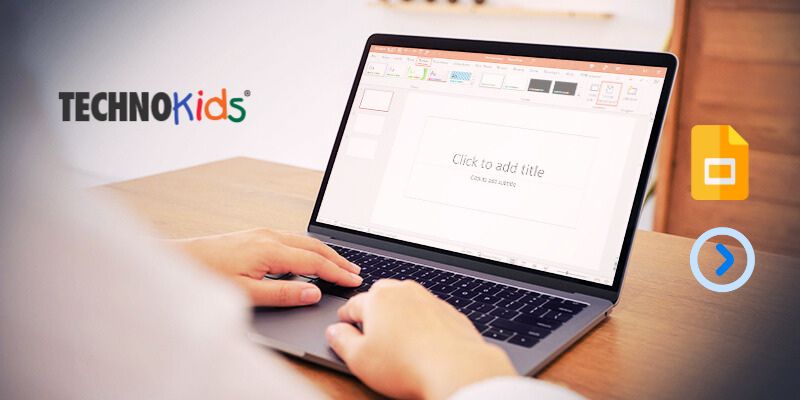
TechnoKids‘ innovative TechnoNewsletter module, in conjunction with Microsoft Word’s advanced functionalities and engaging learning activities, empowers students to develop proficiency in crafting professional and captivating Newsletters. This dynamic curriculum fosters the acquisition of essential technical skills while simultaneously preparing students for future success in communication-intensive careers.

Contact us

Fill in your details below or send us an email on info@knowledge-hub.com

How To Teach Pre-Math Concepts for Kindergarten Students

How To Teach Pre-Math Concepts for Kindergarten Students

Pre-Kindergarten and Kindergarten are stages when children begin to explore the world. A sense of curiosity seems to reflect in their personalities as they want to make sense of everything they see, touch, and feel. As a Kindergarten educator, it is important to support and stimulate the child’s thirst for knowledge, by introducing fun & playful lessons in class. One such interesting concept is of ‘distance’ because understanding spatial relationships is a foundational skill for navigating their world. This blog explores effective strategies to teach the concept of ‘distance’ to Pre-K & K students, ensuring the lessons are both educational and enjoyable. Integrating these strategies supports the development of pre-math concepts for kindergarten students.

Strategy 1: Using Visual Aids and Manipulatives

Visual aids and manipulatives are powerful tools in early childhood education. For teaching distance, these can include:

  • Measuring Tapes and Rulers: Simple, colorful measuring tapes or rulers can be introduced to show how distance can be measured. Children can use these tools to measure objects in the classroom or even decode their own height.
  • Blocks and Building Materials: Using blocks or building materials, children can build structures and measure the distances between them. This can be incorporated into playtime, making learning seamless and enjoyable.

Strategy 2: Incorporating Movement and Games

Movement-based activities and games are excellent for teaching distance to young children. Here are a few ideas:

  • Obstacle Courses: To reinforce pre-math concepts for kindergarten students, arrange cones at irregular intervals in the classroom and create an exciting indoor obstacle course. Now include words like ‘near’ and ‘far’ as children move around collecting cones.
  • Measuring Footsteps: Encourage children to measure distances using their footsteps. They can count how many steps it takes to reach different points in the room or playground. This activity not only teaches distance but also integrates counting skills.
  • Distance Races: Organize simple races where children have to run or walk certain distances. Mark the starting point with a chalk and the finishing point with a tape. Now invite students to discuss the distances involved between these two points.

Strategy 3: Storytelling and Interactive Read-Alouds

Pre-math concepts for kindergarten students can be brought to life through the magic of storytelling! Select stories that involve characters traveling distances, such as journeys or adventures. During read-aloud sessions, use props or visuals to illustrate the distances covered by the characters.

Strategy 4: Everyday Situations and Practical Examples

Incorporate discussions about distance into everyday classroom activities:

  • Classroom Layout: Talk about the distances between different areas of the classroom, such as the reading corner, art station, and play area. Encourage children to think about and describe these distances.
  • Nature Walks: Take the children on nature walks around the school grounds. Discuss the distances traveled and use simple maps to illustrate the routes taken.
  • Comparative Language: Use comparative language to discuss distance, such as “closer,” “farther,” “longer,” and “shorter.” For example, compare the distance between their desks and the door or the playground and the classroom.

Strategy 5: Technology Integration

While hands-on activities are crucial, technology can also enhance learning about distance:

  • Interactive Apps: Utilize age-appropriate educational apps that introduce the concept of distance through interactive games and activities.
  • Digital Stories and Videos: Show short videos or digital stories that involve characters traveling distances. Follow up with discussions and questions about the distances covered.
  • LEGO® Education Coding Express: The Coding Express Set offers an optional, tech-infused approach to learning distance. This playful set allows students to program the movement of a train based on distance. By building tracks and assigning distances between stops using the app’s interface, children can experiment with moving the train to various lengths. This interactive experience reinforces their understanding of distance in a fun and engaging way.

Teaching pre-math concepts for kindergarten students requires a blend of visual aids, hands-on activities, movement, storytelling, everyday examples, and technology. By creating an engaging and interactive learning environment, educators can help young children develop a foundational understanding of distance. This exercise not only teaches children about spatial awareness but also instills a sense of confidence among them. Try some of the above-listed activities to get started and guide young learners to understand important pre-math concepts and abstract ideas.

Contact us

Fill in your details below or send us an email on info@knowledge-hub.com

Introducing Visual Coding for Kids vs. Hands-on Coding

Introducing Visual Coding for Kids vs. Hands-on Coding

Early learners, as young as 4 years old, can now embark on their STEAM journey with playful coding activities right in the classroom. Gone are the days when complex text-based programming was confined to higher education. Today, schools – like those in Dubai and other forward-thinking regions – are introducing the fundamentals of coding even in preschool, making it accessible to all ages. Age-appropriate solutions like hands-on coding and visual coding activities are replacing traditional text-based approaches, bridging the gap and making coding fun and easy for young minds. Through this Blog, we’ll explore the differences between visual coding for kids and hands-on coding for youngsters.

Visual Coding Solutions:

Visual coding for kids utilizes a graphical interface instead of text-based commands. Programs are created by dragging and dropping pre-defined blocks that lead to specific actions or functions. This approach allows children to focus on the logic and problem-solving aspects of coding without getting bogged down by syntax and complex commands. Visual coding uses drag-and-drop blocks on a computer (PC, laptop, tablet) to build programs, with software like Scratch or Blockly.

Benefits of Visual Coding for Kids

  • Reduced Cognitive Load: Visual coding is easy to start with and doesn’t startle the learner with too much jargon. It is easier for young learners to grasp core coding concepts like sequences, loops, and variables by simply moving blocks around on the screen and using arrow keys.
  • Enhanced Engagement: The drag-and-drop interface with animated characters and an appealing storyline provide a fun and interactive learning experience, keeping children motivated and engaged.
  • Building Blocks for Textual Coding: Visual coding for kids is a steppingstone, introducing basic programming concepts that can be later translated into text-based coding languages.

MatataCode Visual Programming Solution: MatataCode provides a visual programming solution ideal for children aged 8 and above. The platform utilizes VinciBot, a programmable robot, and MatataCode, a dedicated programming environment.

MatataCode Features User-Friendly Interface: With MatataCode, coding becomes a breeze! It features a drag-and-drop interface where colorful blocks represent different actions, like making a robot move, playing sounds, or responding to sensors. Interactive Learning: Children learn programming fundamentals while controlling the VinciBot, a programmable robot used with MatataCode. This enforces a tangible connection between their code and its real-world application. Scalability: As children become more proficient, they can explore more complex projects, making MatataCode a versatile tool for continuous learning.

Hands-on Coding Solutions:

Hands-on coding solutions emphasize a more physical approach, utilizing tangible objects and robots to introduce programming concepts. These solutions are ideal for younger children (ages 3 and above) who are still developing their fine motor skills and cognitive abilities.

Benefits of Hands-on Coding

  • Tangible Learning Experience: By interacting with physical objects & robots, children can develop a deeper understanding of programming principles more concretely.
  • Creative Exploration: Hands-on coding fosters creativity and problem-solving skills as children experiment with different coding sequences to achieve desired outcomes.
  • Computational Thinking: These solutions introduce basic computational thinking skills like sequencing, logic, and decomposition at a young age.

MatataCode Hands-on Coding Solutions:
MatataCode offers two hands-on coding solutions catering to different age groups:

Tale-Bot Pro (Ages 3-5)

  • Interactive Robot: Tale-Bot Pro allows young children to create stories and control movement using colorful coding blocks.
  • Voice Feedback: The robot provides voice feedback, promoting language development and storytelling skills.
  • Developmentally Appropriate: The tactile and visual elements are designed to engage younger children and support their developmental milestones.

Coding Set & Add-Ons (Ages 5+)

  • Screenless Solution: This gamified solution features coding blocks that control a robot car, eliminating screen time and focusing on physical interaction.
  • Problem-Solving Challenges: Children build sequences and solve challenges, fostering problem-solving and computational thinking skills
  • Modular Design: The set can be expanded with add-ons, allowing for more complex projects and extended learning opportunities.

Choosing the Right Solution

Both visual coding for kids and hands-on coding solutions provide valuable pathways for introducing children to the world of programming. However, the best solution depends on the individual child’s age, learning style, and interests.

Introducing coding to young children through visual and hands-on coding solutions can spark an early interest in STEM fields and develop essential problem-solving skills. Visual coding for kids provides a structured, engaging way to learn programming fundamentals, making it suitable for older children ready for a more formal coding education. In contrast, hands-on coding offers a playful, tactile approach that is perfect for younger children, fostering creativity and computational thinking from an early age. By selecting the appropriate solution based on the child’s age, learning style, and interests, parents and educators can effectively nurture the next generation of innovators and thinkers.

Contact us

Fill in your details below or send us an email on info@knowledge-hub.com

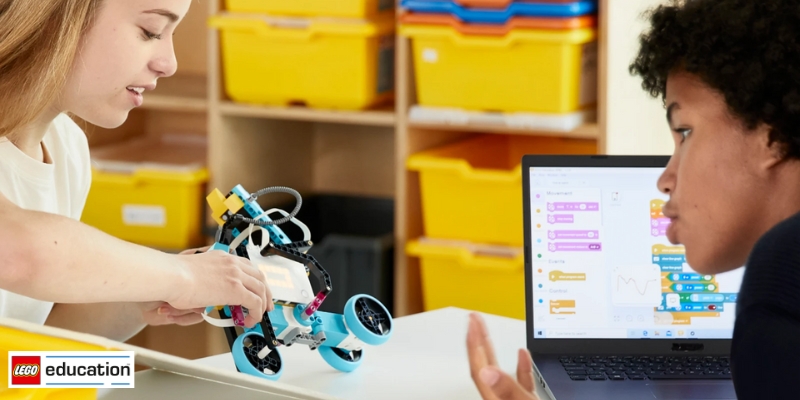
LEGO® Education: Opportunities for Young Minds in Coding

LEGO® Education: Opportunities for Young Minds in Coding

LEGO® Education is a platform that has pioneered in offering hands-on playful STEAM learning to students of ages 4+ years. Educators can now foster a love for coding skills and creativity in young minds, without being stressed about designing a curriculum from scratch. LEGO® Education’s ready-made resources and lesson plans are ideal for learners to develop coding skills year after year. Through this Blog post, let us explore the stages of progression in a student’s coding journey and how this agenda prepares them for STEM (Science, Technology, Engineering, and Mathematics) fields.

A Unifying App for a Connected Journey

Throughout this learning progression, students benefit from the use of a single, intuitive programming application. This consistency creates a familiar environment where students can focus on mastering new concepts rather than navigating the complexities of a new interface using LEGO® Education sets. Building upon a familiar platform fosters a sense of security and allows students to readily apply their prior knowledge to new challenges.

Unlocking Text-Based Coding

On entering elementary school, our enthusiastic learners get ready to explore the fascinating aspects of text-based coding. Text-based programming involves writing code using words, symbols, and numbers instead of dragging and dropping blocks. This allows them to decode more advanced coding functions preparing enthusiasts for future endeavors in computer science and robotics. The transition from visual icons to text-based coding is carefully paced, ensuring students have a strong foundation in the underlying logic before embarking on a more abstract approach.

LEGO® Education SPIKE™ Prime Set

Equipped with a solid understanding of coding principles, students are then ready to explore the exciting world of robotics with LEGO® Education SPIKE™ Prime Set. This versatile robotics platform allows students to design, build, and program their own robots, further deepening their understanding of coding and its applications in the real world.

A Consistent Learning Unit Structure

Another key strength of LEGO® Education’s learning progression lies in its consistent unit structure. Each year, students encounter a familiar framework, allowing them to focus on the new content being introduced rather than struggling to navigate the learning environment. This consistency builds a sense of trust and allows students to approach new challenges with confidence.

More Than Just Coding: Fostering 21st Century Skills

While coding is a core focus, the LEGO® Education learning progression goes beyond just programming robots. This innovative approach cultivates essential 21st-century skills, including:

  • Problem-solving: Coding challenges prepare students to try different approaches and solve problems to overcome obstacles and tackle complex tasks more efficiently.
  • Collaboration: Teamwork makes the dream work! Working together on a LEGO® Education coding project allows our budding Tech experts to communicate their ideas more clearly and take leadership, to achieve the goal.
  • Critical thinking: As they experiment and explore, students develop analytical skills, learning to evaluate different approaches and choose the most effective solutions.

LEGO® Education’s learning progression is a powerful play-way style learning curriculum that instills a love for coding at an early age for children. The gradual development of concept ideas and complexity makes learning more joyful and stress-free. Secure your child’s future with technological advancements and essential skills to brighten their future and be job-ready by the time they finish their education. So, whether your students are just starting their coding adventure or are eager to dive deeper into robotics, LEGO® Education’s learning progression offers a comprehensive and engaging pathway to success. With each brick they place and each line of code they write, students are building not just robots, but a solid foundation for a bright and innovative future.

Contact us

Fill in your details below or send us an email on info@knowledge-hub.com

What Is Panopto’s Helpful Lecture Recording Software?

What Is Panopto’s Helpful Lecture Recording Software?

Panopto is an evolving EdTech tool that specializes in lecture capture technology. Its lecture recording software caters to deployments of all sizes, from small departments to entire campuses. Panopto’s blend of user-friendly design, flexibility, and powerful features makes it the preferred choice for educational institutions in Dubai and the world over.

Streamlined Management

Panopto simplifies lecture capture to the point where instructors can initiate recordings with just a ‘few clicks’. It makes lecture capture a breeze for teachers, thanks to a user-centric design developed through collaboration with academic tech teams, faculty, and staff. This means no more wrestling with settings! Panopto automatically recognizes your camera and microphone and even remembers your preferences for future recordings.

For administrators, this handy lecture recording software offers further convenience. The feature allows for pre-scheduled recordings and centralized control over the entire recording infrastructure. Such automation minimizes missed lectures and streamlines the recording process.

Seamless Integration

A key strength of Panopto lies in its robust integration with leading Learning Management Systems (LMS) such as Blackboard, Moodle, Canvas, Sakai, and D2L. This integration enables students to access lecture recordings directly within the LMS, fostering a cohesive learning experience. Panopto further integrates with video conferencing software, and in-room control systems, and offers a comprehensive API suite. This ensures compatibility with existing IT infrastructure, allowing institutions to tailor Panopto to their specific needs.

Diverse Recording Scenarios

Panopto’s lecture recording software allows it to handle a wide range of recording situations. From capturing audio and slides in an economics lecture to recording multiple video sources in a complex biology class, Panopto is suitable for different scenarios. The system’s flexibility extends to recording any combination and configuration of video sources in classrooms of any size. This scalability ensures Panopto can cater to both small departments and large-scale campus implementations.

Recording Anywhere, Anytime

Faculty can record course content from anywhere using a PC, Mac, or mobile device. The free web-based recorder offers features like virtual background blur and Smart Camera technology. The Panopto mobile app allows for on-location recording, whether in the field, lab, or any other setting, ensuring learning can happen anytime, anywhere.

Pre-recorded Lectures & Live Streaming

Pre-recorded lectures with Panopto can enhance student engagement, comprehension, and knowledge retention. Panopto’s clever “Smart Chapters” feature uses artificial intelligence (AI) to automatically create a table of contents. This means students can easily jump to different parts of the lesson they need to review, just like chapters in a book! The intuitive online video editor empowers instructors to add captions, interactive quizzes, and other multimedia elements, further enriching the learning experience.

Exceptional Customer Support

A hallmark of this lecture recording software is its exceptional customer service. For three consecutive years, Panopto’s support engineers have maintained a 99% satisfaction rating. This level of support is included with every Panopto implementation, ensuring institutions receive the necessary assistance to maximize their lecture capture technology investment.

Panopto’s lecture recording software is designed to elevate education by simplifying course content recording, management, and sharing. Its user-friendly interface, robust LMS integration, recording versatility, and exceptional customer support make it a valuable tool for both educators and administrators. By adopting Panopto, institutions can provide students with a richer, more flexible learning experience that supports both in-person and remote education.

Contact us

Fill in your details below or send us an email on info@knowledge-hub.com