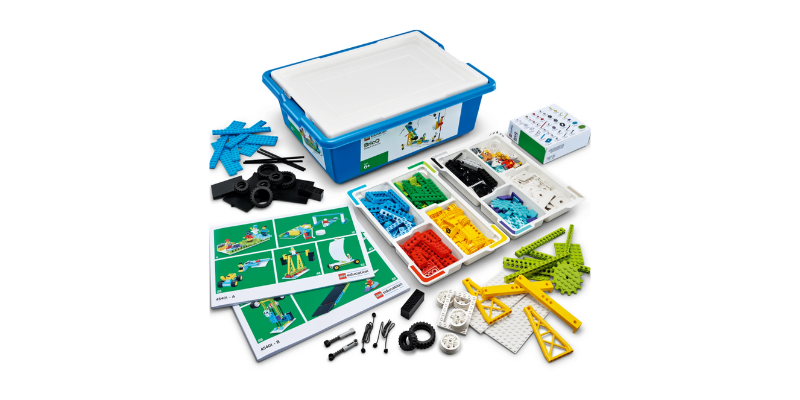
Easy Force Experiments using LEGO® Education BricQ Motion Essential

Easy Force Experiments using LEGO® Education BricQ Motion Essential

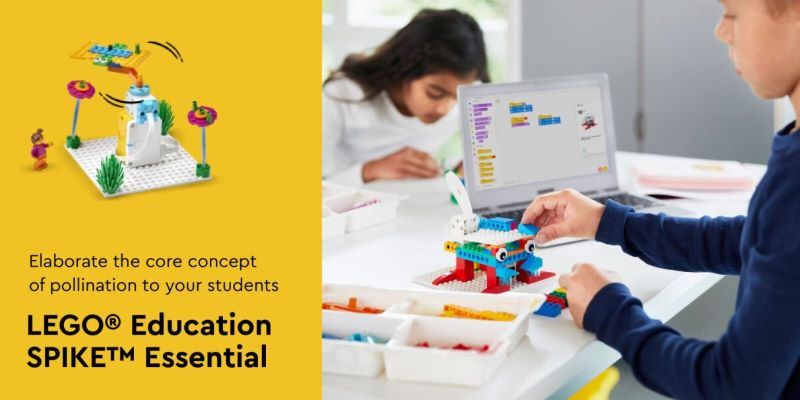
The checkered flag is about to wave, the crowd is roaring, and the excitement is electric! In this thrilling LEGO® Education BricQ Motion Essential lesson plan, we’ll take you through the final leg of the engineering design process. Get ready to put your knowledge of forces and motion to the test as you build an automated cheering crowd using LEGO® bricks! Easy force experiments are designed for students in grades 3-5 and can be completed in two class sessions (around 45 minutes each) in a hybrid learning environment. It’s perfect for those who have already explored simple mechanisms, patterns in motion, and balanced and unbalanced forces in previous lessons.

Building a Cheering Crowd

Part A: Setting the Stage (45 Minutes)

Warm Up! (5 Minutes)

  1. Let’s get inspired! Begin by watching a short video (included in the student material) that captures the energy of a crowd celebrating a victory to get started with the easy force experiments.
  2. After the video, have a quick discussion with your classmates. Ask questions like:
    • How were the people moving in the video? (Jumping, waving, high-fiving!)
    • Can you connect these movements to the mechanisms we’ve learned about?
    • How can we use what we know about forces and motion to create LEGO® models that mimic these actions?

Get Ready to Cheer! (Announce the Challenge! – 5 Minutes)

  • It’s time to unleash your inner engineer! Today’s mission: design and build a mechanism (or multiple mechanisms) that creates an automated cheering crowd.

Planning Makes Perfect! (30 Minutes)

  1. Now comes the brainstorming and building phase!
    • Sketch your ideas to brainstorm on easy force experiments! Before diving into construction, take some time to plan your masterpiece. Draw out your design and think about how the different parts will connect and move.
    • Build it! Feel free to use your creations from previous lessons for inspiration, or unleash your creativity and invent something entirely new.
    • The more interconnected moving parts, the better! Encourage complexity in your designs.
    • Teamwork makes the dream work! Discuss your ideas with your classmates before building.

Part B: Refining and Celebrating (45 Minutes)

Sharing is Caring! (5 Minutes)

  1. It’s time to showcase your creations! Gather your classmates and share your plans for refining, improving, and finalizing your cheering crowd models.
  2. Feeling stuck? No problem! Brainstorm solutions together. Here are some ideas:
    • Use the building instructions for inspiration.

Bringing Your Cheer Squad to Life! (30 Minutes)

  1. Time to put the finishing touches to the models created using easy force experiments
    • You’ll have 20 minutes to complete your creation. After 15 minutes, a friendly reminder will let you know you have 5 minutes left to ensure a functional model.
    • Once your model is built, test it with a partner for 2 minutes. Did it bring the crowd to life?
    • Early finishers? Put your creativity to use by marking a start and finish line (50 inches apart) for a celebratory Minifigure race!
    • Now comes the grand finale! Gather everyone for a class-wide celebration!

Reflecting on the Race (5 Minutes)

  1. Let’s talk about your awesome creations! Explain your models to your classmates.
  2. Ask questions like:
    • How well did your model work?
    • What improvements could you make for next time?

Beyond the Finish Line (5 Minutes)

  1. Let’s wrap up with a final reflection.
    • What part of this lesson did you enjoy most?
    • What was the most challenging aspect?
    • Were there any models that particularly inspired you?

Cleaning Up and Assessment

  • Time to put everything back in order! Dismantle your models, sort the LEGO® bricks back into their trays, and tidy up your workspace.
  • Throughout the lesson, remember to ask guiding questions that encourage your students to “think aloud” and explain their thought processes when making building decisions.

How Did We Do?

There are several ways to assess your students’ understanding:

  1. Observation Checklist: Keep an eye on how well your students can explain the forces at play in their models.
  2. Self-Assessment: Have each student choose a LEGO® brick that reflects their performance:
    • Green: I can kind of explain the forces in my model.

Contact us

Fill in your details below or send us an email on info@knowledge-hub.com

The Value of EdTech Tools for the Classroom for Educators

The Value of EdTech Tools for the Classroom for Educators

EdTech tools for the classroom play an increasingly crucial role in schools today across Dubai and other regions. From interactive learning platforms to collaborative online tools, educators have a wealth of resources at their disposal to enhance student engagement and understanding. However, not all teachers feel entirely comfortable integrating technology into their classrooms. This blog post aims to empower educators of all levels by offering practical tips to become more technology-friendly and unlock the vast potential of educational technology (EdTech).

Understanding the Benefits:

The first step towards tech-friendliness is appreciating the benefits it brings to the classroom.

  • Personalized learning: Tailored online programs and applications cater to individual learning styles and paces, ensuring no student falls behind or gets bored.
  • Increased engagement: Interactive activities, simulations, and gamified learning experiences spark curiosity and make learning fun.
  • Enhanced collaboration: Online platforms foster collaboration beyond classroom walls, allowing students to work together on projects with peers across the globe.
  • Critical thinking skills: Technology empowers students to research, analyze information, and solve problems independently.
  • Improved communication: Digital tools facilitate communication between students, teachers, and parents, fostering a more connected learning community.

By embracing technology, educators can create a dynamic and engaging learning environment that caters to the needs of the 21st-century learner.

Building Your Tech Toolkit:

Now that you understand the advantages, it’s time to build your tech toolbox. Here’s how:

  • Start Slow: Don’t overwhelm yourself – begin by exploring a few user-friendly EdTech tools for the classroom like video tutorials, quizzes, educational games, and collaborative whiteboards.
  • Seek Professional Development: Many schools offer professional development opportunities focused on EdTech integration. These programs can equip you with the necessary skills and confidence to use various tools effectively.
  • Connect with Tech-Savvy Colleagues: Learn from experienced colleagues who have successfully integrated technology into their classrooms. Observe their teaching methods, ask questions, and tap into their knowledge.
  • Explore Online Resources: A plethora of online resources, tutorials, and webinars cater to educators of all tech levels. Utilize these resources to learn about new tools and various EdTech tools for the classroom.

Developing a Tech-Positive Mindset:

Embrace a mindset and treat challenges as opportunities to learn.

  • Don’t Be Afraid to Experiment: Trying new technologies can be intimidating, but remember, everyone starts somewhere. Embrace the learning process and explore different tools with an open mind.
  • Focus on Learning Outcomes: Technology should never be the sole focus of a lesson. Ensure it complements your teaching style and curriculum objectives.

Seek Help When Needed: Don’t hesitate to ask for help from tech-savvy colleagues, IT professionals, or students. Learning is a collaborative process, and everyone can contribute.

Integrating Technology Effectively:

Once you feel comfortable with basic tools, consider how to integrate them seamlessly into your lesson plans. Here are some key strategies:

  • Align Technology with Learning Goals: Technology should enhance the learning process, not replace it. Choose EdTech tools for the classroom that directly complement current curriculum objectives. Let’s take Purple Mash as an example. This platform is a treasure trove for primary schools and includes engaging activities across English, math, coding & science.
  • Plan for Technical Glitches: Technology can be unpredictable. Have a backup plan and alternative activities for contingencies such as internet outages or software malfunction.
  • Embrace Blended Learning: Technology can be used to enhance traditional classroom instruction. Consider using online resources for independent learning activities or flipped classrooms.

EdTech Tools for the Classroom:

EdTech tools for the classroom are not a replacement for a skilled educator, but a powerful tool to enhance the learning experience. By embracing a tech-positive mindset, building your tech toolkit, and integrating technology strategically, educators can create dynamic and engaging learning environments that prepare students for success in today’s world. Remember, the journey of becoming a tech-friendly educator is a continuous process of learning and exploration. Embrace the challenge, and watch your students thrive in this digital age!

Contact us

Fill in your details below or send us an email on info@knowledge-hub.com

Start Your Reading Journey: Remarkable Online Book Library for Kids

Start Your Reading Journey: Remarkable Online Book Library for Kids

Books are a man’s best friend because they open doors to ideas, adventures, and discoveries. Developing a love for reading at an early age is advantageous to the student in many ways. Age-appropriate books support vocabulary enrichment and boost self-confidence among young readers. To add to this, the right categories and genres of reading can cultivate a lifelong affinity for learning. Therefore, curated booklists tailored to various age groups & interests are in demand and Capstone is one such online book library for kids that offers over 5,500 unique titles to choose from. Let’s learn about which book categories are appropriate for different age groups and why it’s essential for kids to explore a variety of genres.

Fairy Tales (All Ages)

Fairy Tales create a fantasy scenario for the reader and transport them to a world where everything seems possible. Passed on from one generation to the other, these tales have stood the test of time and are a part of our cultural heritage. Most online book libraries for kids possess a rich selection of both classic and new-edition Fairy Tale literature. The beauty of fairy tales lies in their universality, young and grown-ups alike can find enjoyment, inspiration, and valuable life lessons within the fantastical pages of the storybook.

Allegories (Age 10+ years)

These are stories with characters and pictures that often have a moral. Allegories usually go deeper and convey a hidden meaning or message behind the story other than the basic literary story. The complexity of ideas and events makes allegories ideal for students 10 years and above. This genre of reading fosters understanding of different perspectives and may have an underlying political message. Typically allegories encourage readers to think beyond the surface, thereby, promoting critical thinking skills.  Some of the most prominent books of allegory include; Animal Farm by George Orwell, and The Tortoise and the Hare by Aesop, amongst others.

History & Heritage (Age 8+ years)

Historic reads are best suited to help readers understand how past events shape the present. These books even garner respect and appreciation for diverse cultures and traditions. Learning about past events and victorious battles, motivates students to build resilience. Younger children can start with simplified, engaging stories, while older students can handle more complex narratives and in-depth exploration. Some books under the ‘Historic’ genre include; “Persepolis” by Marjane Satrapi which is a graphic novel that talks about growing up during the Iranian Revolution and A Kid’s Guide to Native American History by Yvonne Wakim Dennis and Arlene Hirschfelder which highlights the Native American history and culture.

Scary Stories (Age 9+ years)

Scary stories can provide a safe space for young readers to explore courage and bravery by facing fears within the confines of fiction. The online book library for kids often caters to a wide range of spooky tales for those who crave thrill and adventure. Surprisingly, children also become more empathetic by placing their feet in the shoes of the characters who are dealing with fearful situations. The classic Goosebumps novel is a favorite feature in most school libraries with narratives that depict mischievous creatures and impish monsters. On the other hand, Mary Shelley’s “Frankenstein” tells the story of a scientist, Victor Frankenstein, who creates a monstrous creature to wreak havoc on Earth.

Comic Books (all ages)

The combination of text and illustrations makes Comic Books an attractive proposition for young readers. Comics not only serve as a great source of entertainment, but also help improve comprehension, vocabulary, and sequential thinking. Even reluctant readers are drawn towards purchasing a Comic Book, due to its eye-catching visuals and colorful illustrations. Most comic books are published in serialized volumes and have limited pages (around 30) to encourage novice readers to commit a manageable amount of time per day, as compared to lengthy novels. Online book library for kids features comic books such as; Diary of a Wimpy Kid, DC Comics, Marvel Rising, and Archie Comics, amongst others.

In conclusion, fostering a love for reading in children opens doors to a world of knowledge and personal growth. With a variety of genres available, online book libraries for kids, like Capstone empower young minds to find the right book that spark curiosity. Happy exploring!

Contact us

Fill in your details below or send us an email on info@knowledge-hub.com

Unveiling the Promising Nous AI Set by Matatastudio

Unveiling the Promising Nous AI Set by Matatastudio

The Nous AI Set by Matatastudio is more than just a robot; it’s a gateway to comprehensive AI education. Through hands-on projects and interactive learning, students are introduced to the complexities of artificial intelligence in an engaging and accessible way. By integrating cutting-edge technologies and methodologies, the Nous AI Set by Matatastudio empowers students to explore and understand the rapidly evolving world of AI, preparing them for the challenges and opportunities of the future.

Nous AI-Set

Exploring the Key Features of the Nous AI Set

Machine Learning with the Nous AI Set

Machine learning is a branch of AI that enables computers to learn from data and improve their performance over time without explicit programming. The Nous AI Set by Matatastudio introduces students to this concept through hands-on projects which demonstrate real-world applications. With its interactive curriculum, visual programming interface, and modular design, students can easily grasp complex concepts and engage in creative experimentation.

Computational Thinking

Computational thinking is a superpower for problem-solving, teaching students to break down challenges, identify patterns, and create solutions. It’s important because it sharpens problem-solving skills, boosts critical thinking, prepares students for various fields, and builds confidence and resilience. The Nous AI Set from Matatastudio enhances learning through hands-on activities, focusing on core concepts like decomposition, abstraction, and algorithms. It makes computational thinking interactive and engaging by allowing students to code with physical blocks and encourages playful exploration, turning learning into a fun and enriching experience.

Design Thinking Excellence

Design thinking tackles problems by understanding user needs and creating innovative solutions through cycles of brainstorming, prototyping, and testing. The Nous AI Set by Matatastudio empowers this process by allowing students to create real-world projects that build empathy with users. Its modular design encourages exploration of multiple solutions, while the various components like cameras and sensors facilitate quick prototyping and testing. This hands-on approach with the Nous AI Set lets students learn from mistakes and iterate on their designs, ultimately boosting their creativity and problem-solving skills.

Nous AI hardware-img

Intuitive Touchscreen Programming

Forget complex lines of code! The Nous AI Set features a user-friendly touchscreen interface that makes programming the robot accessible for students of all experience levels. This visual approach allows them to grasp core programming concepts like loops, sequences, and conditionals in a fun and interactive way.

Highly Customizable

The Nous AI Set includes cameras, servo motors, and expansion ports so that students can unleash their creativity and build robots with a wide range of functionalities. Imagine robots that can take pictures, follow lines, or even interact with objects! These expansion options allow students to tackle more complex projects as their skills develop.

Sturdy Metal Structure

Learning shouldn’t be fragile! The Nous AI Set boasts a durable metal frame that can withstand the bumps and bruises that come with enthusiastic experimentation. This opens up a world of possibilities for students to design unique robot bodies and enclosures, letting their imaginations take the lead.

The Nous AI Set by Matatastudio is more than a tool for teaching coding; it’s a comprehensive educational system designed to inspire a love for learning and exploration in the fields of AI and robotics. By combining hands-on projects, an intuitive programming interface, and robust, customizable hardware, the Nous AI Set prepares students for the future. It encourages them to think critically, solve problems creatively, and develop skills that will be invaluable in the rapidly advancing world of technology. With the Nous AI Set, students are not just learning about AI—they are shaping the future.

Contact us

Fill in your details below or send us an email on info@knowledge-hub.com

Revealing The Benefits of Vocational Activities for Students

Revealing The Benefits of Vocational Activities for Students

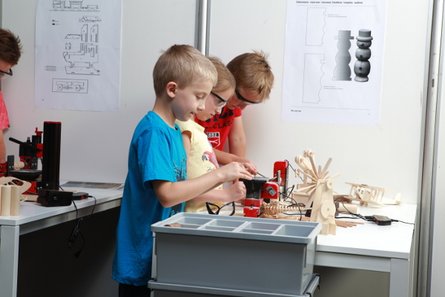
In today’s digital world, it’s easy to forget the simple joys of hands-on creation. But nurturing a love for Woodworking and Art & Craft activities offers much more than just fun. These age-old skills provide a treasure trove of benefits for children, fostering creativity, problem-solving abilities, and a sense of accomplishment. Let’s delve into some of the benefits of opting for vocational activities for students.

Sparks Creativity: Working with wood and craft materials allows children to express themselves without any burden of being judged. They can experiment with shapes, textures, and colors, leading to unique and imaginative creations.

Develops Fine Motor Skills: The intricate hand movements involved in woodworking and crafting, from sawing and drilling to manipulating tools and materials help refine hand-eye coordination and dexterity.

Boosts Problem-Solving: Vocational activities for students often require children to think out of the box and solve problems creatively. They learn to have a Plan B (alternate options), find solutions for unexpected challenges, and refine their techniques.

Enhances Focus and Concentration: The process of crafting or woodworking requires proper focus and attention to detail. This repetitive practice strengthens the child’s concentration capabilities, allowing children to become better in other areas.

Builds Confidence: Vocational activities for students when completed successfully, instill a sense of pride and accomplishment in children. This boosts their confidence and motivates them to tackle new challenges.

Easy DIY Vocational Activities for Students:

Wooden Nameplates: Even young children can participate in creating personalized nameplates. Trace letters onto pre-cut wooden pieces and let them decorate with paint, markers, or colorful buttons.

Easy Birdhouses: This classic project introduces basic woodworking techniques like hammering and drilling under adult supervision. Children can hang the birdhouse on a tree to create a welcoming haven for feathered friends.

Decorated Wooden Spoons: Plain wooden spoons transform into attractive art creations when stuck together to form various patterns. With a little nudge, encourage children to paint faces, flowers, or animals on the spoons, turning them into functional home decor objects.

Collage Picture Frames: Wood frames offer the perfect base for artistic expression making it an excellent idea for vocational activities for students. Children can use various materials like buttons, fabric scraps, or dried leaves to create unique collages, framing cherished photos or artwork.

Wooden Bead Bracelets: Drill small holes into colorful wooden beads and help children string them onto the elastic thread. They can personalize their bracelets by adding alphabet beads or other decorative elements.

Vocational Activities for Students with Safe Tools :

While traditional woodworking tools may be out of reach for young children, there are plenty of safe and age-appropriate options available.

  • Kid-Safe Saws: These saws typically have blunt blades that cut through soft wood or craft materials, allowing children to practice sawing motions without risk of injury.
  • Child-Sized Hammers: Lightweight hammers made of wood or rubber are perfect for young children to develop hammering skills safely.
  • Electric Drills with Safety Features: Some drills offer features like automatic shut-off or pre-drilled holes to minimize the risk of accidents.
  • Sandpaper with Rounded Edges: Opt for sandpaper with rounded edges to prevent cuts while allowing children to smooth out rough surfaces.
  • Clamps: These tools come in handy for holding pieces together while working on projects, ensuring safety and stability.
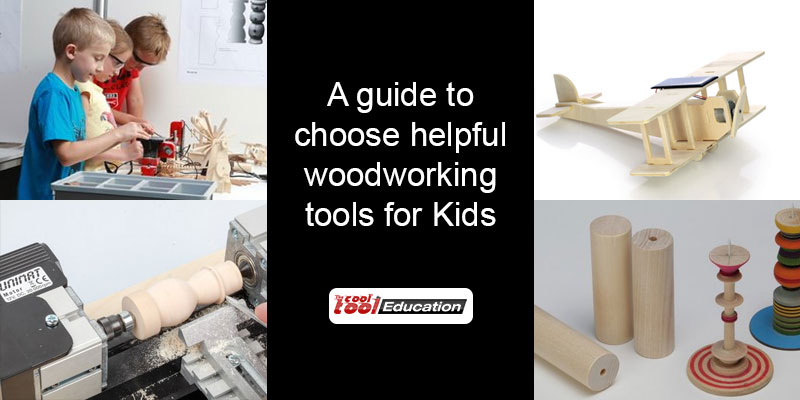
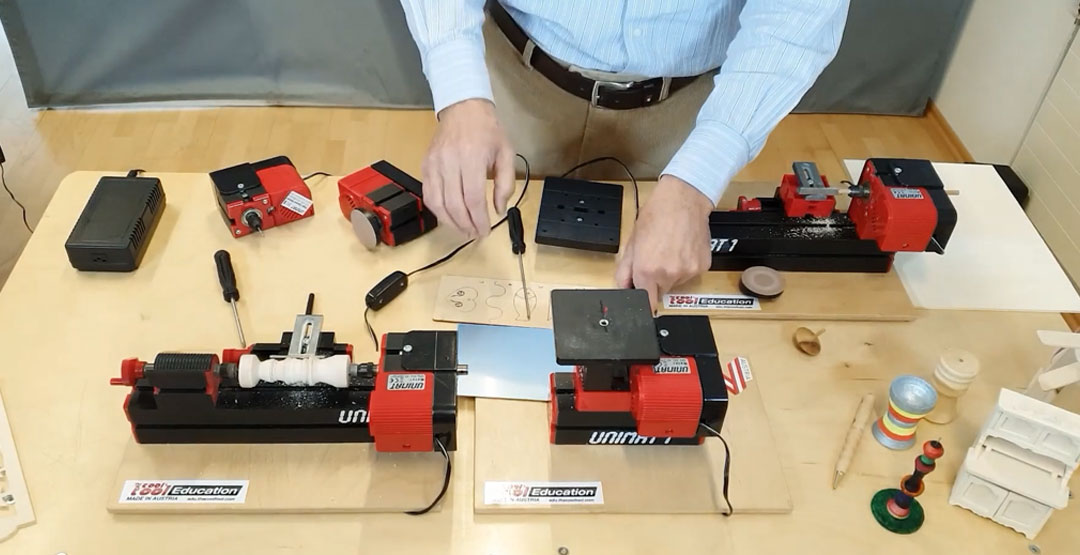
the cool tool_playmake 4 in 1

Introducing PLAYmake 4in1 Kindergarten Set:

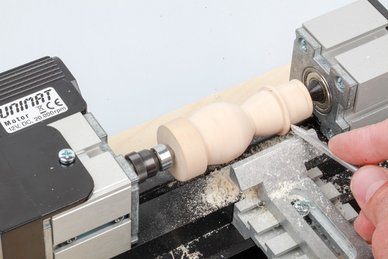
Cool Tool Education presents the PLAYmake 4in1 Kindergarten Set for our little learners. Young children are happily introduced to the world of woodworking and crafting with the PLAYmake solution. This innovative set is absolutely safe and tailored for preschoolers, turning sawing, wood turning, drilling, and sanding into enjoyable activities.

What Makes PLAYmake Special?

  • Realistic and Functional: PLAYmake offers a realistic crafting experience, mimicking real woodworking tools but with child-safe features. This allows children to learn proper techniques while having fun.
  • Prioritizes Safety: The PLAYmake system prioritizes safety with features like blunt blades and automatic shut-off mechanisms, giving parents peace of mind while their children explore their creativity.
  • Encourages Skill Development: Through hands-on play, the PLAYmake set fosters creative thinking, problem-solving abilities, and fine motor skills in young children.
  • Early Introduction to DIY: The PLAYmake system allows children to begin their DIY journey at a young age, nurturing a lifelong love for crafting and woodworking.

By incorporating vocational activities for students, children gain valuable skills and experiences that benefit them throughout their developmental journey. With the right tools and encouragement, these activities can ignite a passion for creation, cultivate a sense of accomplishment, and empower young minds to build a world of imagination.

Contact us

Fill in your details below or send us an email on info@knowledge-hub.com

Promising Advantages of Auto-Graded Learning for Kids

Promising Advantages of Auto-Graded Learning for Kids

The educational landscape has seen a positive change in the past few years, and the modern system relies on integrating technology alongside personal learning in the presence of a teacher at school. The introduction of AI (Artificial Intelligence) has even revolutionized the way students undertake classwork and assignments. AI-powered apps and games make studies fun, quite unlike the traditional method. Students can now access tailored resources, track their progress, and even get instant feedback to meet their training needs. In this blog, we’ll delve into the aspects of auto-graded learning for kids and its pros and cons.

What is auto-graded learning for kids? 

Auto-graded learning system is a process by which the student’s assessment gets evaluated without the intervention of a human. This method is not just limited to checking MCQ-type papers but also applies to more complex modules like essays and coding exercises. The algorithm is designed to provide instant feedback and scoring to students, which is an integral part of learning. Additionally, these systems can assess foreign language exercises, providing instant corrections on grammar and pronunciation.

Here are some Advantages of Auto-graded Learning for kids: 

Enhanced Learning Efficiency

Auto-graded tools eliminate the need for human intervention, doing away with the limit on the number of assignments a student can attempt. This module enables schools in Dubai and other regions, to assign homework more frequently and have it graded by the App itself. Based on the scoring secured by children, teachers can plan and adjust the classroom sessions to match the pace and understanding of students. Moreover, any concept that needs more practice can be revised accordingly.

Immediate Feedback

One of the most staunch advantages of auto-graded learning is the provision of instant feedback. Traditional grading methods can take days or even weeks, depending on the teacher’s workload and the complexity of the assignments. In contrast, auto-graded systems deliver results immediately. This prompt feedback is crucial for effective learning as it allows students to understand their mistakes and correct them in real-time, reinforcing learning concepts more effectively. While solving problems involving the Pythagorean Theorem in geometry, students using auto-graded systems can identify errors in their calculations at any step and correct them immediately.

Personalized Learning Experiences

AI-driven auto-graded learning for kids can identify each student’s strengths and weaknesses and tailor the educational content accordingly to provide a personalized learning experience. For example, if a student is finding it tough to grasp the concept of Newton’s Laws of Motion, the system will provide a prompt and suggest notes for additional practice to help the student master the topic.

Engagement and Motivation

Auto-graded learning for kids often incorporate gamification elements, such as badges, leaderboards, and progress tracking, which can make learning more engaging and fun. These features can motivate students to take an active role in their education, fostering a lifelong love of learning. AutoAuto, is an excellent auto-grading platform where kids learn Computer Science (CS) and Artificial Intelligence (AI) by programming self-driving cars. As kids complete challenges and earn certificates, they might unlock new features within the AutoAuto platform which makes learning even more rewarding.

Challenges and Considerations

While the benefits of auto-graded learning for kids are substantial, it is important to acknowledge and address potential challenges. One concern is the accuracy of AI algorithms, particularly in grading subjective assignments like essays. Ensuring that these systems are fair and unbiased requires ongoing refinement and oversight. Additionally, there is a need to balance the use of technology with traditional teaching methods to maintain a holistic educational approach in the Middle East and other regions. Privacy and data security are also paramount. As these systems collect and analyze vast amounts of student data, it is crucial to implement robust safeguards to protect this information from misuse.

Contact us

Fill in your details below or send us an email on info@knowledge-hub.com