Conquer Stage Fright With Helpful Public Speaking Skills for Students

Conquer Stage Fright With Helpful Public Speaking Skills for Students

Picture yourself in a room full of people, everyone staring at you while you try to talk about a topic. For beginners, public speaking can feel a bit scary. You worry about what people will think, and you might even forget what you want to say. It’s embarrassing to be in the spotlight and the center of attention in front of an audience. All these feelings of nervousness and not being confident in yourself make public speaking seem like a really tough task. Through this blog, you will explore some tips to enhance public speaking skills for students. 

Crafting a presentation: 

The first step to building public speaking skills for students is to craft a good presentation. Conduct in-depth research on the topic and gather relevant information based on the purpose of your presentation. Be sure of what sentiment you want to evoke – is it to educate the audience or to perhaps convince them to take action? Using visual aids such as slides, charts, and graphs can enhance your presentation and help smartly assimilate complex information.

Know your Audience: 

Understanding your audience will help you create a presentation that resonates with them and keeps them engaged. Your classmates and instructor may have specific expectations for your presentation based on the course material, previous discussions, or assignment guidelines. Understanding these expectations allows you to tailor your content accordingly and is an important step for developing public speaking skills for students.

Structure Your Speech:

The aim is to keep the audience engaged from start to finish. For this, you need to structure your speech effectively. Begin your presentation with a captivating opening line, story, question, or surprising fact that piques your audience’s curiosity and draws them in. Arrange your main points in a logical sequence that flows smoothly from one idea to the next. Use transitions to guide your audience through your presentation and maintain coherence.

Good Body Language: 

Good body language is vital for effective public speaking in students. Maintain good posture, stand tall, and avoid slouching to convey confidence. Establish eye contact to connect with your audience and keep them engaged. Incorporate natural hand gestures to emphasize key points and add energy to your presentation. Pay attention to your vocal delivery, speaking clearly and practicing voice modulation is always appropriate. By focusing on body language, students can enhance their speaking skills and deliver compelling presentations. 

Practice Your Speech:  

Practice your speech in front of a mirror to refine your delivery. Practice pacing and timing to ensure your message flows smoothly and stays within the allotted time. Use the mirror to observe your facial expressions and overall demeanor, making adjustments as needed. Rehearse challenging parts of your speech repeatedly until you feel confident. Record yourself to review and identify areas for improvement. 

Seek Feedback: 

Before delivering your presentation, seek feedback from peers, teachers, or mentors to improve your public speaking skills for students. Ask for constructive criticism on content, delivery, and visual aids, and use it to make necessary improvements. Consider how you can enhance engagement and clarity in your presentation. Actively listen to feedback and implement suggested changes to refine your delivery. By seeking feedback, you’ll gain valuable insights and become a more effective speaker.

Make it Interactive: 

During your class presentation, focus on building rapport to enhance public speaking skills for students. Engage with your audience from the start, using a friendly tone and asking open-ended questions. Incorporate interactive elements like polls or group activities to keep classmates engaged and involved. Be attentive to audience questions, providing thoughtful responses to foster discussion. 

The TechnoKids – TechnoPresenter Module is designed for elementary students to master public speaking and technical skills.

  • It follows an inquiry-based learning approach to encourage formulating questions, researching, and organizing information.
  • Students learn to work with Google Slides and PowerPoint to create engaging presentations.
  • The module integrates with language arts, social studies, science, or history curricula.
  • The kit, which is available in Dubai and GCC regions, comes with comprehensive resources for teachers including a Teacher Guide, Student Workbook, and customizable templates.
  • Optional challenges offer strategies for impactful presentations like body language.
  • TehnoPresenter prepares students to become captivating, persuasive speakers while honing essential technical skills.

So, let’s embark on a transformative journey, empowering students to transcend their fears and emerge as eloquent, poised public speakers.

Contact us

Fill in your details below or send us an email on info@knowledge-hub.com

Level Up With the Latest Virtual Kids’ Coding Trends in 2024

Level Up With the Latest Virtual Kids’ Coding Trends in 2024

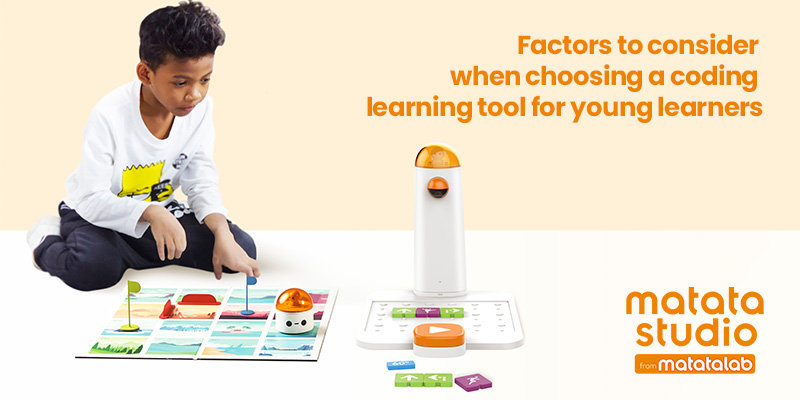
Coding has become a core component of school curricula, alongside subjects such as Social Studies, English, and Math. Schools following the IB model emphasize nurturing young minds and unlocking their potential through STEAM. As the demand for coding education intensifies, the call for accessibility of teaching tools and the necessity for curated coding programs becomes more evident. Thankfully, virtual kids’ coding platforms are emerging to address the needs of our budding programmers. Through this Blog post, let us delve into the facts and trends shaping children’s coding journey in 2024.

Catch them Young: 

Did you know that coding education is initiated at a young age of 5 – 7 years in most K-12 Schools across Dubai and the Middle East? Would you like to know what the syllabus looks like in classrooms at such a tender age? Most schools introduce ‘block-based coding’ by presenting visually appealing, colorful building blocks where users ‘drag’ and ‘drop’ code blocks to create programs. This makes coding more logical, fun, and intuitive for kids rather than getting overwhelmed by technical jargon. Children use these blocks on virtual kids’ coding platforms, which are widely accessible and affordable, ensuring a higher participation rate.

AI-Powered Learning:

AI is revolutionizing various aspects of our lives, including education. Through AI-led tools and programs, students between the ages of 7 – 12 years can engage in fun coding activities and learn to program Robots without the intervention of a human trainer. Virtual kids’ coding through an AI tutor can motivate children to take risks without fearing being judged by anyone. Another advantage of AI-powered coding tutorials is that the machine understands how kids progress in their studies and tailors lessons accordingly to match the child’s pace.  

Gamification Method: 

What if we told you that learning to code is as simple as playing a video game? Gamification is transforming complex Python and Java programming language learning into mere puzzles. Studies suggest that gamification can improve knowledge retention by up to 20%. Several virtual kids’ coding platforms introduce superhero characters and mascots to guide students through interactive theme-based games where they apply their knowledge of sequencing, loops, and conditionals to get past levels (1 to 10). 

Virtual Coding with AutoAuto: 

Imagine a virtual coding game with racer cars, a speed track, and exciting challenges. The task for kids is to write the correct codes to make the virtual AutoAuto car zoom past the racetrack and reach the finish line before their opponents or friends do. The leaderboard showcases the top contenders who outperformed others in race time, design creativity, and coding complexity. This healthy competition can motivate children to improve their coding skills and earn badges to showcase their accomplishments. The AutoAuto platform also has a user-friendliness interface suitable for elementary school students of ages 7-14 years old. 

Live Online Coding Sessions: 

Experienced and enthusiastic instructors conduct online classes for students across geographic boundaries. The advantage of ‘live’ sessions is that students can interact and clarify their doubts during the Zoom session. Our children also have the opportunity for peer interaction and participating in collaborative projects to enhance their communication skills while getting better at writing codes.

Benefits to Students pursuing coding in 2024:

  • Coding enhances problem-solving skills by teaching students to break down complex issues into logical steps.
  • It fosters creativity and innovation by enabling students to express themselves through digital projects.
  • Coding opens doors to an exciting job market in the future and access to better career opportunities.
  • By allowing students to create technology rather than just consume it, coding empowers them as creators, fostering a deeper understanding of technology and its applications.
  • Coding prepares students for a data-driven world by teaching them to work with data, interpret information, and make data-driven decisions.

Contact us

Fill in your details below or send us an email on info@knowledge-hub.com