Make Your Child Future Ready: Virtual Coding Lessons To Adopt

Make Your Child Future Ready: Virtual Coding Lessons To Adopt

Make Your Child Future Ready: Virtual Coding Lessons To Adopt

In the last few decades everything has become computerized and digitized. There is no task that is performed without the use of a computer or machine. From simply heating water in the microwave to sending rockets into space; everything involves coding.

What is coding? Todays, world considers coding to be one of the most desired skills and has been one of the highest-paying jobs all throughout the GCC, UAE and Middle East. Coding is the basic knowledge required to have diversified career opportunities as well as to create software applications.

There are over 7,000 languages spoken in the world and only 300 programming languages that a computer understands. They are collectively called Programming Languages. The ability to write down instructions in a programming language and manner that a computer can understand is called Coding. Through coding, we can make it perform a variety of functions – in other words, we can develop software, websites, applications, video games and so much more.

There are several reasons why it’s vital to learn how to code, and why it should be taught in schools at a young age. Children are innately curious. It is also easier to teach them to think logically at a young age, because stronger foundations have already been laid. Chances of success are higher the earlier they start learning to code.

There are several reasons why it’s vital to learn how to code, and why it should be taught in schools at a young age. Children are innately curious. It is also easier to teach them to think logically at a young age, because stronger foundations have already been laid. Chances of success are higher the earlier they start learning to code.

With Robotify, coding and robotics is made more affordable and accessible. Many schools in Dubai have been opting for it as students have access to the latest robots without ever having to purchase real hardware. Robotify uses a browser, so there is no need to download any programs or apps. It can be used on any device from laptops, to tablets, and even your smart phone. Just simply log in, choose your topic and get coding.

Robotify also presents many leagues which you can sponsor or take part in. These are usually for advanced levels of coding where you can participate global, virtual robotics competitions.

VRAD has teams registered to compete anywhere in the world with any device. Robotify in partnership with The REC Foundation has created the world’s first global multiplayer virtual aerial drone competition.

Martian Survival – In this NASA-themed challenge, participants will program their drones to operate remotely on Mars and compete to collect resources for their space base. The mission is to explore, retrieve, and manage fuel supply by adapting strategy and drone sensors/algorithms to survive the harsh Martian environment. It allows the participant to engage in programming and the design process just like a real NASA astronaut. There are two teams; the blue and the red which you will be a part of.

And if space exploration does not excite you so much there are many such upcoming leagues that you can be a part of and they will be just as exciting and interesting.

Just sign up with Robotify and you are ready to go.

Contact us

Fill in your details below or send us an email on info@knowledge-hub.com

Designing A Drone Delivery System: The TechnoKids Way

Designing A Drone Delivery System: The TechnoKids Way

Designing A Drone Delivery System: The TechnoKids Way

There have been such vast improvements in the field of technology and the digital world that schools today no longer teach obsolete systems and functions that we learnt once upon a time. Digital learning starts at an early age in schools all through GCC, Middle East and the UAE. Coding is taught as early as the fourth or fifth grade which enables the children to write their own programs and create videos. This keeps them interested, stimulated and motivated to create more and more. It is no wonder then that teens create apps that are worth millions of dollars today.

A very useful tool for this is the Scratch program. Scratch is a free, block-based programming language aimed primarily at children where you can create your own interactive stories, games, and animations. Scratch is used all over the world especially in Dubai to teach students using a block like interface. Technokids also uses Scratch for its collection of technology projects with ready-made lessons which can be used independently or even blended into an existing curriculum unit. Coding facilitators, home-school educators and media specialists can combine technology projects to form a course with the customizable resources. Technokids has over 40 projects which are arranged by grades and include a teacher guide, student workbook, customizable resources and instructional material.

One such project from the vast matrix of Technokids is designing a prototype of a drone delivery system, thereby solving real world problems using the arsenal of artificial intelligence they now have at their disposal. For each programming task, they outline the decision-making process, as well as the possibilities and limitations of the technology. Upon completion students select one of their prototypes and present the AI solution to a group of potential investors or teachers. Technokids uses a hands-on learning technique which is open ended and keeps students engaged and motivated. This allows students to pursue their own interests as they define a problem that the AI can solve. Learners can build a prototype as well as design a test code to refine the program.

They begin by using Scratch to create a simple animation. From here on they will proceed to more complex commands whereby they design the prototype and use artificial intelligence to solve a common problem at school or at home. Then they have to build a simple program that flies a sprite-drone to collect items and then return to its original start point. Fine tuning will finally lead to a refined code to adjust to new delivery settings and object displacement. Upon completion they will reflect upon how drone technology can simplify real-world tasks.

Through this process with Technobot the learner will build a code that uses loops, variables, and operators; apply research strategies to find images to act as sprite-bots and test a program and debug the code. These are valuable aspects of the coding world which are taught engagingly at Technobot.

So, enroll your little genius with Technobot and set him on his way to being the youngest app creator used by millions and worth billions.

Contact us

Fill in your details below or send us an email on info@knowledge-hub.com

What is Python? An Introduction to Game Based Python Course by CodeMonkey

What is Python? An Introduction to Game Based Python Course by CodeMonkey

What is Python? An Introduction to Game Based Python Course by CodeMonkey

Python is a programming language that is dynamic and is used by over 8.2 million developers worldwide. It has become the world’s most popular programming language lately and is used for multifold purposes.

The History of Python

This programming language was designed by Guido van Rossum in 1991 and was developed by Python Software Foundation. It was curated for easy readability of codes and to explain important concepts in fewer lines. The intention was to make coding as easy as ABC, thereby rendering it a suitable option for beginner-level coders, as well as experts. The project first started as a hobby out of the programmer’s boredom to do something during his Christmas break, until it grew so huge, that techies can’t imagine working without it today. Too good to be true indeed!


What is Python Used For?

Python is used for multiple reasons such as data analytics, machine learning, and even designing. Let us understand in greater detail why Python is such a favorite amongst coders.

Used for Artificial Intelligence

AI or Artificial Intelligence is the simulation of machines by adding human-like intelligence. To construct AI, the developer needs specific hardware and software for writing and training the machine learning algorithms. Python is reputed for being a stable programming language and can handle large amounts of data labels for analyzing information and making strong correlations. Moreover, AI is capable of solving complex problems, not letting the programmer down through his coding journey. Since it’s a universal language it has wide acceptability in Dubai & also globally.

Data Analytics

Just as AI needs Python to support its programming needs, data analytics also heavily relies on it. So, what exactly is data analytics? In simple terms, it is analyzing huge amounts of raw data and making meaningful conclusions over it. For great data manipulation, there is a requirement for an effective open-source language and Python is a perfect match for this purpose. The healthcare sector is constantly being facilitated by the usage of data analytics techniques to get insights into clinical information and diagnostic treatment for patients.

Web Development

Web developers love Python for creating informative websites, because of its advanced capabilities. This versatile language has the capacity to curate graphics, games, and web applications with utmost ease. It is also known for its high functionality and this translates into the development of amazing digital web properties. There are a lot of python libraries that you can access so that you don’t need to re-write certain basic functions, rather just use it from the library. Some important libraries are; Numpy, and scitLearn for data analysis & mathematical algorithms. Writing programs is a creative experience, and besides the above points, Python creates even more interesting opportunities to enhance the everyday coding experience.

What is CodeMonkey?

Code Monkey is a brilliant coding program for kids aged 6-14 years. Students learn to code in real programming language and over time it has become an award-winning platform. Children as young as 7 years start to solve puzzles and build gaming apps, as one does not need any prior experience to try their hands on using CodeMonkey. All the modules are easy, fun, and designed for school & extra-curricular reasons. Globally, the CodeMonkey app is such a rage that parents embrace this platform wholeheartedly and even schools in the UAE across the Middle East are advocates of the same.

CodeMonkey Lays the Foundation for Python Programming

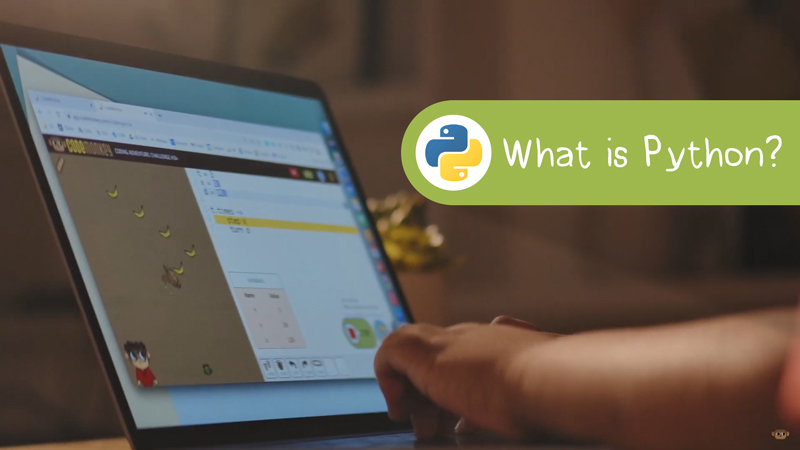
In a game-like manner, the mascot Monkey from CodeMonkey is on a search for some bananas! Students will be entrusted with the responsibility of finding a path to help the monkey reach some bananas. The foundation of advanced computer science concepts is laid as children are introduced to the Python language. Kids will learn about sequencing, listing, indexing, looping, and variables, and align with the STEAM curriculum approach. 

Coding Concepts Taught through the Course

  • Sequencing
  • Lists & Indexing
  • For loops
  • Variables
  • If/Else Conditionals
  • While Loops
  • Boolean Operators
  • Functions

CodeMonkey indeed presents an unforgettable journey, helping students build a pathway for the monkey through advanced concepts. The lessons are pretty easy to understand and hints are provided at every step to make the experience more rewarding. For easy subscription to the CodeMonkey platform anywhere in the GCC area, just visit our website: https://knowledge-hub.com/

Contact us

Fill in your details below or send us an email on info@knowledge-hub.com

Helping Your Child with Math Homework: A Few Tips To Follow

Helping Your Child with Math Homework: A Few Tips To Follow

Helping Your Child with Math Homework: A Few Tips To Follow

Life is a learning curve! There are skills in which one shines and does exceedingly well and there are areas where one grapples and needs further assistance. When the right approach is followed, no task can ever be as daunting. The same goes with math which is often dreaded as a topic. As a parent you would always want your child to succeed in every sphere. Should you find your child struggling with math, we have identified some steps below wherein you can help them and reshape it into a subject that they will love.

Fresh Outlook

The anxiety for the subject is natural. It is not something that only your children undergo. Even as adults you may not have seen a Pythagoras theorem, a Trigonometry table, or an Algebra equation in a long time. That shouldn’t stop you from taking the effort once again with your child to go about with this subject. Firstly, developing a positive mindset toward math is utmost crucial. It is important what message you want to put out for your child to eventually get through all the home assignments triumphantly.

Apply Concepts in Daily Life

Learning math concepts is the basic step but when children are able to apply those to real life situations is when they grasp these concepts for life and will never forget them. Parents can undertake little activities at home involving numbers and calculations such as knowing how many days are pending to the next birthday or anniversary, counting the proportions of various ingredients going into cooking a meal, calculating the Dubai mall shopping bill, calculating how much balance to take from the shopkeeper if they have purchased a toy, and many such little transactions outside of the classroom that will give them practical clarity to math. If you travel with your children outside the Middle East or GCC countries, the currencies will be new for them. You can show them the conversion difference and how to calculate between the other world currencies as compared to the UAE

Parent-Teacher Coordination

It is teamwork that matters. You must get in touch with your child’s teacher and get an idea of their capabilities and know accurately the concepts with which they particularly get stuck with and thus you can help your child with a strategic plan to go about with, while they do their homework. Math hasn’t changed much but the teaching practices have evolved over the years. So, you could also ask the teacher as to how math is presently being taught and that will aid you at home with your child.

Get Creative

There are times when children get caught up at the outset of a math equation or a problem. They may feel they are not taking the correct step, so you could take that pressure off them. It is alright even if they are wrong but they should not bother so much. Here is when you can brainstorm with them and figure out creatively and list different ways to solve it. The idea is to ease their thought process and look for solutions without getting worried

Ascertain Confidence

While doing math homework, motivate your children to think and come up with an answer. They could even refer to a similar problem. Ask them to take a guess at least once they have somewhat calculated it. The answer may or may not be correct. This will instill confidence in them to solve problems with more ease using reference and a bit of their own logic and knowledge

Mathseeds is a comprehensive online mathematics programme for children aged 3–9. It offers a huge range of carefully structured lessons, games and activities that build mathematical skills over a broad range of number, shape, and measurement topics. The Mathseeds online programme is packed full of enjoyable child-focused activities that makes learning a rewarding and meaningful experience. It teaches fundamental concepts in a fun, motivating and engaging way, whilst rewarding children for their efforts. Discover a fun way to grow your child’s math skills.

Contact us

Fill in your details below or send us an email on info@knowledge-hub.com

Everything You Needed to Know About MS Word

Everything You Needed to Know About MS Word

Everything You Needed to Know About MS Word

MS Word is the most widely used Microsoft Office program and at any given point in time, there are one Billion users who access the Word platform. Over the years Word has evolved since it launched in 1983, from Word 1.0 to Word 16.0 as of April 2022, which includes new updates & suggestions. Word is used to create professional documents for drafting write-ups, curating resumes, editing articles, and formatting text in a manner that is most suitable for corporate workspaces.

A new document on Word is like a blank canvas, which allows you to pour out your thoughts and pen down your ideas in a presentable manner. Right from school & college level to offices & beyond, MS Word is used for various purposes due to its versatility and user-friendly format. The best part about it is that you don’t need to be a pro or expert to figure out how to use this platform.

Let us learn about some of the amazing features and components of MS Word under ‘home’ and ‘insert’ tabs so that you can get started as early as possible.

Home Tab:

As soon as you open a new document, the default setting is on the ‘Home’ Tab. This particular menu comprises various options such as the following;

Format Painter: Use this function to quickly apply the same formatted feature to another text within the document. For example; if a certain word in the document is underlined & bold to draw a greater emphasis to the text, the same feature can be applied to another word you wish to highlight by simply clicking on the Format Painter button.

Bullet Points: There are numerous bullet point options and styles available on MS Word. You can distinctively separate the points in a paragraph by applying the bullet point feature. Besides the usual 1, 2, 3, 4 number bullet points, one can use symbols such as; tick marks, circles, and arrows, to indicate a new point on a different line.

Font Color and Font Style: The standard size of any font in a word document is size 12. This assures easy legibility to the reader, whether the document is in an e-format or printed version. The biggest font size available is 999.9 points, though it’s impractical to use the same on your sheet. Users are even spoilt for choice with the different color options available under the palette.

Border: A border can be added around the text to highlight its importance. The size, color, width, and style of the border can be changed as per preference. Within the same dropdown menu, you can find the ‘draw table’ option. This allows you to insert a table and fill specifics within its cells.

Insert Tab

As the name suggests, an insert tab comprises elements that you can insert within the document. Use this feature to create a more visual impact to support your data.

Shapes: Add shapes such as arrows, boxes, speech bubbles, etc. and then click ‘drag & draw’ to get the shape. Feel free to edit the shape to include different texts within it and even play with colour, fonts, and outline of the shapes.

Add Charts: Large amounts of data from excel can be visually represented in a word document by incorporating a chart. This makes it easier for the audiences in a meeting to quickly comprehend sales data & marketing insights by browsing through the charts. There are line charts, pie charts, bar charts, and funnel charts that enhance the effectiveness of the document.

TestOut Pro: Microsoft Word® Certificate

TestOut’s LabSim is a learning platform which delivers certification courses, that include IT simulations for students who are keen on upskilling their learning capabilities. TestOut Pro has made its curriculum available virtually to global audiences, including Dubai & GCC regions.

Here’s your chance to become a Microsoft Word® expert by undertaking their detail-oriented MS Word program course. Children will learn and apply their skills to real-world scenarios preparing them for a professional career ahead in time. To avail of the TestOut Pro kit anywhere in the Middle East, reach out to us today!

Contact us

Fill in your details below or send us an email on info@knowledge-hub.com