Introducing Visual Coding for Kids vs. Hands-on Coding

Introducing Visual Coding for Kids vs. Hands-on Coding

Early learners, as young as 4 years old, can now embark on their STEAM journey with playful coding activities right in the classroom. Gone are the days when complex text-based programming was confined to higher education. Today, schools – like those in Dubai and other forward-thinking regions – are introducing the fundamentals of coding even in preschool, making it accessible to all ages. Age-appropriate solutions like hands-on coding and visual coding activities are replacing traditional text-based approaches, bridging the gap and making coding fun and easy for young minds. Through this Blog, we’ll explore the differences between visual coding for kids and hands-on coding for youngsters.

Visual Coding Solutions:

Visual coding for kids utilizes a graphical interface instead of text-based commands. Programs are created by dragging and dropping pre-defined blocks that lead to specific actions or functions. This approach allows children to focus on the logic and problem-solving aspects of coding without getting bogged down by syntax and complex commands. Visual coding uses drag-and-drop blocks on a computer (PC, laptop, tablet) to build programs, with software like Scratch or Blockly.

Benefits of Visual Coding for Kids

  • Reduced Cognitive Load: Visual coding is easy to start with and doesn’t startle the learner with too much jargon. It is easier for young learners to grasp core coding concepts like sequences, loops, and variables by simply moving blocks around on the screen and using arrow keys.
  • Enhanced Engagement: The drag-and-drop interface with animated characters and an appealing storyline provide a fun and interactive learning experience, keeping children motivated and engaged.
  • Building Blocks for Textual Coding: Visual coding for kids is a steppingstone, introducing basic programming concepts that can be later translated into text-based coding languages.

MatataCode Visual Programming Solution: MatataCode provides a visual programming solution ideal for children aged 8 and above. The platform utilizes VinciBot, a programmable robot, and MatataCode, a dedicated programming environment.

MatataCode Features User-Friendly Interface: With MatataCode, coding becomes a breeze! It features a drag-and-drop interface where colorful blocks represent different actions, like making a robot move, playing sounds, or responding to sensors. Interactive Learning: Children learn programming fundamentals while controlling the VinciBot, a programmable robot used with MatataCode. This enforces a tangible connection between their code and its real-world application. Scalability: As children become more proficient, they can explore more complex projects, making MatataCode a versatile tool for continuous learning.

Hands-on Coding Solutions:

Hands-on coding solutions emphasize a more physical approach, utilizing tangible objects and robots to introduce programming concepts. These solutions are ideal for younger children (ages 3 and above) who are still developing their fine motor skills and cognitive abilities.

Benefits of Hands-on Coding

  • Tangible Learning Experience: By interacting with physical objects & robots, children can develop a deeper understanding of programming principles more concretely.
  • Creative Exploration: Hands-on coding fosters creativity and problem-solving skills as children experiment with different coding sequences to achieve desired outcomes.
  • Computational Thinking: These solutions introduce basic computational thinking skills like sequencing, logic, and decomposition at a young age.

MatataCode Hands-on Coding Solutions:
MatataCode offers two hands-on coding solutions catering to different age groups:

Tale-Bot Pro (Ages 3-5)

  • Interactive Robot: Tale-Bot Pro allows young children to create stories and control movement using colorful coding blocks.
  • Voice Feedback: The robot provides voice feedback, promoting language development and storytelling skills.
  • Developmentally Appropriate: The tactile and visual elements are designed to engage younger children and support their developmental milestones.

Coding Set & Add-Ons (Ages 5+)

  • Screenless Solution: This gamified solution features coding blocks that control a robot car, eliminating screen time and focusing on physical interaction.
  • Problem-Solving Challenges: Children build sequences and solve challenges, fostering problem-solving and computational thinking skills
  • Modular Design: The set can be expanded with add-ons, allowing for more complex projects and extended learning opportunities.

Choosing the Right Solution

Both visual coding for kids and hands-on coding solutions provide valuable pathways for introducing children to the world of programming. However, the best solution depends on the individual child’s age, learning style, and interests.

Introducing coding to young children through visual and hands-on coding solutions can spark an early interest in STEM fields and develop essential problem-solving skills. Visual coding for kids provides a structured, engaging way to learn programming fundamentals, making it suitable for older children ready for a more formal coding education. In contrast, hands-on coding offers a playful, tactile approach that is perfect for younger children, fostering creativity and computational thinking from an early age. By selecting the appropriate solution based on the child’s age, learning style, and interests, parents and educators can effectively nurture the next generation of innovators and thinkers.

Contact us

Fill in your details below or send us an email on info@knowledge-hub.com

LEGO® Education: Opportunities for Young Minds in Coding

LEGO® Education: Opportunities for Young Minds in Coding

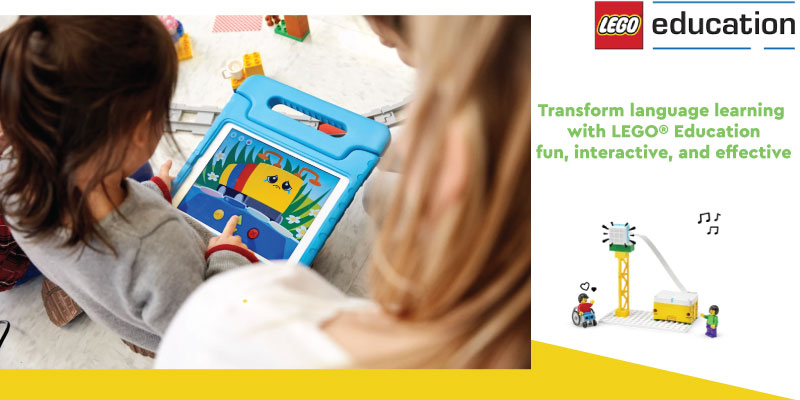
LEGO® Education is a platform that has pioneered in offering hands-on playful STEAM learning to students of ages 4+ years. Educators can now foster a love for coding skills and creativity in young minds, without being stressed about designing a curriculum from scratch. LEGO® Education’s ready-made resources and lesson plans are ideal for learners to develop coding skills year after year. Through this Blog post, let us explore the stages of progression in a student’s coding journey and how this agenda prepares them for STEM (Science, Technology, Engineering, and Mathematics) fields.

A Unifying App for a Connected Journey

Throughout this learning progression, students benefit from the use of a single, intuitive programming application. This consistency creates a familiar environment where students can focus on mastering new concepts rather than navigating the complexities of a new interface using LEGO® Education sets. Building upon a familiar platform fosters a sense of security and allows students to readily apply their prior knowledge to new challenges.

Unlocking Text-Based Coding

On entering elementary school, our enthusiastic learners get ready to explore the fascinating aspects of text-based coding. Text-based programming involves writing code using words, symbols, and numbers instead of dragging and dropping blocks. This allows them to decode more advanced coding functions preparing enthusiasts for future endeavors in computer science and robotics. The transition from visual icons to text-based coding is carefully paced, ensuring students have a strong foundation in the underlying logic before embarking on a more abstract approach.

LEGO® Education SPIKE™ Prime Set

Equipped with a solid understanding of coding principles, students are then ready to explore the exciting world of robotics with LEGO® Education SPIKE™ Prime Set. This versatile robotics platform allows students to design, build, and program their own robots, further deepening their understanding of coding and its applications in the real world.

A Consistent Learning Unit Structure

Another key strength of LEGO® Education’s learning progression lies in its consistent unit structure. Each year, students encounter a familiar framework, allowing them to focus on the new content being introduced rather than struggling to navigate the learning environment. This consistency builds a sense of trust and allows students to approach new challenges with confidence.

More Than Just Coding: Fostering 21st Century Skills

While coding is a core focus, the LEGO® Education learning progression goes beyond just programming robots. This innovative approach cultivates essential 21st-century skills, including:

  • Problem-solving: Coding challenges prepare students to try different approaches and solve problems to overcome obstacles and tackle complex tasks more efficiently.
  • Collaboration: Teamwork makes the dream work! Working together on a LEGO® Education coding project allows our budding Tech experts to communicate their ideas more clearly and take leadership, to achieve the goal.
  • Critical thinking: As they experiment and explore, students develop analytical skills, learning to evaluate different approaches and choose the most effective solutions.

LEGO® Education’s learning progression is a powerful play-way style learning curriculum that instills a love for coding at an early age for children. The gradual development of concept ideas and complexity makes learning more joyful and stress-free. Secure your child’s future with technological advancements and essential skills to brighten their future and be job-ready by the time they finish their education. So, whether your students are just starting their coding adventure or are eager to dive deeper into robotics, LEGO® Education’s learning progression offers a comprehensive and engaging pathway to success. With each brick they place and each line of code they write, students are building not just robots, but a solid foundation for a bright and innovative future.

Contact us

Fill in your details below or send us an email on info@knowledge-hub.com

What Is Panopto’s Helpful Lecture Recording Software?

What Is Panopto’s Helpful Lecture Recording Software?

Panopto is an evolving EdTech tool that specializes in lecture capture technology. Its lecture recording software caters to deployments of all sizes, from small departments to entire campuses. Panopto’s blend of user-friendly design, flexibility, and powerful features makes it the preferred choice for educational institutions in Dubai and the world over.

Streamlined Management

Panopto simplifies lecture capture to the point where instructors can initiate recordings with just a ‘few clicks’. It makes lecture capture a breeze for teachers, thanks to a user-centric design developed through collaboration with academic tech teams, faculty, and staff. This means no more wrestling with settings! Panopto automatically recognizes your camera and microphone and even remembers your preferences for future recordings.

For administrators, this handy lecture recording software offers further convenience. The feature allows for pre-scheduled recordings and centralized control over the entire recording infrastructure. Such automation minimizes missed lectures and streamlines the recording process.

Seamless Integration

A key strength of Panopto lies in its robust integration with leading Learning Management Systems (LMS) such as Blackboard, Moodle, Canvas, Sakai, and D2L. This integration enables students to access lecture recordings directly within the LMS, fostering a cohesive learning experience. Panopto further integrates with video conferencing software, and in-room control systems, and offers a comprehensive API suite. This ensures compatibility with existing IT infrastructure, allowing institutions to tailor Panopto to their specific needs.

Diverse Recording Scenarios

Panopto’s lecture recording software allows it to handle a wide range of recording situations. From capturing audio and slides in an economics lecture to recording multiple video sources in a complex biology class, Panopto is suitable for different scenarios. The system’s flexibility extends to recording any combination and configuration of video sources in classrooms of any size. This scalability ensures Panopto can cater to both small departments and large-scale campus implementations.

Recording Anywhere, Anytime

Faculty can record course content from anywhere using a PC, Mac, or mobile device. The free web-based recorder offers features like virtual background blur and Smart Camera technology. The Panopto mobile app allows for on-location recording, whether in the field, lab, or any other setting, ensuring learning can happen anytime, anywhere.

Pre-recorded Lectures & Live Streaming

Pre-recorded lectures with Panopto can enhance student engagement, comprehension, and knowledge retention. Panopto’s clever “Smart Chapters” feature uses artificial intelligence (AI) to automatically create a table of contents. This means students can easily jump to different parts of the lesson they need to review, just like chapters in a book! The intuitive online video editor empowers instructors to add captions, interactive quizzes, and other multimedia elements, further enriching the learning experience.

Exceptional Customer Support

A hallmark of this lecture recording software is its exceptional customer service. For three consecutive years, Panopto’s support engineers have maintained a 99% satisfaction rating. This level of support is included with every Panopto implementation, ensuring institutions receive the necessary assistance to maximize their lecture capture technology investment.

Panopto’s lecture recording software is designed to elevate education by simplifying course content recording, management, and sharing. Its user-friendly interface, robust LMS integration, recording versatility, and exceptional customer support make it a valuable tool for both educators and administrators. By adopting Panopto, institutions can provide students with a richer, more flexible learning experience that supports both in-person and remote education.

Contact us

Fill in your details below or send us an email on info@knowledge-hub.com

Exploring the Universe: Informative Adventures in Coding for Kids

Exploring the Universe: Informative Adventures in Coding for Kids

What is the Universe like? How vast is its presence? What elements does the Universe comprise? In today’s lesson, “Travel in the Universe,” young learners aged 6-11 years will embark on an artistic expedition using the Matatalab Coding kit to explore the unexplored. This coding for kids activity combines the teachings of arts, coding, and geometry for cross-curricular emphasis and to make hands-on project work more fun. Let us learn more about the key aspects of this lesson and the objectives it aims to achieve.

What is the Matatalab Coding Kit?

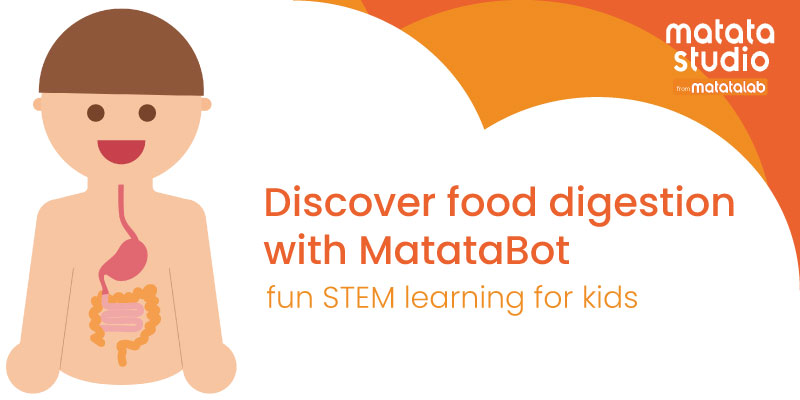
The coding set by Matatalab includes the MatataBot Robot which can be made to sing, draw, and teach coding concepts like loops and functions. It is an entry-level Coding Set that allows students of ages 4+ years to get hands-on with coding while bringing infinite imaginative ideas to life. Coding for kids is now more meaningful with Matatalab!

 What’s included in the Matatalab Artist Add-On package?

The Matatalab Artist Add-On is an expansion pack designed to enhance the capabilities of the MatataBot, allowing children to draw intricate shapes and graphics through coding. This set helps kids advance their understanding of geometry and programming. It includes the following.

  1. Angle Coding Blocks: 20 blocks covering angles like 30, 36, 45, 60, 72, 108, 120, 135, 144, and 150 degrees.
  2. Colored Pens: 3 good quality-colored pens that fit into the Matata Bot’s pen holder.
  3. Warm-up Cards: 3 flashcards with 6 exercises as samples to help users get familiar with drawing using the MatataBot.

Coding for Kids Lesson Plan: Travel in the Universe

The main aim of this session is to help students make use of the MatataBot and the Artist Add-on accessories to code their way into drawing different shapes on paper. By leveraging the tangible coding elements of Matatalab, students will create an amazing artwork that depicts the Universe. Since it is a collaborative project, every child in the class will contribute to the activity and gain confidence to interact with peers. Such coding for kids’ activities proves that early exposure to technology can build a strong foundation for future learning.

Objectives

  1. Teach students how to use Matatalab to draw different shapes.
  2. Enable little ones to use MatataBot to draw various geometric figures like, pentagrams & triangles on large white paper.
  3. Encourage students to work in teams to complete the artwork.
  4. Enhance students’ understanding of the Universe and its components.

Key Vocabulary

Familiarize learners with these common words that are going to be a part of the activity.

  • Universe: The universe encompasses all of space and time, including planets, stars, galaxies, and all other forms of matter and energy.
  • Pentagram: A five-pointed star shape, also known as a pentalpha or star pentagon.
  • Triangle: A three-sided polygon with three edges and vertices, fundamental in geometry.
  • Square: A four-sided regular quadrilateral with equal sides and angles of 90 degrees.
  • Circle: A shape consisting of all points in a plane that are equidistant from a given point, known as the center.

Lead-in & Guided Activity (5 minutes):

Begin by showing students a picture of the Universe on a projector in the classroom. Discuss how beautiful the vastness of space is and talk about galaxies, stars, & planets. Next, explain how to use MatataBot to draw shapes in a step-by-step manner. Demonstrate the basic functions and controls, ensuring that students understand how to program the Robot to draw specific shapes.

Independent Activity (30 minutes):

During this phase, students will:

  1. Use MatataBot to draw shapes: Students will program MatataBot to draw the various shapes using the Angle Coding Blocks. Use arrow keys to navigate the Bot and choose the appropriate angel blocks 30° – 150°. Use any of the colored pens and place them in the MatataBot pen holding place to add color to the Universe.
  2. Color the universe image with their own imagination: Once the shapes are drawn, students will color the image. Encourage them to use their creativity to depict the Universe in vibrant colors.
  3. Collaborate to get the artwork done: Emphasize teamwork and collaboration. Students should work together to ensure the shapes connect and form a cohesive representation of the universe.

Feedback & Extension (10 minutes):

After completing the artwork, gather students to introduce all the elements in the artwork. Discuss the different kinds of shapes and their features. Engage students in storytelling about traveling in the Universe. Encourage them to use their imaginations to describe what it would be like to journey through space, using the power of coding for kids to bring their stories to life.

Contact us

Fill in your details below or send us an email on info@knowledge-hub.com

A Guide to Choosing Helpful Woodworking Tools for Kids

A Guide to Choosing Helpful Woodworking Tools for Kids

Introducing children to woodworking can be a highly rewarding experience that teaches them creativity, patience, and practical skills. However, selecting the right woodworking tools for kids and ensuring their safe introduction to the craft requires careful consideration. This guide will provide insights into the essential woodworking tools for kids suitable for specific age groups.

Choosing the Right Woodworking Tools for Kids

Selecting the appropriate woodworking tools is crucial for ensuring safety and facilitating a positive experience. Here’s a list of recommended woodworking tools for kids, categorized by age group:

Ages 4-6:

  1. Wooden Mallet: It is lightweight and easy to handle, suitable for simple projects. The wooden mallet can help children understand the basics of force and impact. It’s great for use with wooden pegs and small dowels.
  2. Kid-Sized Hammer: Choose a small and light hammer with safe edges. It is specially designed for tiny hands. Its ergonomic handle ensures a secure grip, preventing slips and mishaps. Perfect for allowing kids to hammer nails into soft wood.
  3. Safety Scissors: These are ideal for cutting paper and soft materials. They help in developing hand-eye coordination and precision cutting skills.
  4. Sandpaper: For smoothing edges and surfaces, introduce kids to the concept of finishing. Fine-grit sandpaper teaches them the importance of smoothing rough surfaces for better results.
  5. Wood Glue: Use non-toxic glue for joining pieces of wood. Encourage kids to understand the basics of adhesive bonding and structural integrity.

Ages 7-9:

  1. Hand Saw: This is a small, fine-toothed saw for cutting thin wood pieces. Ensure it has a blade guard. It helps children learn about straight and curved cuts. In addition to the basic hand saw, introduce names of specialized saws like the pull saw, coping saw, and back saw for added knowledge and vocabulary.  
  2. Measuring Tape and Ruler: Measuring tape and rulers are like the roadmap for woodworking! They help kids understand how big things are (dimensions) and how to cut pieces exactly the right size. This accuracy is key to making their projects fit together perfectly.
  3. Clamps: Tiny clamps help hold pieces together securely while gluing or nailing. Clamps teach the importance of stability during assembly. They also help in developing the skill of positioning and securing workpieces.
  4. Nail Set: Use nails that have blunted tips compared to a standard set. Teach students the technique of driving nails slightly below the wood surface to join pieces of wood together.

Ages 10 and Up:

  1. Chisels: Child-friendly chisels have rounded tips. They are perfect for adding intricate details to wooden pieces. For example; one can use the chisel to design decorative patterns on a miniature jewel box.
  2. Cordless Drill: The drill should be lightweight with adjustable speeds for children to handle it. Plus, it doesn’t have a cord and thus there is no chance of tripping over it. Kids can drill pilot holes or drive screws with confidence using the drill.
  3. Sanding Block: The sanding block provides a safer and more controlled way for young woodworkers to smooth their projects. Unlike loose sandpaper which can be tricky to hold, the sanding block has a handle for better grip.

What are Woodworking Kits?  

Cool Tool Education’s innovative Woodworking Kit is the perfect introduction to the world of technical education! This kit provides everything students need to explore sawing, wood turning, drilling, sanding, and more – all in a safe and engaging way. The handy storage box ensures that all the tools are kept organized and readily available for their next creative adventure.

Introducing woodworking tools to kids will boost their confidence, as it fosters a deeper appreciation for craftsmanship. Vocational training in schools across Dubai and other regions is gaining popularity as educators recognize the value of hands-on learning experiences. So, get ready to equip young learners and watch them thrive in the fascinating world of woodworking.


Contact us

Fill in your details below or send us an email on info@knowledge-hub.com