Excellent Classroom Project-Based Learning with TechnoKids

Excellent Classroom Project-Based Learning with TechnoKids

In the rapidly evolving educational landscape of Dubai and the UAE, innovative ways of imparting education become the order of the day. A revolutionary approach is classroom project-based learning where students work on resolving real-world problems over an extended period of time based on an instructional strategy. Let us learn more about this groundbreaking approach which is beneficial to education and overall child development.

Is Classroom Project Based Learning (PBL) better for my child or the traditional method?

Classroom project-based learning emphasizes on practical application of learned knowledge focusing on critical thinking, collaboration, and problem-solving skills. This is in complete contrast to the age-old rote learning that we all are used to. This methodology allows the facilitation of interdisciplinary projects that integrate science, technology, engineering, and mathematics (STEM) into practical application.

How does Project Based Learning benefit my child?

PBL increases the student’s ability to focus and enhances retention of knowledge due to its hands-on approach. It has many benefits such as building success skills in communication, collaboration, and creativity.

Will my school require special resources or more funding to implement this approach?

Classroom PBL works best when there is a devoted faculty and space available within the classroom. It would also require internet connectivity which almost all schools are equipped with now. Although many projects require additional software and technology, there are many available that do not require any high-tech software or even computers. The training of facilitators and ongoing support may cost the school but it proves to be instrumental in the successful implementation of Classroom Project Based Learning.

What are TechnoKids Technology Projects?

TechnoKids is a transformative educational platform that brings practical learning to your doorstep. Each project will have computer activities integrated into the curriculum. It will include guides, tools, and resources for the teachers as well as the student. A teacher guide captures lessons for teaching technology-related topics, preparatory steps for classroom evaluation, and answer keys. A student workbook generally includes worksheets that help organize ideas, provide step-by-step instructions on tasks, and monitor the learning outcomes. Additionally, resource files support learning with customizable templates, attractive flashcards, and pre-drafted parent letters.

What more do I need to know about TechnoKids Technology Projects?

TechnoKids technology projects are divided into a collection of instructional materials that are sorted grade-wise. Grades Kg to Grade 3 is the primary level, Grades 3 to 6 is the Junior level, Grades 6 to 9 is the Intermediate level, and Grades 8 to 12 is the senior level. TechnoKids Projects has a diverse variety of topics ranging from art and advertising to bookmaking and investing. The student develops their technology skills as they complete the assigned tasks such as building a webpage, designing a newsletter, or analyzing graphed data.

How soon will I see a shift across schools and regions?

Most schools in Dubai and the UAE have already adopted this revolutionary methodology of education and STEM Learning. The UAE’s educational framework, as outlined in the National Agenda for Education, aims to mold our budding innovators and leaders. TechnoKids plays a pivotal role in this transformation by offering cutting-edge tools and resources that enhance the effectiveness of classroom project-based learning. 

How do Technology Projects align with the school curriculum?

Incorporating classroom project-based learning addresses the need for 21st-century skills. It targets major learning objectives and covers topics in the school curriculum. TechnoKids projects correlate to Common Core Standards of science, math’s, language arts, history, geography, and the visual arts. They make use of the popular software of MS Office, Scratch, Python, etc.

As we have seen, PBL is transforming the education scene in schools and TechnoKids is playing a key role. By integrating advanced technologies, the program enhances the effectiveness and appeal of classroom learning. As schools continue to foster a dynamic and engaging environment for students, they are set to benefit from a more engaging and relevant educational experience.

Contact us

Fill in your details below or send us an email on info@knowledge-hub.com

Interesting FAQs on Coding for Grade 2 Students Answered

Interesting FAQs on Coding for Grade 2 Students Answered

Welcome to our FAQs on coding for grade 2 students! As technology becomes an integral part of our lives, introducing coding at an early age is a must. This guide answers common questions from parents and teachers about why and how coding can benefit young learners, helping them build essential skills for the future.

Q1: Why should my 2nd grader learn coding? Isn’t it too early? Coding at this age helps develop problem-solving skills, creativity, and logical thinking. It’s not just about writing code; it’s about teaching kids how to think in a structured way. These skills are valuable in all areas of learning and can give them a strong foundation for the future.

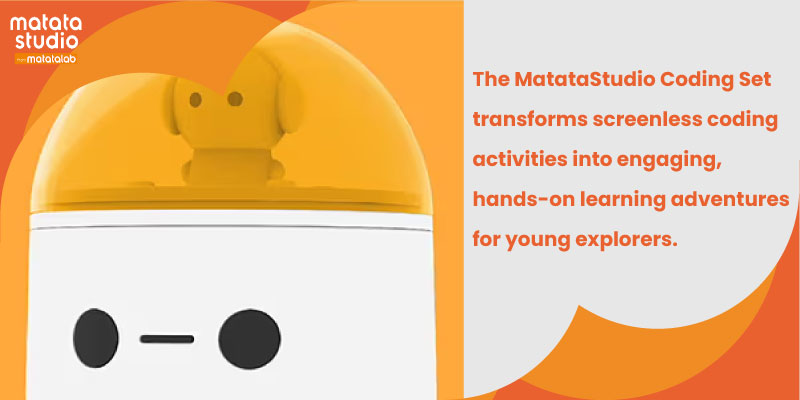
Q2: What exactly can a 7 or 8-year-old learn about coding? At this age, students can understand basic concepts like sequences, loops, and simple conditionals. We introduce these ideas through fun, interactive activities, often using block-based coding platforms like Scratch Jr. or Code.org, where they can visually manipulate code blocks to see immediate results in their projects. The MatataStudio Coding Set offers a hands-on, screen-free experience for kids with tangible coding blocks.

Q3: How do you incorporate coding into a busy 2nd-grade curriculum? Coding for grade 2 students is often integrated into subjects like math, science, and reading. For example, while learning about sequences in coding, students reinforce their understanding of sequences in math. It’s also a great way to bring storytelling to life, allowing them to animate their stories using code. It’s about enhancing what they’re already learning.

Q4: Do kids need to have prior computer experience? Not at all! Start from the basics, ensuring that all students become comfortable with using a computer or tablet. The focus is on making it a fun and engaging experience. By the end of the course, students will be able to navigate coding platforms with confidence.

Q5: As a parent how can I support my child’s coding journey at home? You don’t need to be a coding expert to support your child! Encouragement is key. Ask them to show you what they’ve been working on, and let them teach you a bit of what they know. There are also many free online resources and apps designed for kids, which can make learning at home both fun and interactive.

Q6: I’m worried about my child spending lots of time in front of a screen? How much time do they spend coding? We suggest balancing screen time with off-screen activities that reinforce coding concepts, like puzzles and group problem-solving games. Typically, coding sessions are kept short, around 20-30 minutes, to ensure students stay engaged without overdoing screen time. MatataStudio uses a physical robot, the MatataBot, along with coding blocks and a command board. Instead of writing code on a computer, students use coding blocks to make the Robot move according to the commands.

Q7: Will coding help my child in other subjects? Absolutely! Coding for grade 2 students encourages critical thinking and precision, which are valuable in all subjects. For instance, coding can improve math skills through logical reasoning, and it can enhance reading comprehension by helping them structure stories in a clear, logical sequence. These skills often translate into better performance across the board.

Q8: What if my child finds coding too difficult or frustrating? It’s normal to face challenges, but we approach coding as a team effort, with lots of encouragement and support. The coding environment in schools across Dubai is designed to celebrate small success to build the child’s confidence.

Q9: How do you measure progress in coding for young students? Progress is measured through the projects they create. Rather than tests, we look at how they apply what they’ve learned to solve problems or build something new. We also consider their ability to work through challenges and explain their thinking. It’s more about the process than the final product at this stage.

Q10: What are the long-term benefits of starting coding at this age? Early exposure to coding can spark an interest in technology and related fields, which are increasingly important in our world. Beyond that, it fosters a mindset of curiosity and resilience—qualities that will benefit them in any path they choose. Plus, it’s a fun and creative way for them to express themselves, which can be incredibly rewarding!

Coding for grade 2 students is indeed a fun and engaging way to introduce young learners to the world of technology and computer science.

Contact us

Fill in your details below or send us an email on info@knowledge-hub.com

An Informative Guide For Teaching Coding to Kids

An Informative Guide For Teaching Coding to Kids

The process of learning to code is an exciting one, full of growth and discovery. You are an essential part of your pupils’ journey through this process of teaching coding to kids as their teachers. These 10 suggestions aim to help children through their journeys of becoming future programmers.

#1 Understanding the fundamentals

Make sure your kids understand the basics thoroughly before letting them dream of creating innovative apps or games. When teaching coding to kids, concentrate on fundamental ideas such as functions, conditionals, loops, and variables. Continue with these fundamentals until it comes naturally to them. Everything that follows is much easier to understand when there is a solid foundation in place.

#2 Encourage Regular Practice

It’s common knowledge that practice makes perfect, and the same is true with coding. The catch is that you should push your pupils to code a little bit each day. Similar to picking up a new language, consistency is essential. Daily coding for even 15 minutes helps maintain their level of confidence.

#3 Hands-on Projects  

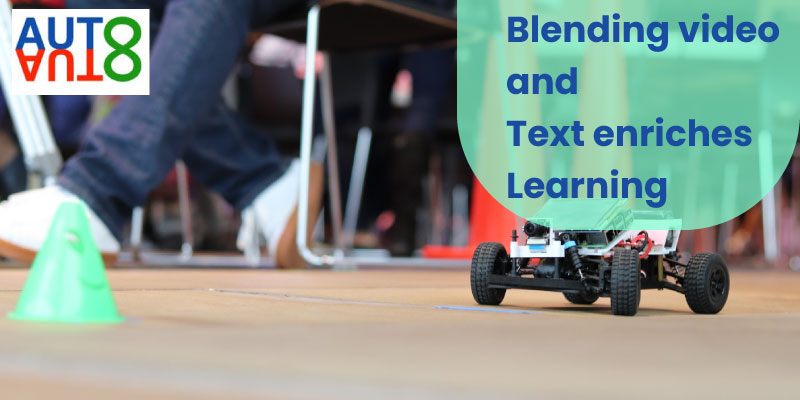
While practicing textbook exercises is fantastic, nothing compares to working on real projects. Motivate your pupils to begin small by having them use the AutoAuto curriculum to practice Python on self-driving automobiles. They may put what they’ve learned into practice and watch their coding come to life using these projects. Moreover, having something tangible to demonstrate their hard work is a huge confidence boost.

#4 Establish a Collaborative Setting

Writing code doesn’t have to be done alone. As a matter of fact, collaborative learning produces some of the best learning outcomes. Urge students to work together on projects, attend study sessions, or join coding clubs. They will not only exchange knowledge with one another but also develop important collaboration abilities that are critical in the actual world.

#5 Never Back Down from a Challenge

Teaching coding to kids can be challenging, particularly when dealing with a bug or issue. However, this is the stage of growth! Instruct budding coders to deconstruct large coding problems into smaller, more doable ones.

#6 Learn from Others

You can learn so much from examining other people’s code. Teach your students to evaluate the work of seasoned programmers. What method do programmers use to solve coding problems? What is the organization of their code? It’s not about copying; rather, it’s about picking up new skills and getting ideas to enhance one’s coding style.

#7 Teaching-Learning Approach

Teaching is one of the best methods to learn. Encourage your students to share their understanding of topics with other classmates. As they impart knowledge, they are consolidating their own comprehension and pinpointing areas in which they may want additional training. It also gives them a huge boost in confidence.

#8 Take Rest Periods

Burnout is real since coding is a difficult job. Encourage regular pauses that your pupils need. They can return to their coding with clearer heads after taking a brief break from the screen. And occasionally, while they’re not actively thinking about it, the answer to a problem just arrives!

#9 Perseverance and patience is Key

Emphasize to your students that learning to code is a journey rather than a quick fix. Challenges and failures are inevitable, but they are all a necessary part of the process. Urge them to enjoy the little victories along the way, to persevere through the difficult moments, and to have patience with themselves. It will take time and effort for them to succeed.

#10 Programming with AutoAuto

Teaching coding to kids can be made fun with AutoAuto. This EdTech platform offers advanced Python coding opportunities beyond its introductory courses to schools across Dubai & the Middle East. Explore specialized courses in AI, machine learning, and computer vision, allowing students to delve deeper into the world of coding and prepare them for future challenges.

Incorporating these tips into your teaching can make a world of difference in how quickly and effectively your students learn to code. It’s all about creating an environment where they feel supported, challenged, and inspired to keep pushing forward. And remember, the journey to becoming a proficient coder is as important as the destination.

Contact us

Fill in your details below or send us an email on info@knowledge-hub.com

Practical Lessons in Spatial Awareness with LEGO® Education STEAM Park

Practical Lessons in Spatial Awareness with LEGO® Education STEAM Park

Spatial awareness is a crucial cognitive skill that helps children understand and navigate the world around them. It involves understanding the relationships between objects and their location in space. Developing strong spatial awareness is essential for various aspects of a child’s development, including problem-solving, geometry, and even map-reading.

The Importance of Spatial Awareness

Spatial awareness is fundamental to a child’s understanding of the world. It helps them understand importance concepts such as distance, direction, and orientation. For instance, when a child learns to pack a suitcase, they are using spatial awareness to determine how to fit different items together efficiently.

Spatial awareness also plays a vital role in academic subjects like mathematics and science. In mathematics, understanding spatial relationships is essential for grasping concepts like geometry and measurement. In science, spatial awareness is crucial for understanding scientific phenomena and visualizing experiments.

The Role of Play in Developing Spatial Awareness

Children learn best when they are engaged in activities that spark their imagination and interest. Play is a natural technique for students to get to know about the world and make sense of everything. LEGO® Education STEAM Park has always recognized the value of play in education, and its module is a prime example of how organized play can be both fun and educational.

LEGO® Education’s STEAM Park: A Hands-on Approach to Spatial Awareness

The STEAM Park set from LEGO® Education is designed for preschool and early primary school children. It combines the playful, experiential learning methodology associated with LEGO® with the principles of STEAM (Science, Technology, Engineering, Arts, and Mathematics) education. Children can build their own amusement parks using the set’s colorful LEGO® DUPLO® bricks, gears, slides, and characters. The open-ended design of the set encourages creativity, problem-solving, and the development of spatial awareness skills.

How STEAM Park Develops Spatial Awareness

  1. Building and Constructing: As children build structures with LEGO® DUPLO® bricks, they are constantly considering how parts fit together, the stability and balance of their creations, and the overall layout of their amusement park. This process requires them to visualize and manipulate objects in space, directly testing their spatial awareness.
  2. Understanding Ratios and Proportions: Building their parks helps children understand ratios and proportions. By comparing the sizes of different park objects, they begin to grasp concepts like “bigger” and “smaller.” This understanding is essential for developing spatial reasoning skills.
  3. Exploring Movement and Space: The gears and slides in the LEGO® Education STEAM Park set introduce children to the concept of movement within space. They discover how to navigate the direction of motion or speed of a moving object using these elements. This exploration enhances their understanding of motion in space.
  4. Collaborative Play: STEAM Park promotes collaborative play, as children work together to build and modify their amusement parks. By working together, children not only develop communication skills but also improve their understanding of spatial relationships as they consider different perspectives and solutions.

The Benefits of Spatial Awareness

Spatial awareness is associated with a variety of cognitive functions beyond practical space navigation. For example, strong spatial awareness has been linked to improved performance in mathematics and engineering subjects. It also contributes to the development of hand-eye coordination, which is essential for tasks like handwriting and sports. Additionally, a variety of professions, such as design, architecture, and engineering, rely heavily on spatial skills for success.

STEAM Park: A Comprehensive Learning Resource

LEGO® Education STEAM Park aims for holistic development, not just the improvement of spatial awareness. The set engages children in a variety of activities that cover different aspects of STEAM education. From interacting with physics concepts like gravity and force to exploring artistic design through creativity, STEAM Park provides a comprehensive educational experience. Moreover, it encourages students to enhance emotional development skills as children collaborate on projects, engage with peers, and exchange ideas.

Integrating STEAM Park into the Classroom

Teachers and educators can easily incorporate STEAM Park into their classrooms. The set includes a range of lesson ideas and activities that align with academic standards. These resources make it convenient for educators to integrate STEAM Park into their curriculum and enhance their students’ learning experience.

In a world where spatial awareness is becoming increasingly important, resources like LEGO® Education’s STEAM Park offer a fun and effective way to develop this essential skill. By combining play and learning, STEAM Park helps children understand and engage meaningfully with the world around them. If you are looking to foster your child’s spatial awareness and provide them with a comprehensive educational experience, STEAM Park is an excellent choice.

Contact us

Fill in your details below or send us an email on info@knowledge-hub.com

Introducing Valuable Word Processing Skills with TechnoBudget

Introducing Valuable Word Processing Skills with TechnoBudget

Word processing skills are now considered an essential aptitude in the modern digital world. Word processing software expertise is crucial for anyone using it, from professionals producing polished documents to students completing their school assignments. TechnoBudget provides an extensive platform for learning and improving word processing abilities. Let us find out how we can take advantage of this key tool.

Comprehending Word Processing

Electronic text document creation, editing, and formatting are all part of word processing skills. It includes a broad range of duties, such as formatting, spell-checking, typing, editing, and document layout. Gaining proficiency in these areas will greatly increase the quality of your output and effectiveness.

Why Develop Your Word Processing Skills?

You can save time and effort by creating documents precisely and quickly with word processing software both for academics as well as business. Well-formatted documents demonstrate your professionalism and attention to detail. TechnoKids has educative platforms to teach and enhance your word processing skills.

TechnoBudget has financial literacy lessons that show students how to make and work within a budget and formulate an expenditure plan. They are taught how to use spreadsheets to organise and calculate their data. Then they make written reports to share their insights with the teacher. TechnoBudget seamlessly blends the maths curriculum objectives with technology by simulating an online shopping spree. This helps students develop key life skills when it comes to data literacy and word processing. Educators themselves love this handy tool as it has ready-made resources like guides, workbooks and assessment tools.

Financial Lesson Plans for Management for Kids: Budgeting activities are integrated into these lesson plans to teach students how to handle money. Real-world problem-solving examples are used which help them relate better and build essential, financial life skills in an enjoyable and engaging manner.

TechnoBudget: Your Passport to Proficient Word Processing

TechnoBudget offers an abundance of materials to assist you in becoming proficient with your word processing skills. You will discover helpful tips and tutorials whether you are a novice or a pro. It provides detailed instructions on a range of word processing programs, including well-known choices such as Microsoft Word, Google Docs, and LibreOffice Writer. With TechnoBudget you can complete practical tasks that will help you use your abilities and reinforce what you’ve learned. But remember practice makes perfect. To help you get through any obstacles, it also offers guidance and troubleshooting support. Those who use TechnoBudget are able to successfully improve readability, use various fonts and formatting, arrange their content attractively and create headings etc. For those who work extensively with data, TechnoBudget shows them how to display facts clearly, create and format tables and improve visual appeal by inserting and modifying images.

Editing and using cloud-based platforms becomes a breeze when you work together to exchange your work documents with others.

Above and Beyond the Fundamentals

As you get more skilled, you will investigate more complex text processing methods like:
Mail Merge that quickly produces individualized documents; pre-designed templates that save you time and guarantee consistency; styles to format text consistently; graphs that allow you to collate your data in a visually appealing format using labels, and legends and Macros to boost productivity and automate monotonous processes.

The field of word processing is constantly evolving and dynamic. You need to explore new tools and resources regularly to stay up to date with the newest features and trends. TechnoBudget is your best bet to navigate the world of word processing. Begin your educational journey now and have fun while you learn this crucial ability. TechnoBudget is dedicated to providing people with the information and resources they need to achieve success.

Contact us

Fill in your details below or send us an email on info@knowledge-hub.com