
Schools collect information about student performance through assessments, assignments, quizzes, and classroom activities. But collecting data is only the first step. The real value comes from understanding what that information reveals about learning and deciding what to do next.
Student progress tracking helps schools monitor learning, identify skill gaps, recognise developing abilities, and make informed decisions about teaching and support. When connected to curriculum goals and assessment results, learning data can help educators build a clearer picture of each student’s development.
What Is Student Progress Tracking?
Student progress tracking is the process of monitoring learners’ performance, skill development, and achievement over time. It helps teachers understand whether students are meeting learning objectives, where they may need additional support, and which concepts require further attention.
Rather than relying on a single test score, effective progress monitoring considers different sources of evidence, including assessment results, assignment completion, practical projects, and classroom participation.
For schools, this information supports more informed teaching decisions and helps align classroom instruction with intended learning outcomes.
Why Is Student Progress Tracking Important?
Every student develops skills at a different pace. Some learners grasp new concepts quickly, while others need additional practice, alternative explanations, or more opportunities to apply their knowledge.
Without a structured approach to monitoring progress, learning difficulties may remain unnoticed until a major assessment highlights them.
A consistent student progress tracking process helps schools:
- Identify learning gaps: Recognise concepts or skills that require additional attention.
- Monitor skill development: Understand how students progress towards specific learning objectives.
- Personalise instruction: Adapt activities and provide targeted support based on individual needs.
- Evaluate learning outcomes: Assess whether teaching activities are helping students develop the intended knowledge and skills.
- Make informed decisions: Use assessment evidence to guide classroom interventions and wider school improvement.
The goal is not simply to measure performance. It is to use evidence to improve the learning experience.
How Can Schools Use Learning Data Effectively?
Learning data becomes more useful when schools move beyond recording results and begin interpreting what those results mean.
1. Connect Assessments to Learning Objectives
Assessment results should relate to clearly defined curriculum goals. When teachers understand which skills an assessment measures, they can identify areas of strength and concepts that require further development.
Quizzes, practical assignments, project rubrics, and skill reviews can provide complementary evidence of student understanding.
2. Monitor Progress Over Time
A single assessment provides only a snapshot of performance. Comparing results across activities and learning stages helps teachers recognise improvement, recurring difficulties, and areas where progress has slowed.
This approach makes student progress monitoring an ongoing part of teaching rather than an activity reserved for the end of a term.
3. Turn Insights into Teaching Actions
Data is most valuable when it informs the next step. Teachers can use assessment findings to revisit challenging concepts, introduce additional practice, offer extension activities, or provide individual guidance.
Regularly reviewing progress also helps educators evaluate whether their interventions are working.
4. Support School-Level Decision-Making
At the school level, consistent reporting can help educators identify broader learning trends, review curriculum delivery, and determine where additional instructional resources may be beneficial.
However, data should always be interpreted in context. Assessment results are indicators of learning, not complete measures of a student’s abilities or potential.
How TechnoHub Supports Student Progress Tracking
Managing curriculum activities, assessments, and student performance information across different systems can make it difficult to maintain a consistent view of learning.
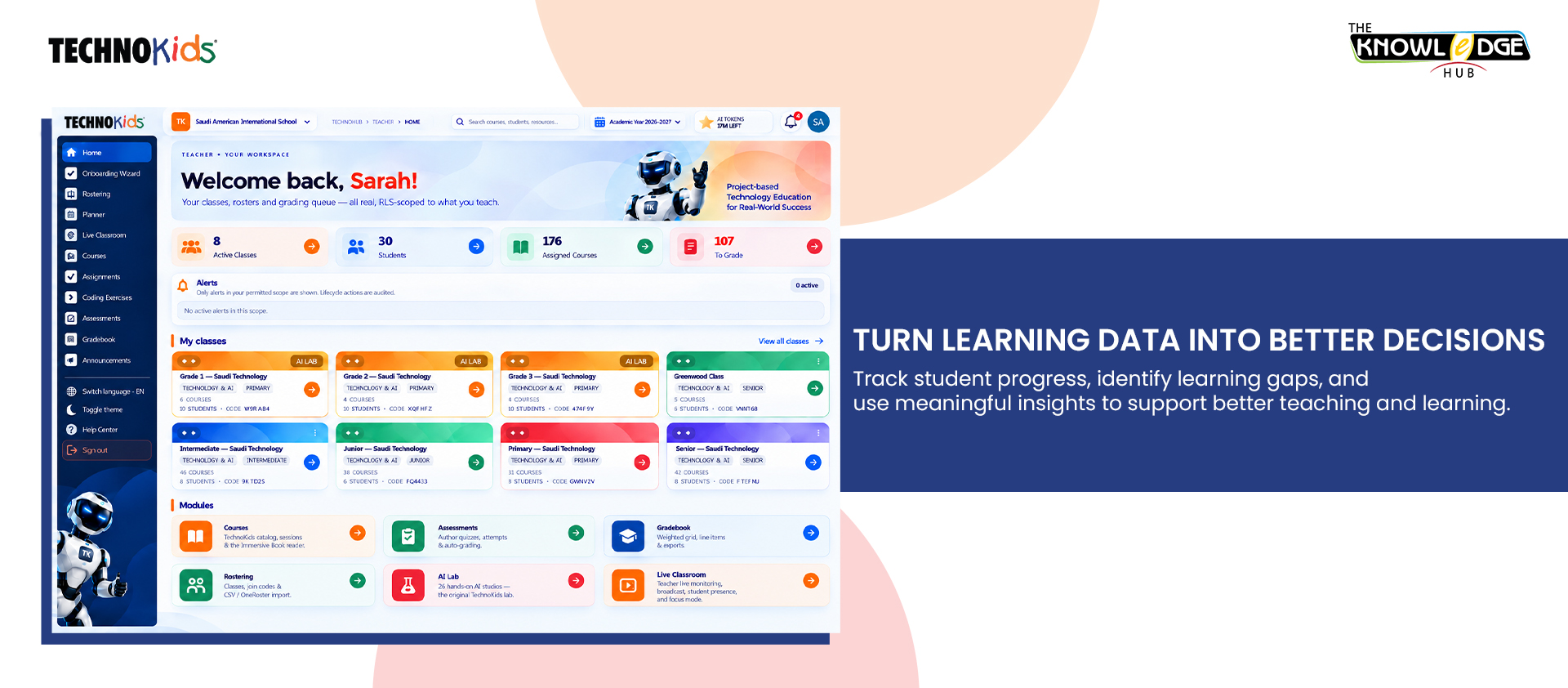
TechnoHub, the online teaching and learning platform from TechnoKids, supports technology education through curriculum delivery, interactive student workbooks, assessment, and student reporting.
Depending on the subscription, teachers can access reporting features that help them monitor student performance. Interactive assignments and quizzes can also be automatically graded, with results recorded in an online gradebook.
These capabilities help educators review assessment information alongside learning activities and identify areas that may require further attention.
By connecting structured curriculum delivery with assessment and reporting, TechnoHub supports a more informed approach to monitoring student progress and planning next steps.
Explore the TechnoKids Lab Studios to discover technology-based learning environments that encourage students to create, experiment, solve problems, and develop practical skills.
From Measuring Progress to Improving Learning
Effective student progress tracking is about more than grades and completion rates. It helps educators understand what students have learned, which skills are developing, and where additional guidance may be needed.
When schools combine meaningful assessments, consistent progress monitoring, and informed teaching decisions, learning data becomes a practical tool for improvement.
With TechnoHub, schools can bring curriculum activities, assessment, and student reporting into a more structured teaching and learning experience.
Measure progress. Identify learning needs. Make better-informed decisions. Support every student’s learning journey.