How to Create Your Own Algorithm? Understanding For Beginners

How to Create Your Own Algorithm? Understanding For Beginners

Creating Algorithm: A Beginner’s Guide to Crafting Your Own

An algorithm is a step-by-step procedure or set of rules designed to solve a specific problem or perform a particular task. Algorithms are fundamental to computer science and programming because they provide a clear and structured way to solve problems and process data.

Algorithms are essential for several reasons:

  1. Automation and Efficiency: They automate and streamline processes, enhancing reliability, speed, and ease of execution.
  2. Complex Tasks: Algorithms empower computers to handle tasks that would be impractical or impossible for humans to perform manually.
  3. Cross-Disciplinary Applications: They find applications in diverse fields like mathematics, computer science, engineering, finance, and more, optimizing processes, analyzing data, making predictions, and offering problem-solving solutions.

Here are the key components of an algorithm:

  1. Input: Algorithms typically start with input data, which is the information the algorithm will process and act upon.
  2. Processing: This is the heart of the algorithm, where a sequence of well-defined steps is applied to the input data to achieve the desired result or solve the problem.
  3. Output: The final result or output of the algorithm is produced based on the input and the processing steps.

To create your own algorithm, you should follow these steps and preparations:

  1. Understand the Problem: Clearly define the problem you want to solve or the task you want to accomplish. If required, dissect the problem into smaller subproblems. Crafting an effective algorithm hinge on a thorough comprehension of the problem.
  2. Plan and Pseudocode: Plan your algorithm on paper or in a pseudocode format before writing actual code. Pseudocode is a high-level description of your algorithm using plain language and simple symbols. It helps you think through the logic without getting bogged down in language-specific details.
  3. Choose the Right Data Structures: Select the appropriate data structures (e.g., arrays, lists, trees) to store and manipulate your data effectively. Your algorithm’s efficiency can be markedly influenced by the selection of appropriate data structures.
  4. Design the Algorithm: Determine the sequence of steps and logical flow to solve the problem. This is where you create the algorithm itself. Consider different approaches and choose the one that’s most efficient and readable.
  5. Consider Time and Space Complexity: Analyze the algorithm’s time and space complexity. It would be best to aim for an algorithm that performs efficiently in terms of execution time and memory usage.
  6. Test and Debug: Implement the algorithm in your chosen programming language and test it with various inputs. Debug any issues or errors that arise during testing.
  7. Optimize: If the algorithm is not performing as efficiently as you’d like, consider optimization techniques. This might involve using more efficient algorithms, reducing redundant operations, or improving data structures.
  8. Document and Comment: Write clear and comprehensive documentation for your algorithm. Include comments in your code to explain the purpose of each part of the algorithm.
  9. Consider Edge Cases: Make sure your algorithm gracefully handles edge cases and unexpected inputs. This includes handling errors and exceptions.
  10. Share and Collaborate: If your algorithm is intended for broader use, consider sharing it with the programming community or collaborating with others to improve it.

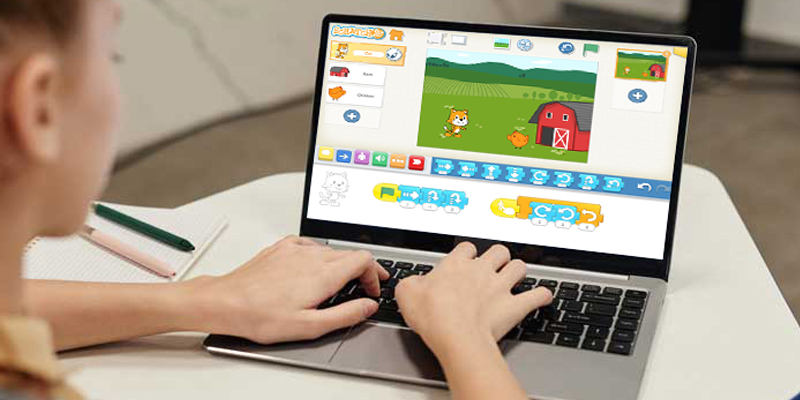
Discover the easiest way for your kids to learn coding with Robotify! Whether they want to play games, solve mazes, or explore the world of coding, Robotify offers an engaging platform. Kids can learn in Blockly or Python, guided by 100 hours of comprehensive coding courses. With Robotify’s best-in-class 3D robotics simulator, accessible from your web browser, they can apply math and develop their own algorithms to refine their coding skills while having a blast. By using their own algorithms, they can even create exciting games and navigate through mazes, making the learning process both fun and educational. It’s an adventure that sparks creativity and fosters learning.

Remember that creating practical algorithms often involves multiple iterations and improvements. It’s important to refine your algorithm based on real-world usage and feedback.

Contact us

Fill in your details below or send us an email on info@knowledge-hub.com

Valuable Storytelling Ignites a Passion for STEAM Education

Valuable Storytelling Ignites a Passion for STEAM Education

Valuable Storytelling Ignites a Passion for STEAM Education

Promoting STEAM education (Science, Technology, Engineering, Arts, and Mathematics) through storytelling can make complex concepts more accessible and engaging for learners of all ages. Storytelling provides context, reliability, and emotional connections to the subjects within the STEAM fields. Here are some ways to use storytelling to promote STEAM education:

1. Narrative-Based Learning Modules: Develop STEAM education modules incorporating narratives or stories. These stories can revolve around characters who use STEAM skills to solve problems or achieve their goals. By following the characters’ journeys, students can better grasp the real-world applications of STEAM subjects.

2. Incorporate Real-Life Examples: Use real-life stories of scientists, engineers, inventors, and artists who have significantly contributed to their fields. Highlight their struggles, breakthroughs, and the impact of their work. These stories can serve as inspirational examples for students.

3. STEM Challenges with a Story: Present STEM education challenges within the framework of a story or scenario. For example, students can be “stranded on a deserted island” and must use STEM principles to survive. This contextualizes STEM concepts and makes learning more engaging.

4. Historical Perspective: Share historical stories about the development of technology, scientific discoveries, and engineering marvels. Discuss how these advancements have shaped our world. Stories about inventions, like the telephone, light bulb, or airplane, can show the evolution of technology and its impact on society.

5. Cross-Disciplinary Narratives: Create stories that require the integration of multiple STEAM disciplines. For example, a group of explorers could use engineering to build tools, biology to understand local ecosystems and math to navigate their environment. This shows how STEAM education subjects are interconnected.

6. Interactive Storytelling: Use technology and interactive storytelling platforms to engage students in STEAM-related narratives. For example, students could create their own digital stories that incorporate science experiments, coding challenges, or math puzzles.

7. Fiction and Sci-Fi: Introduce science fiction stories that explore futuristic technology and its implications. Discuss the science behind these concepts and encourage students to think critically about the possibilities and ethical considerations.

8. Art and Creativity: Highlight the role of arts and creativity in STEAM education fields. For example, showcase how artists use math and geometry to create intricate designs or how technology is used in digital art.

9. Hands-On Experiments: Include hands-on experiments and projects related to the stories. After reading or hearing about a scientific discovery or invention, students can recreate a simplified version of the experiment to understand the concept better.

10. Guest Speakers: Invite guest speakers who can share their personal journeys and experiences in STEAM fields. Their stories can inspire and provide real-world insights.

11. STEAM Clubs and Competitions: Organize STEAM education clubs or competitions that revolve around storytelling. Students can create science fiction stories, engineering design challenges, or art projects incorporating scientific concepts.

12. Field Trips and Museums: Visit science museums, technology centers, and historical sites related to STEAM subjects. These visits can be tied to the stories and narratives discussed in the classroom.

Storytelling in the classroom with the Coding Express Set and its endearing character, the caterpillar, offers an engaging educational journey. This carefully crafted lesson plan encourages students to explore the Coding Express app while immersing themselves in the tale of the colorful caterpillar and its emotions. Building a caterpillar, experimenting with technology, and using action bricks bring STEAM concepts to life in an interactive way. Beyond coding skills, students learn empathy and social interactions as they nurture their caterpillar friend. This holistic approach seamlessly blends technology, creativity, and compassion in the realm of STEAM education.

By infusing storytelling into STEAM education, you can make these subjects more appealing, relatable, and memorable for students. This approach enhances the student’s understanding and fosters a lifelong love of learning within the STEAM disciplines.

Contact us

Fill in your details below or send us an email on info@knowledge-hub.com

Helpful Content Tips for Your School Radio Broadcasting Channel

Helpful Content Tips for Your School Radio Broadcasting Channel

Tips for Your School Radio Broadcasting Channel

Everyone tunes in to their favorite radio broadcasting channel. It is a stress buster, offering music and entertainment that people find soothing. Moreover, radio serves as an easy, accessible source for news updates, providing information without the visual overload. Its simplicity makes it a preferred choice for those seeking a quick and convenient way to stay informed. Whether during commutes or downtime, radio remains a go-to for relaxation and staying in the know.

The Magic of Radio: Fun Facts You Didn’t Know

Invention by Marconi:

Guglielmo Marconi receives credit for inventing the radio. In the late 19th and early 20th centuries, he conducted pioneering work in wireless telegraphy, leading to the development of radio communication.

Diverse Reach:

Radio exhibits a dual presence, spanning local frequencies and international markets. Local stations connect with community interests, while international broadcasts reach a global audience. They facilitate cultural exchange and broaden perspectives across borders.

AM vs. FM:

Amplitude Modulation (AM) and Frequency Modulation (FM) represent two fundamental methods of radio signal transmission. AM is said to have poor sound quality but can transmit longer distances. FM, on the other hand, has higher bandwidth with better sound quality.

Language is no longer a barrier:

Radio broadcasting is aired in over 2,000 languages worldwide, enabling communication across distances. It supports cultural identity by allowing people to absorb information in their comfortable local mother tongue.

Podcasting Boom:

The rise of the internet has facilitated the growth of podcasting, a form of digital radio where individuals and organizations create and distribute their own audio content, leading to a diverse range of shows on various topics.

Your School Radio Channel

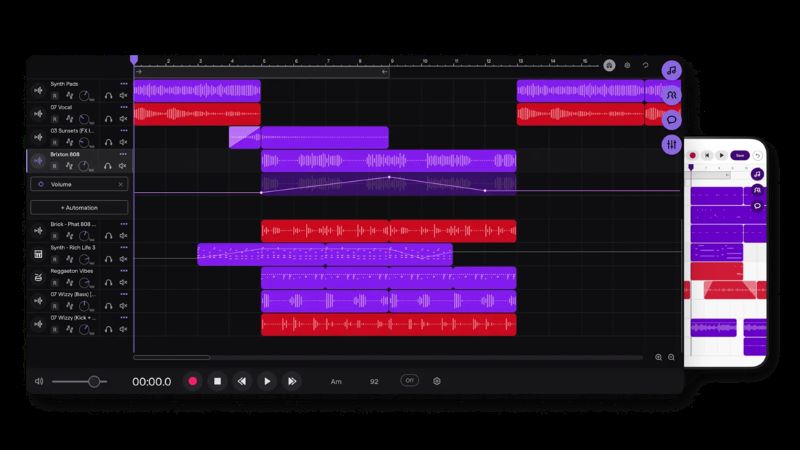
Where Learning Meets Creativity! Here are a few topics that students can prepare for before going on-air for their school radio broadcasting channel.

  1. News about school and world: School radio covers current events, blending local school news with broader world updates to keep listeners informed.
  2. Weather: Ensuring students are prepared for the day, the presenter can provide relevant forecasts through local weather updates.
  3. Music: Radio broadcasting is a mix of tunes, catering to diverse musical tastes that will surely keep the institute’s atmosphere lively.
  4. Jingles: Creating catchy and memorable jingles that add fun to the broadcasts.
  5. Promos & Adverts: Featuring promotional content and advertisements to support school activities and local businesses.
  6. What’s On: Highlighting upcoming events and activities, keeping the school community engaged and involved.
  7. Book, TV & Film Reviews: Offering insights into literary and media worlds, fostering a culture of reading and cultural awareness via the school broadcasting channel.
  8. Poetry: Celebrating the art of language through poetry recitations and creative expressions.
  9. Jokes & Comedy: Infusing humor into the broadcasts, creating a light and enjoyable listening experience.
  10. Birthdays: Celebrating birthdays within the school community, fostering a sense of inclusivity.
  11. Lunch Menus: Sharing daily or weekly lunch menus keeping students informed about meal options.
  12. Competitions: Organizing and promoting various school competitions, encouraging participation
  13. Trivia: Adding an element of fun with interesting and informative trivia segments.
  14. School Clubs: Showcasing the activities and achievements of different school clubs, promoting student involvement through radio broadcasting.
  15. Sports Commentary: Providing lively commentary on school sports events, enhancing the sports experience.

The School Radio offers an exceptional platform for students to build confidence, enhance speaking & listening skills, and showcase their creative work. Whether fostering self-assurance, refining communication abilities, or providing a space for students to exhibit their projects, School Radio serves as an enriching tool for educational development.

Contact us

Fill in your details below or send us an email on info@knowledge-hub.com

Kid-Friendly Lathe Machine, Paving the Way for Vocational Learning

Kid-Friendly Lathe Machine, Paving the Way for Vocational Learning

Kid-Friendly Lathe Machine, Paving the Way for Vocational Learning

A wooden lathe machine is a tool in woodworking. It spins wood and shapes it using cutting tools. The main job of a wooden lathe is to make symmetrical and round shapes. It can also do other things like turning, facing, drilling, and sanding.

Did You Know?

The lathe machine played a crucial role in the Industrial Revolution, earning it the title “mother of machine tools.” It was the first machine tool and laid the foundation for developing various other machines that significantly impacted manufacturing and industrial processes. Jacques de Vaucanson is credited with inventing the lathe in 1751.

Components that make up a wooden lathe

  1. Headstock: The headstock contains the motor and spindle at one end of the lathe. The spindle is the part that spins and holds the workpiece.
  2. Tailstock: Found at the opposite end of the lathe machine, the tailstock can be adjusted to firmly grip the other end of the workpiece.
  3. Tool Rest: This horizontal bar supports the cutting tool. It lets you position the device at the right height and distance from the workpiece.
  4. Tool Post: The tool post is a mechanism that holds and clamps the cutting tool in place on the lathe machine.

A wooden lathe machine is a versatile tool used for various woodworking projects. Here are some examples of projects where a wooden lathe is commonly employed:

  1. Bowls and Plates: Woodworkers can use a lathe to create bowls and plates by turning a solid block of wood into a circular shape.
  2. Pens: One can use small lathes for crafting intricately designed wooden pens by turning slim pieces of wood.
  3. Vases and Goblets: Lathes create elegant vases and goblets by shaping the wood into unique and artistic forms.
  4. Tool Handles: Craftsmen use lathes to shape handles for various tools, such as chisels, screwdrivers, and carving tools.
  5. Candlesticks: Wooden lathe machine often produces decorative candlesticks with angular features.
  6. Wooden Toys: The lathe enables crafting components for wooden toys, including shaping wheels, and various cylindrical or rounded parts
  7. Lamp Bases: Creating unique and artistic lamp bases with intricate designs is worthwhile using the machine for.

UNIMAT 1 Basic by Cool Tool Education

UNIMAT 1 BASIC is made for wood projects, perfect for hand-made projects, especially for kids and woodworking beginners. The kit includes a jigsaw, different woodturning machines, handheld or stationary sanders, and drills. All UNIMAT 1 BASIC machines are child-friendly, ensuring safety with a short jigsaw blade stroke.

Unimat ML – Mini Wood Lathe Machine
Manifesting Dreams, Building Adventures:

Woodworking Wonders for Kids! The UNIMAT 1 BASIC set includes the world’s smallest lathe, capable of forming intricate turned wood pieces. This compact machine delivers excellent results, with an extendable distance between centers of 135 mm and handling up to a 50 mm diameter. Designed to be childproof, it allows for the easy creation of various items like candle holders, scales, gun barrels, dollhouse furniture, and more.

In conclusion, the wooden lathe machine is an indispensable tool in woodworking, shaping creativity and precision across various projects. Cool Tool Education’s UNIMAT 1 BASIC and the world’s smallest lathe offer a hands-on journey into the fascinating world of woodcraft.

Contact us

Fill in your details below or send us an email on info@knowledge-hub.com

Revolutionizing Education by Introducing databot™ – A STEM Superhero

Revolutionizing Education by Introducing databot™ – A STEM Superhero

Transforming Education with the Introduction of databot™ – A STEM Superhero

Many schools want to make science exciting for students and teachers. But when it comes to teaching STEAM (Science, Technology, Engineering, Arts, and Mathematics), it can be challenging. Doing hands-on projects in class can be expensive because you need special tools and materials. Still, we must recognize how important STEAM is in education.

Transform Your STEAM Programs Today with databot™

The incredible versatility of databot™ is evident as it finds applications across various departments and age groups, spanning from elementary science to advanced high school computer science. The databot™ 2.0 chip is like a supercharged STEM superhero! It’s tiny, weighing just 1.2 oz, and stands at a sleek ¾” high. This wireless wonder is all set to unveil the magic of data instantly. Packed with 16 different science sensors, it acts as an intelligent multitasker that can be used with the user-friendly Vizeey™ app.

Data Science with databot™:

Data science involves analyzing and interpreting data to extract meaningful insights. Children should learn Data Science to develop critical thinking skills and understand how data-driven decisions shape our world. Using databot™, students can employ live sensor data to explore, observe, and comprehend real-world scenarios. It’s akin to having a window into the actual world, allowing them to gather, monitor, and analyze events unfolding in real-time.

Example:
Creating a photovoltaics garden at school with databot™ chips buried in the soil allows students to collect real-time data on plant growth. This enables them to learn about the growth patterns of various plants throughout different seasons without needing to physically visit the garden, bringing a hands-on and technology-infused approach to understanding plant development.

Coding AI and Machine Learning with databot™:

Coding, Artificial Intelligence, and Machine Learning are becoming integral to various technologies. databot™ offers an exceptional technology platform to delve into these subjects, providing multiple coding environments, physical computing features, real-time sensor integrations, and more for an immersive learning experience.

Example:
MicroBlock is like a fun, easy-to-use coding language for making things move in the real world, inspired by Scratch. Unlike some other coding tools that take a long time to start, MicroBlock is super fast! With just a click, your code runs automatically. It’s great for educators because there’s no waiting around, making it easier to keep students excited. You can even try out commands and see sensor readings in real-time!

Science with databot™:

The realm of science with databot™ opens up thrilling opportunities to explore Physics, Chemistry, Earth Science, and Biology. Dive into the interdisciplinary field of Environmental Science, gaining valuable insights through data on climate change. It’s a journey that helps us understand the personal impact we have on our remarkable planet every minute.

Example:
Let’s embark on an exploration of indoor air quality with databot™! Using its sensors, databot™ allows us to “see” indicators like humidity, volatile organic compounds (VOCs), and CO2 levels. Join in to assess if your local environment is safe and healthy. To conduct this experiment, you’ll need (an IOS or Android smart device with Bluetooth Low Energy (BLE) to connect to databot™, databot™ + Phypox App installed on your IOS or Android device, an airtight container to hold databot™ and materials for testing, white vinegar & baking soda and 2 –glass containers of 250 ml).

Applied Math with databot™:

With databot™, math becomes exciting and authentic! You can use actual data, solve real problems, and do genuine math calculations. It’s not just about numbers; it’s about solving practical issues. Plus, databot™ works together with programs like Desmos and Excel, making math more colorful and exciting. This way of doing math isn’t boring; it’s like discovering a new side. It can change how you feel about math, boost your confidence, and make the math class the most incredible place to be!

Example:
In this applied math activity, students explore concepts like Cartesian Coordinates, 3D coordinates (x, y, and z axes), positive and negative numbers, and acceleration. Students apply addition, subtraction, and division, work with decimal places, calculate average percentages, and engage in data collection, visualization, and analysis.

In conclusion, databot™ emerges as a revolutionary tool transforming STEM and STEAM education, addressing the challenges of making science and technology exciting and accessible.

Contact us

Fill in your details below or send us an email on info@knowledge-hub.com

Python Programming vs JavaScript: Which Language is Better?

Python Programming vs JavaScript: Which Language is Better?

Python Programming vs JavaScript: Which Language is Better?

If you’re looking to dive into the coding realm and explore the intricacies of programming languages, acquiring Python programming and JavaScript proficiency can be a transformative step. This guide is tailored for individuals aspiring to understand the nuances that set Python and JavaScript apart. Python and JavaScript are popular and powerful, but they have differences. Through this Blog, let us find out what makes each one unique.

What is Python Programming?

Python is a high-level, versatile programming language. Recognized for its clear and straightforward syntax, it finds broad applications in web development, data analysis, artificial intelligence, and various other domains. Python emphasizes code readability, making it beginner-friendly. Its vast array of libraries and frameworks streamlines intricate processes, enhancing efficiency and productivity. Python’s versatility and community support make it a go-to choice for developers worldwide. Python is also used to create websites, particularly in the back-end development. Besides website development, Python programming is an ideal scripting language for creating apps. This means you can use Python to make various applications to fulfill your client’s requirements.

What is JavaScript?

JavaScript is a unique language for making websites exciting. It helps create dynamic and responsive experiences, like checking forms, creating animations, and updating data on a webpage without starting over. It’s what makes websites not just static pages but interactive and lively. Python is great for the behind-the-scenes work of a website (back-end), but JavaScript is like a superhero that can handle both behind-the-scenes and what you see (front-end). It’s a fact that 95% of websites incorporate this programming language.

Python Programming vs. JavaScript

Python Programming

JavaScript

Primarily used for back-end development, data science, machine learning, and scripting. Used for both front-end (user interface) and back-end (server-side) development, focusing on enhancing website interactivity.
In Python programming, the code looks clean and clear and uses spaces to organize different parts of the code. It’s more formal. It uses semicolons to finish thoughts and curly braces to show where things begin and end. One needs to follow a set of rules.
It reads and does tasks one step at a time. It looks at each line and takes action, ensuring everything is correct. JavaScript is more like a multitasker. It can start something and then move on to the next task without waiting for the first one to finish.
Known for its readability and simplicity, often considered beginner friendly. It can be perceived as more challenging due to its asynchronous nature and various environments (browser vs. server).
Python handles mistakes like a safety net. If something goes wrong, it throws an exception, signaling an issue. It’s like a helpful message saying, “Oops, something unexpected happened!” Imagine JavaScript as a clever problem solver. When it’s trying to do something, if it bumps into a problem, it doesn’t give up. Instead, it has a plan B called a try-catch statement. It’s like having a backup strategy, so even if there’s a hiccup, the whole program doesn’t fall apart—it just handles the issue and keeps going.

To sum it up, Python programming is excellent for back-end work, data science, and machine learning because it’s easy to read and has fantastic libraries. On the other hand, JavaScript is like a superhero in web development, doing both front-end and back-end tasks. Python keeps things simple, while JavaScript can handle tricky situations with its special abilities like working on different tasks at the same time.

Both are popular, with Python spreading into different areas and JavaScript ruling the web world. So, the best choice depends on your project’s needs – like picking the right tool for the job!

Python Programming in K-12 Classrooms

Python is becoming a popular programming language in K-12 classrooms, introducing students to coding through its readability and versatility. Its simplicity makes it an ideal choice for beginners, fostering a hands-on and engaging learning experience in various educational settings. Python in K-12 education aligns with a broader emphasis on computational thinking and prepares students for future technological challenges under the STEAM education system.

For educators aiming to bring Python into classrooms, AutoAuto provides an excellent platform. Their 80-hour video-based training course is tailored for K12 teachers and those interested in integrating Python Programming and Artificial Intelligence (AI) into their teaching. The platform creatively utilizes virtual autonomous cars, making it a captivating way to instruct Python programming and AI principles to beginners.

Contact us

Fill in your details below or send us an email on info@knowledge-hub.com