Drawing an Olympic Logo with the New MatataStudio Coding Set

Drawing an Olympic Logo with the New MatataStudio Coding Set

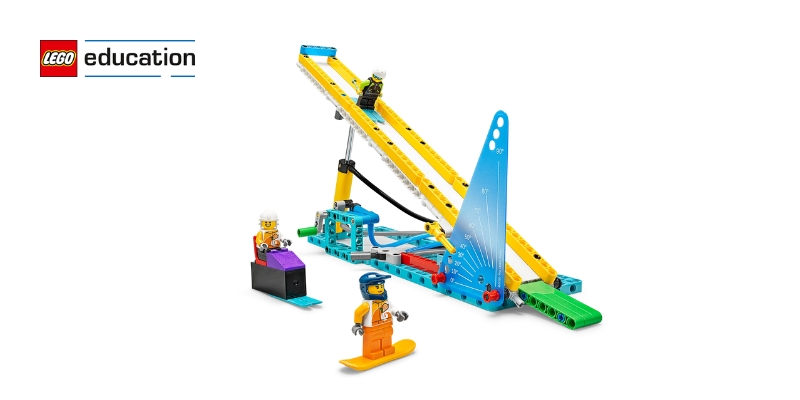
The holiday season is a perfect time to sprinkle some festive cheer into learning! Why not transform your classroom into a winter science wonderland to explore physics lessons for kids and learn about fundamental concepts through engaging hands-on activities? Instead of just reading about forces and motion, let them experience these ideas by designing their own miniature sleds and icy tracks. This creative project combines the magic of the holidays with the excitement of STEM learning.

What is Bobsledding?

Bobsledding is a thrilling winter sport. Teams race down an icy track in a small, aerodynamic sled. They use gravity and momentum to gain speed, while skillful steering helps them navigate the twists and turns of the track to achieve the fastest times.

Drawing Olympic Rings with the MatataBot Coding Set

(Time: 60 minutes | Age: 7 to 9 years) 

What you’ll Need to get started: 

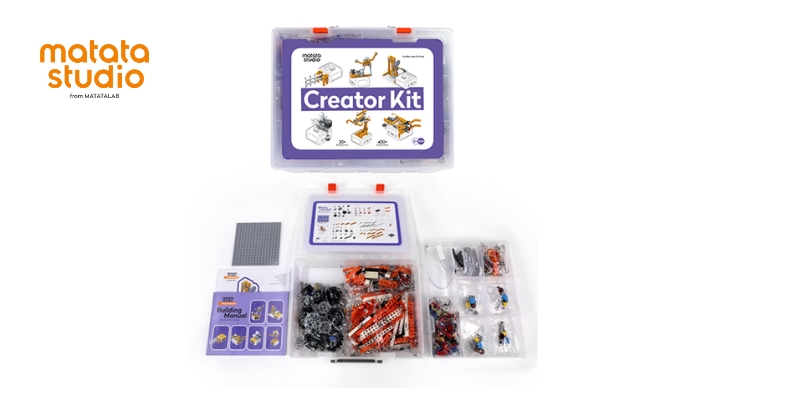
  • A class kit of the Matatalab Pro Set with Animation Add-On Accessories
  • Markers for MatataBot in the Olympic colors (black, red, green, yellow, blue)
  • A roll of white craft paper (one large sheet per group)
  • Tape and scissors
  • Reference images of the Olympic Rings (printed or pre-downloaded)

Group Setup

Students collaborate in pairs or small groups of three, promoting teamwork and shared problem-solving. Each group should have sufficient room on a flat surface, such as a table or the floor, to work comfortably with their MatataBot Coding Set. The setup should ensure enough space for smooth movement as students collect materials and test their coding solutions.

How It Works: Coding the Olympic Rings

The challenge is to use MatataBot to draw the iconic five interlocking circles of the Olympic Rings. This activity helps students understand coding, geometry, and motion control. Here’s how they do it:

  • Understanding Circle Properties: Students start by reviewing what they know about circles – such as how all points on the circle are the same distance from its center and how it has no edges or corners. They’ll discuss these properties and learn how to code a circle by controlling MatataBot’s wheel speeds.
  • Experimenting with Blocks: Using Set Speed blocks, students control each wheel of the MatataBot independently. The left wheel & the right wheel move in different speeds. When one wheel moves faster or slower than the other, it causes the robot to follow a curved path. This mechanism enables the MatataBot to draw precise circles. By adding number blocks, participants can determine the size of the circle. Number block 3 will make a larger circle, as compared to number block 2, and so on.
  • Hands-On Practice: Students practice coding small circles without markers first. Once confident, they attach the appropriate markers to MatataBot and start drawing. Each group plans carefully to ensure their rings fit together correctly, matching the original logo.
  • Adding Color: In the final stage, students add the Olympic colors to their rings, ensuring each is drawn with precision.

Extension Activities

Want to take it further? Here are some additional challenges for curious coders:

  • Create the Olympic Flag: Once the rings are complete, students program MatataBot to create a rectangle surrounding them, outlining the flag.
  • Adding LED Light: Students can program the MatataBot to navigate through each ring, synchronizing its LED lights to change colors to match the ring it passes through.

These activities not only deepen understanding but also spark creativity.

Exploring the Elements of a Great Logo

Once students have coded the Olympic Rings, they can take their learning further by talking about how logos work in the real world. They can explore how logos work as symbols for companies and organizations. A good logo is simple, easy to remember, and uses colors that have meaning. Students can discuss what makes a logo effective and design their own logos for imaginary companies.

The ‘Coding of Olympic Rings’ lesson plan blends STEM, art, and media literacy into one exciting challenge. By using the MatataBot Coding Set to recreate the Olympic Rings, students don’t just learn—they gain practical skills in coding and reinforce their knowledge of shapes. All this happens while fostering teamwork and creativity, making it a truly interdisciplinary experience. This hands-on approach also highlights how STEM education in schools across Dubai can be combined with art and media literacy.

Contact us

Fill in your details below or send us an email on info@knowledge-hub.com

How to Practice for a Podcast on a School Radio Platform

How to Practice for a Podcast on a School Radio Platform

Storytelling, idea sharing, and audience engagement are all made possible via podcasts. If your school offers a school radio platform, it provides an ideal space to explore podcasting and develop your voice. However, delivering a great podcast requires preparation and practice. Here’s how you can get ready to create a memorable podcast episode.

Pick a Topic You’re Passionate About

Selecting a topic that truly interests you is the first step towards creating a good podcast. Your enthusiasm will shine through your words and keep your audience engaged. Think about subjects that interest you and align with your target audience, whether it is sports, science, books, or school news. If you’re unsure, brainstorm ideas with friends or teachers. The key is to choose a topic that feels meaningful to you and fits the purpose of the school radio platform.

Practice Speaking

Practicing your speaking skills is an essential step before you hit record. Focus on your tone, clarity, and pacing. Speak clearly and at a steady pace to ensure your listeners can follow the script. Record yourself during practice sessions and listen to identify areas that need improvement, such as unclear words or awkward pauses.

Learn the Art of Storytelling

Great podcasts often tell a story. Whether you are discussing a personal experience or explaining a Scientific concept, storytelling makes your content more engaging. Use relatable examples and anecdotes to draw listeners in. Storytelling keeps your audience hooked and helps you communicate your ideas effectively.

Understand the Equipment

Familiarizing yourself with the recording tools is important for creating a high-quality podcast. Spend time learning how to use the microphones, headphones, and audio editing software available on your school radio platform. Before using the equipment, make sure it is in working order. Most schools across Dubai and the world over, make use of the SR0 School Radio Package which provides all the necessary equipment to get started with recording.

Practice in the Studio

If your school radio platform provides a recording studio, take advantage of it. Practicing in the studio helps you get comfortable with the environment and equipment. Minimize background noise for a clean and professional recording. The more comfortable you are with the studio setup, the more confident you will be throughout the Live performance.

Time Your Episode

A podcast needs to be well-timed to hold the listener’s attention. Practice delivering your content within a specific time frame to avoid going off track. Use a timer during rehearsals to ensure you stay concise while covering all your points. A well-paced episode respects your audience’s time and leaves them wanting more.

Get Feedback

Before finalizing your podcast, share a draft recording with trusted friends, family, or teachers. Their input might help you find strengths and areas to improve. They may suggest better phrasing, smoother transitions, or tips for improving your tone. Constructive criticism is valuable for refining your podcast and making it more engaging.

Develop Your Style

Adding your distinctive style is what distinguishes your podcast. You can start your radio show episode with a phrase, like; Good vibes and great stories coming your way—stay locked in!  Your own style will help you stand out on the school radio platform and make your voice unforgettable.

Be Ready for Live Recording

If your school radio platform involves live recording, prepare for unexpected situations. The self-installable SR0 School Radio Starter Package invites students to broadcast and stream their talk shows Live. However, there could be some technical issues or interruptions while recording, so stay calm and learn to find a quick fix. Being prepared for the unexpected ensures your podcast continues to run seamlessly.

Reflect and Improve

Listen to your podcast and identify areas where you can improve. Every podcast is an opportunity to grow and refine your skills. With consistent effort and a commitment to learning, you’ll become a confident and skilled podcaster in no time.

Podcasting on a school radio platform is a rewarding way to express your creativity and share your voice. With preparation, practice, and passion, you’ll create engaging episodes that resonate with your audience. Enjoy the journey of becoming a skilled podcaster and make your school radio experience unforgettable!

Contact us

Fill in your details below or send us an email on info@knowledge-hub.com

Exploring Motion in Sports with BricQ Motion Essential Set

Exploring Motion in Sports with BricQ Motion Essential Set

Motion is the movement of an object from one place to another. It can occur in many forms, depending on how and where the object moves. Motion surrounds us in everyday life and is especially prominent in sports, where athletes and equipment are constantly in motion.

The LEGO® Education BricQ Motion Essential set brings this concept to life, making it fun and interactive for learners to explore how motion and force work. Before children conduct hands-on experiments to test this concept in action, let us understand the different types of motion.

Types of Motion

Let’s discover some common types of motion and see how they connect to sports.

  • Linear Motion: Linear motion happens when an object moves in a straight line. For example, a runner sprinting on a track demonstrates linear motion as they move along a straight path in a single direction. A hockey puck sliding across the ice, demonstrates linear motion as it moves in a straight line until acted upon by an external force.
  • Circular Motion: Circular motion happens when an object follows a curved, circular trajectory. Think of a gymnast spinning on a bar, creating graceful loops. Even a cyclist riding around a track exhibits circular motion as they follow a curved path.
  • Oscillatory Motion: This type of motion involves repetitive back-and-forth movements. Swinging a cricket bat or a tennis racket involves oscillatory motion, as they move back and forth around a fixed point during a swing.
  • Periodic Motion: Periodic motion repeats itself at regular intervals. The ticking of a clock illustrates periodic motion, as its hands move in a consistent pattern at regular intervals. On the other hand, a basketball player’s dribbling the ball, showcases periodic motion, as the ball repeatedly bounces up and down at regular intervals.
  • Two-dimensional Motion: Two-dimensional motion occurs when an object moves in two different directions simultaneously, typically along both the x-axis (horizontal) and y-axis (vertical). In football, a quarterback’s pass is an example of two-dimensional motion, as the ball moves both horizontally toward the receiver and vertically through the air, following a parabolic trajectory.

Science of Sports with LEGO® Education BriQ Motion Essential Set

Understanding Circular Motion with ‘Propeller Car’ Activity: 

Children build a propeller car with spinning blades and wheels using the BriQ Motion Essential set. They then experiment with how the propeller’s circular motion moves the car in different directions.

The circular motion of the propeller blades is key to understanding how the car moves. When the fan blows air, it causes the propeller to spin in a circular path, transferring energy to the wheels. This circular motion of the propeller helps push the car either upwind or downwind, depending on its orientation. The faster the blades spin, the greater the force transferred to the car, making it move. This demonstrates how circular motion can influence an object’s movement in different directions.


Understanding Two-dimensional Motion with ‘Free Throw’ Activity: 

In the Free Throw activity, children build a LEGO model of a basketball hoop and a throwing arm. They then use coding to change the throw distance and basket height to see how the ball moves.

The motion of the basketball is an example of two-dimensional motion because it incorporates both horizontal and vertical movement. The ball travels horizontally as it is thrown towards the basket and vertically as it is influenced by gravity. The combination of these two directions creates a curved trajectory, which students can observe and experiment with by adjusting throw distance and basket height.

Understanding Linear Motion with the ‘Race Car’ Activity: 

Students will build a race car model with adjustable wheels and a launcher to experiment with different variables affecting its motion. They will test the car’s movement using various wheel sizes and distances, recording their results.

In this activity, students observe linear motion as the car moves along a straight path. The car’s motion is influenced by forces like friction and thrust, which affect its speed and distance traveled. By adjusting wheel size and launching distance, students see how these changes impact the linear motion, helping them understand how objects move in a straight line.

Learning Through Play with LEGO® Education: 

One of the best aspects of the BricQ Motion Essential set is its focus on hands-on learning. Students don’t just read about motion and force—they build, test, and learn by doing. This approach makes concepts more engaging and easier to understand. Each activity is designed to connect STEM concepts with real-world sports examples, engaging students from schools across Dubai in hands-on learning experiences.

Motion and force are at the heart of every sport. Whether it’s a simple pass on a soccer field or a complex gymnastics routine, understanding these concepts is key to mastering movement. By building and experimenting with models, learners can see the science behind sports come alive.

Contact us

Fill in your details below or send us an email on info@knowledge-hub.com

A Fascinating Journey into Coding for Kids with MatataBot

A Fascinating Journey into Coding for Kids with MatataBot

Imagine combining coding, creativity, and learning into one activity-this is exactly what happens during MatataBot’s first visit to school! The project, designed for students aged 9-11 years, aims to turn a typical school day into an exciting adventure, introducing them to mapping basics, coordinate planes, and tangible coding for kids with Matatalab. Here’s how the activity unfolds.

The Big Idea

The goal is simple yet intriguing, to introduce the school to MatataBot as its guide. Students will learn to code MatataBot to navigate a mini school map while delivering a prepared tour guide speech. By combining coding with storytelling and mapping, this activity encourages students to explore their school’s layout, history, and culture in a unique, hands-on way.

Activity Breakdown

The project will be divided into three parts – a guided activity, independent work, and feedback presentations.

Lead-In & Guided Activity (45 minutes)

The session begins with the introduction of MatataBot and the task ahead: guiding it through a mini version of the school. To help students prepare, the teacher shares a brief history of the school, emphasizing its milestones, culture, and architecture.

Students then set out to explore the school. They take photos of key buildings, jot down interesting facts, and collect information about the school layout. This step is crucial for creating an accurate and detailed mini-map later.

Independent Activity (90 minutes)

This phase involves bringing the map to life and coding MatataBot to navigate it. Here’s how students work:

  1. Drawing the Map: Students start by sketching a scaled-down version of the school on blank sheets. They learn how to read signs and use scales to ensure accuracy. Key locations like the library, sports complex, and auditorium are marked on the map.
  2. Creating 3D Models: Next, students construct simple 3D models of the school buildings using paper. These models add depth to the map, making it more engaging and realistic.
  3. Designing the Route: Groups design routes for MatataBot, carefully deciding which buildings to include in the tour. They create a sequence of movements and write down coordinates for MatataBot to follow.
  4. Writing the Tour Guide Speech: To make the tour engaging, students prepare short speeches about each location MatataBot will visit. They include fun facts, like when the school was founded and its unique features.
  5. Coding MatataBot: Using Matatalab’s tangible coding language, students program MatataBot to move across the map. This hands-on approach to coding for kids helps them use coordinate pairs and sequences to ensure MatataBot follows the correct path, stopping at designated locations.
  6. Feedback & Extension (45 minutes): The final stage is about sharing. Each group will present their project, showing how they programmed MatataBot and deliver their tour guide speeches. Watching MatataBot navigate the map is both entertaining and rewarding for everyone.

Key Learning Outcomes

This activity goes beyond coding—it is an interdisciplinary experience that combines technology, geography, and public speaking. Here’s what students achieve:

  • Understanding Maps: They learn to draw simplified maps using scales, symbols, and coordinates, skills essential for basic geography and navigation.
  • Exploring School History & Culture: By researching and preparing speeches, students gain a deeper appreciation for their school’s history and unique features.
  • Improving Collaboration & Problem-Solving: The groups work together to design maps, build models, and troubleshoot coding errors. Each student has a role, ensuring teamwork and shared responsibility.
  • Mastering Tangible Coding: Programming MatataBot introduces students to the concept of coordinate planes and sequences, laying the foundation for advanced skills in coding for kids.

Reflection Through Questions

During the feedback session, students answer essential questions to reflect on their experience:

  • Which school location is the most popular?
  • What was the most challenging section of the activity?
  • How did your team divide the work?

The Impact of the Activity

MatataBot’s first school visit isn’t just an exercise in coding—it is a holistic learning experience. Students don’t just learn—they get a chance to create, explore, and present, thereby gaining confidence. By combining hands-on activities with coding for kids, this project makes learning both engaging and impactful.

So, get ready to invite MatataBot to your schools and make learning a memorable experience.

Contact us

Fill in your details below or send us an email on info@knowledge-hub.com

Understanding Potential Energy & How It Powers Our World

Understanding Potential Energy & How It Powers Our World

Energy is all around us, constantly at work, even when we can’t see or feel it. Objects that appear to be still, also seem to hold energy in some form. One such form of energy, stored due to an object’s position or condition, is called potential energy. In this blog, let us dive into understanding potential energy, its types, and its role in everyday life.

What is Potential Energy?

As the name implies, potential energy is energy that has the potential to transform into another type of energy. It is stored within an object due to its position, configuration, or condition. This type of energy depends on factors like the object’s mass, height, or deformation in a system.

There are two types of potential energy:

  1. Gravitational Potential Energy
  2. Elastic Potential Energy

Gravitational Potential Energy

Gravitational potential energy (GPE) is the energy an object has because of its position above the ground or near another large object. It depends on how high the object is and how heavy it is.

The formula for calculating gravitational potential energy is:

GPE=mghGPE = mghGPE=mgh

  • m is the object’s mass
  • g is the acceleration due to gravity (9.8 m/s² on Earth)
  • h is the height of the object above a reference point

Gravitational potential energy increases with greater mass or height. For instance, a heavy rock lifted high above the ground will have more GPE than a lighter rock at the same height. Similarly, the higher an object is raised, the more GPE it stores.

Real-Life Examples of Gravitational Potential Energy

  • Coconut Falling from a Tree: A coconut high up in a tall tree has more GPE than an apple in a shorter tree because it is both higher and potentially heavier. When the coconut falls, its stored GPE transforms into kinetic energy, the energy of motion.
  • Dams: Water stored in a reservoir at a height has GPE. When it flows down, this energy is converted into kinetic energy and then into electrical energy using turbines.
  • Satellites in Orbit: Interestingly, gravitational potential energy can sometimes be negative. For example, a satellite orbiting Earth has negative GPE because it is bound within Earth’s gravitational field.

Elastic Potential Energy

Elastic potential energy (EPE) is stored in objects that can be stretched or compressed. The amount of elastic potential energy depends on the material’s elasticity and the degree of stretching or compressing.

Real-Life Examples of EPE

  • Rubber Bands: When you stretch a rubber band, it stores elastic potential energy. Upon release, this energy turns into kinetic energy, causing the band to snap back.
  • Bungee Cords: A bungee cord stretches as a person jumps, storing elastic potential energy. As the cord recoils, this energy is converted to kinetic energy, pulling the person back up.
  • Bow and Arrow: Pulling the bowstring stores energy in the bow. When you let go, this energy moves to the arrow, making it fly forward.

The Transformation of Potential Energy

One of the most fascinating aspects of understanding potential energy is its ability to transform into other forms of energy. For example:

  • Kinetic Energy: A child on a swing converts gravitational potential energy into kinetic energy as they swing forward.
  • Mechanical Energy: A jack-in-the-box converts the elastic potential energy in its spring into mechanical motion when it pops open.
  • Thermal Energy: When a car brakes, the kinetic energy converts into heat due to friction between the brake pads and wheels.
  • Sound Energy: A thunderclap results from the rapid expansion of air due to potential energy from lightning.
  • Chemical Energy: A rechargeable battery stores electrical potential energy, which transforms back into chemical energy during charging.

Energy Transfer Exploration: Activity:                               

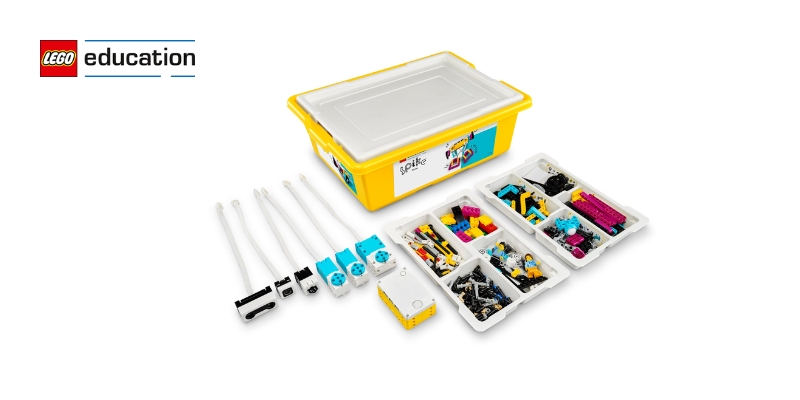
This Is Uphill with LEGO® Education SPIKE™ PrimeStudents will build a physical model of a bike using LEGO® bricks and the SPIKE™ Prime Hub. They will program the bike to gather data on its power usage and the angle of the slope it’s going up. Through this activity, they will learn about energy transfer and discover how electrical energy is converted to kinetic and potential energy.

Understanding potential energy is an essential part of how energy works in our world. Whether its gravitational energy stored in a raised object or elastic energy in a stretched rubber band, potential energy is always waiting to transform into something active and useful.

Contact us

Fill in your details below or send us an email on info@knowledge-hub.com